
ZTE Blade A53 Pro Manual
PDF manual · 113 Pages
English



Quick check
Incorrect answer, please try again.
Chat with your ZTE Blade A53 Pro manual using AI
Get instant AI answers from your ZTE Blade A53 Pro manual
Ask anything about the ZTE Blade A53 Pro. Answers come from this manual, with the pages they are based on.
Blade A53 Pro Maintenance Schedule
Wipe with a soft material like an eyeglass cleaning cloth. Do not use alcohol, corrosive substances, harsh chemicals, or aerosols.
Ensure the screen and camera lens are free of dirt to maintain touch reaction speed and image quality.
If not using the device for a long period, charge the battery to about half and store it in a cool, dry place.
Ask a Question
Do you recommend Blade A53 Pro?
Yes NoDo you recommend Blade A53 Pro?
Yes NoFrequently Asked Questions
Open Settings and touch Password and security then Face recognition. Enter your current screen lock pattern or PIN if prompted. Read the disclaimer and create your face data following the on-screen prompts. You can enable Raise to wake for automatic unlocking when lifting the phone.
Is this answer helpful?
Yes, you can use part of the phone storage as extended RAM. Open Settings and touch About phone then RAM capacity. Switch on Extended RAM and select the desired capacity. Touch Restart Now for changes to take effect after rebooting.
Is this answer helpful?
No, the battery is not removable. Warning states removing the back cover may cause fire or explosion. Use only ZTE-approved chargers and do not disassemble the battery yourself.
Is this answer helpful?
Use Nearby Share to share files via Bluetooth or Wi-Fi. Open Settings and touch Connected devices then Connection preferences and Nearby Share. Turn sharing on and select content to share with nearby visible devices.
Is this answer helpful?
If you forget the pattern, PIN, or password, you may need to contact customer service to reflash the phone software to unlock it. Be aware that doing so will erase all data currently stored in the phone memory.
Is this answer helpful?
Yes, the nano-SIM/microSDXC card tray supports two nano-SIM cards installed simultaneously. Both can connect to 4G networks and either can be selected as the default for mobile data calls.
Is this answer helpful?
Connect the phone to the computer with a USB cable. Open the notification panel and touch USB to open the menu. Choose Media device MTP / Android Auto to transfer files between the PC and phone.
Is this answer helpful?
Advantages and Disadvantages
Advantages

- Face Recognition and Fingerprint Identification for fast secure unlocking
- AI Scene Recognition adjusts photo color and lighting automatically
- Extended RAM feature improves multitasking performance using storage
- Phone Switch tool simplifies transferring data from old devices
- Night Light and Dark Mode options reduce eye strain
Disadvantages

- Battery is not removable and requires approved chargers only
- Security lockout resets require contacting customer service for reflash
- Non-standard SIM cards may cause damage to the phone unit
- Face recognition security level is lower than PIN or Password
- Some apps do not fully support Dark mode functionality
Product Specification
Operating System
Android 12.0 (Factory)
Display
6.52", 1600x720 Pixels, 16 Million Colors, IPS, Capacitive Touchscreen, Flat, Notch, 269ppi
Rear Camera
13.0MP, f/2.2, Contrast AF, LED Flash, Videos @1080p/30fps (Camera 1); 2.0MP, f/2.4, Depth (Camera 2)
Front Camera
5.0MP, f/2.2, Videos @720p/30fps
Interfaces
USB Micro-B 2.0 (OTG), 3.5mm Jack, Wi-Fi 4 (IEEE 802.11b/g/n), Bluetooth 4.2
Sensors
Accelerometer, Proximity Sensor, Light Sensor, Fingerprint Sensor (Rear)
Chipset
Unisoc SC9863A, 64-bit
CPU
4x 1.60GHz Cortex-A55 + 4x 1.20GHz Cortex-A55
GPU
PowerVR GE8322
RAM
4GB
Storage
64GB, microSD Slot (shared, up to 256GB)
Navigation
A-GPS
Modem
GSM (0.2Mbps/0.1Mbps), UMTS, LTE
Battery
5000mAh, Non-removable
SAR Rating
0.306 W/kg Head, 1.582 W/kg Body
Form Factor
Slab
Housing Material
Plastic (Back), Plastic (Frame)
SIM Card Form Factor
Nano-SIM (1x shared)
Features
Dual-SIM, Notification LED (Front)
Color
Blue
Dimensions
6.46 x 2.98 x 0.34 inches
Weight
0.44 lbs
Screen-to-Body Ratio
82.6%
Product Description
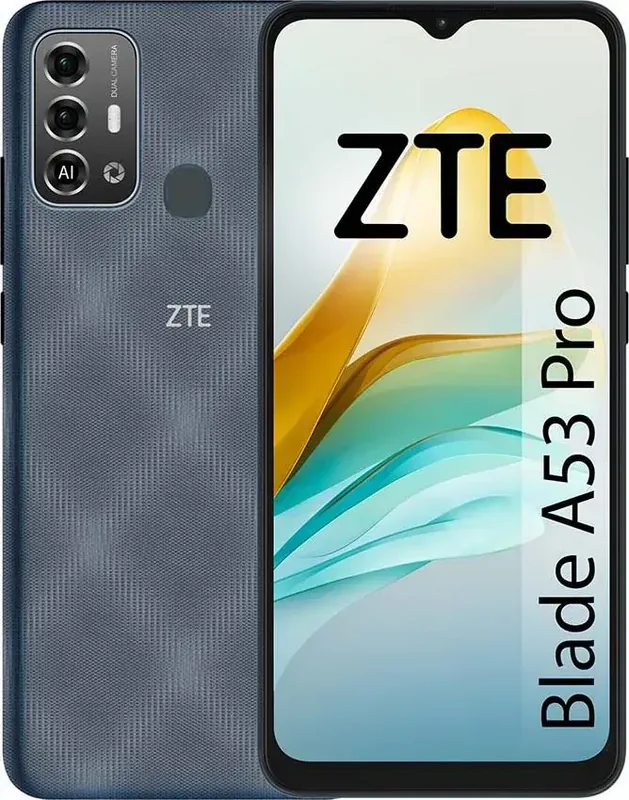
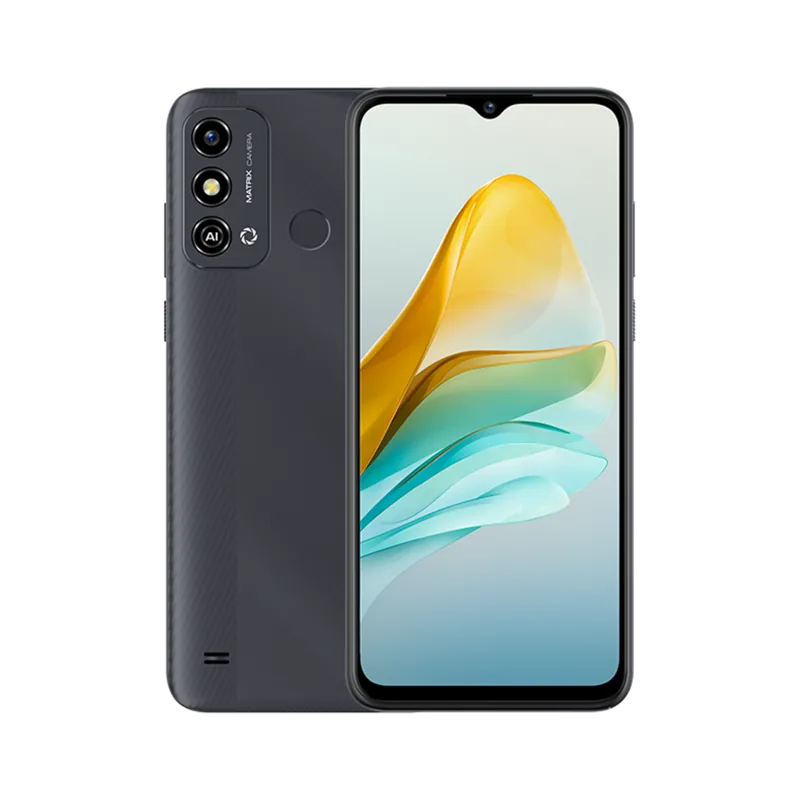
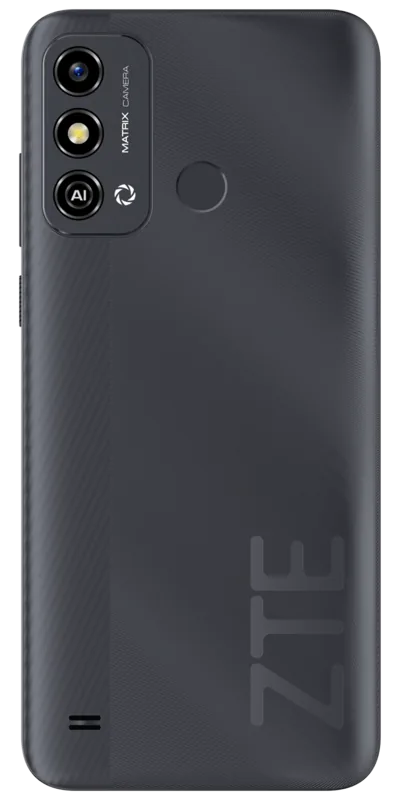
Discovering the ZTE Blade A53 Pro Midnight Blue
Finding the perfect smartphone involves balancing performance with style and usability. The ZTE Blade A53 Pro Midnight Blue stands out in the crowded market with its sleek design and robust feature set. This device offers a seamless integration of modern technology tailored for everyday users who demand reliability. Whether you are capturing memories or managing daily tasks, this phone aims to deliver efficiency across all operational environments.
Security and Convenience
One of the standout features is the multi-layered security system designed for ultimate peace of mind. Users benefit from Face Recognition that unlocks the screen effortlessly when raising the phone. Additionally, the rear fingerprint sensor allows for quick access and individual app protection with up to five registered prints. Managing your data privacy has never been simpler with App Pinning capabilities to keep specific applications secure during lending scenarios. Screen locks include pattern, PIN, and password options for enhanced protection layers.
Performance and Multimedia
The camera suite brings photography to new heights with AI Scene Recognition capabilities included here. This feature automatically adjusts lighting and color settings to match subjects like flowers or landscapes effectively. For enthusiasts who love tinkering, Pro Mode offers granular control over ISO and exposure levels. Video recording is also fully supported with Refocus modes allowing creative background adjustments after capture. Voice Recorder tools allow memo creation directly from the interface for quick notes.
Connectivity and Features
Staying connected is easy thanks to robust Wi-Fi and Bluetooth support included in the package. The Nearby Share function facilitates instant file transfers between devices without needing physical cables or internet data consumption. Battery life remains a priority, and the phone avoids removable back covers to maintain structural integrity, though charging requires approved accessories to avoid damage risks. USB On-The-Go support enables connecting external storage peripherals seamlessly.
System Management
Transferring data from old devices is streamlined via the Phone Switch tool available on Android systems. You can move contacts, messages, and photos easily across platforms efficiently. Extended RAM technology utilizes internal storage to boost multitasking performance when active apps require more memory resources. Customization options like Dark Mode and Night Light protect your eyes during late-night usage sessions. The home screen offers flexible layout modes to suit personal preferences including drawer styles.
Safety Note: Always refer to official safety guidelines regarding RF energy and battery handling to ensure long-term usage without risk. Keep the device away from pacemakers and explosive environments to maintain compliance with international safety standards for mobile electronics usage globally.
Search for 67,732 Manuals online


Type-in Brand or Model