
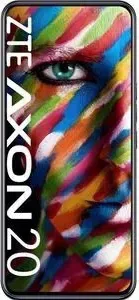
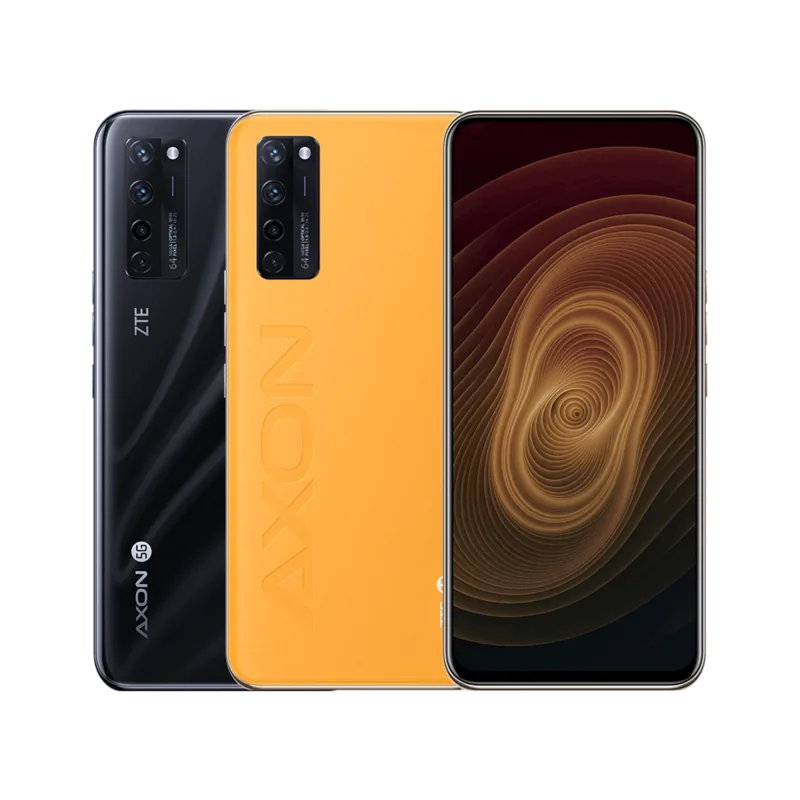
ZTE Axon 20 Manual
PDF manual · 121 Pages
English



Quick check
Incorrect answer, please try again.
Chat with your ZTE Axon 20 manual using AI
Get instant AI answers from your ZTE Axon 20 manual
Ask anything about the ZTE Axon 20. Answers come from this manual, with the pages they are based on.
Axon 20 Maintenance Schedule
Keep the screen and camera lens clean using a soft material like an eyeglass cloth. Do not use alcohol or corrosive substances.
Disconnect the charger when the battery is fully charged to avoid shortening the battery life.
Ask a Question
Do you recommend Axon 20?
Yes NoDo you recommend Axon 20?
Yes No
Georgia Walker
6 months ago
Does this phone have performance issues like lagging apps or frequent shutdowns?
Noemi McDermott
4 months ago
Is the camera quality on this phone actually good enough for daily use, or is it a major disappointment?

Manual.ly
4 months ago
The camera performance varies significantly based on lighting conditions and user expectations. While some users report that the rear cameras produce average results suitable for basic needs, the front camera (32MP) often yields poor image quality due to the under-display design, especially in low light. Additionally, there are reports of the main sensor being lower resolution than advertised (16MP instead of 64MP). For professional photography or high-quality selfies, we recommend considering other models. However, for standard social media posts and casual snapshots in good lighting, many users find the images acceptable.
Abbie Thomas
5 months ago
Why does my phone keep shutting down randomly and why is the performance so slow with apps lagging?

Klaus Weber
7 months ago
Are there any software updates available to fix the bugs and improve battery life?
Manual.ly
7 months ago
We are currently reviewing your feedback regarding software stability and battery performance. Please ensure your device is connected to a stable Wi-Fi network when checking for updates manually. If the system still reports 'Network Not Available', please contact our support team directly for further troubleshooting steps. We are committed to improving the user experience through future firmware releases.
Lena Brooks
6 months ago
How good is the camera, especially the under-display front camera, and does the phone have reliability issues?
Manual.ly
6 months ago
The display is widely praised for its large, notch-free design, but reviews frequently report disappointing camera quality, particularly for selfies and low-light shots. Some users also mention slow performance, weak battery life, Bluetooth or GPS issues, and occasional unexpected shutdowns. Camera results may improve with correct settings and good lighting, but buyers who prioritize dependable photography or alarm-critical reliability should consider alternatives.
Marta Klein
6 months ago
How good is the camera, especially the under-display front camera, and does the phone have reliability issues?
Manual.ly
6 months ago
The display is widely praised for its large, notch-free design, but camera performance is a frequent concern. The under-display front camera may produce soft, low-detail selfies, particularly in low light, and rear-camera results are generally best in good lighting. Some users also report slow performance, Bluetooth or GPS issues, short battery life, and occasional unexpected shutdowns. Experiences vary, so buyers who prioritize photography, gaming performance, or dependable alarm use may want to compare alternatives and check the return policy.
Sebastian Wood
4 months ago
How good is the camera, especially the under-display front camera, for selfies and low-light photos?
Manual.ly
4 months ago
The reviews are mixed, but the most frequent concern is camera quality. Several users found the under-display front camera unsuitable for selfies, particularly in low light, and described the rear cameras as average at best. Buyers who prioritize photography may want to consider another model or test the camera before the return period ends.
Frequently Asked Questions
It uses an under-display front camera, helping provide a less interrupted screen area for viewing content. The design is intended to deliver a more immersive full-screen appearance than phones with a visible camera notch or hole.
Is this answer helpful?
The ZTE Axon 20 schwarz supports screen lock methods including pattern, PIN, and password. It also supports an under-display fingerprint sensor and face recognition. After a restart, the configured pattern, PIN, or password is required before biometric access can be used.
Is this answer helpful?
Available tools include wide-angle, macro, portrait, bokeh, manual, panorama, burst, Night-Shot, time lapse, slow motion, motion photo, AI scene recognition, and 64 MP Ultra Res. Availability can vary by camera and selected shooting mode.
Is this answer helpful?
Yes. It supports two nano-SIM cards, with both slots supporting 4G, 3G, and 2G networks. The second slot can alternatively be used for an optional microSDXC card, so users must choose between extra storage and a second SIM.
Is this answer helpful?
Private Space is a security area for encrypting photos, videos, and files, locking apps, and managing account details. It can use a separate pattern or PIN and can also support registered fingerprint or face access when enabled.
Is this answer helpful?
Yes. NFC can be enabled in connected-device settings for nearby data exchange and compatible contactless payments. To use mobile payment, a supported payment app must be installed and configured as the default payment option.
Is this answer helpful?
Advantages and Disadvantages
Advantages

- Under-display front camera creates a more seamless full-screen viewing experience.
- 64 MP Ultra Res mode, wide-angle, macro, portrait, manual, and night shooting modes support creative photography.
- Under-display fingerprint sensor and face recognition provide fast access options.
- Private Space can encrypt content, lock apps, and manage stored account details.
- Dual SIM, microSDXC support, NFC, USB OTG, Bluetooth, and tethering add practical flexibility.
Disadvantages

- Face recognition has lower security strength than a PIN, password, pattern, or fingerprint.
- Some camera modes and functions are limited to the rear camera or specific conditions.
- The second card slot is shared between a second nano-SIM and optional microSDXC storage.
- Always On Display, fingerprint display options, and some gestures can affect the availability of other shortcuts.
- Contactless payments, video calling, and network functions depend on carrier, app, and regional support.
Product Specification
Operating system
Android 10.0 (factory installed)
Display
6.92 in, 2460 x 1080 pixels, 1.07 billion colors, AMOLED, capacitive touchscreen, 240 Hz sampling rate, 388 ppi
Rear camera
64.0 MP, f/1.8, phase detection AF, dual-LED flash, video at 1080p/60 fps (camera 1); 8.0 MP, f/2.2, wide-angle lens (camera 2); 2.0 MP, f/2.4, macro lens (camera 3); 2.0 MP, f/2.4, depth sensor (camera 4)
Front camera
32.0 MP, under display
Interfaces
USB-C 2.0 (480 Mbps, OTG), Wi-Fi 5 (WLAN 802.11a/b/g/n/ac), Bluetooth 5.0, NFC
Sensors
Accelerometer, gyroscope, proximity sensor, light sensor, compass, fingerprint sensor (display)
SoC
Unisoc Tiger T618, 64-bit
CPU
2x 2.00 GHz Cortex-A75 + 6x 2.00 GHz Cortex-A55
GPU
Mali-G52 MP2
RAM
6 GB
Storage
128 GB (UFS), microSD slot (shared, up to 2 TB)
Navigation
A-GPS, GLONASS, BeiDou, Galileo
Modem
GSM, UMTS, LTE
Frequency bands
2G (850/900/1800/1900), 3G (B1/B5/B8), 4G (B1/B3/B5/B7/B8/B20/B28/B38)
Battery
4220 mAh, non-removable
Charging power
15 W (USB)
Standby time
552 h/624 h/480 h (GSM/UMTS/LTE)
Talk time
34 h/26 h/20 h (GSM/UMTS/LTE)
SAR value
1.041 W/kg head, 1.223 W/kg body
Form factor
Bar
Housing material
Glass (back), metal (frame)
SIM form factor
Nano-SIM (1x shared)
Special features
Dual SIM
Color
Black
Dimensions
6.78 x 3.07 x 0.31 in
Weight
6.98 oz
Screen-to-body ratio
84.8%
Product Description
ZTE Axon 20 schwarz - Read, Download & Print Free
The ZTE Axon 20 schwarz is a distinctive smartphone that combines a modern dark finish with forward-looking display technology and a versatile everyday feature set. Its standout design element is the under-display front camera, which helps create a more uninterrupted viewing area for entertainment, browsing, gaming, and reading. The result is a clean, immersive screen experience without a conventional visible camera cutout.
Security and convenience
The phone supports both facial recognition and an under-display fingerprint sensor. Up to five fingerprints can be registered for secure access, and the fingerprint sensor can also be linked to selected apps. Face recognition offers another convenient unlock option, while screen lock methods such as pattern, PIN, and password provide additional protection.
A dedicated Private Space feature adds useful privacy controls. It can encrypt photos, videos, and other content, lock individual apps, and store account details. Access can be protected with a separate pattern or PIN, as well as compatible biometric options. This makes the ZTE Axon 20 schwarz suitable for people who want more control over personal information on their phone.
Flexible camera tools
The camera system is designed for a wide range of shooting situations. A wide-angle option captures more of a scene, while macro mode is intended for close-up subjects such as flowers, insects, and small objects. Portrait and bokeh modes help separate a subject from the background, and manual mode gives users control over settings including ISO, white balance, focus, shutter speed, contrast, and saturation.
For detailed still images, Ultra Res mode offers 64 MP resolution. AI scene recognition can adjust color and lighting based on the subject, while Night-Shot, panorama, burst, slow motion, time lapse, and motion photo tools broaden creative possibilities. Video recording is also supported with standard and wide-angle views.
Connectivity and personalization
The ZTE Axon 20 schwarz supports dual nano-SIM use, with an optional microSDXC card in the second slot. It includes USB Type-C, Bluetooth, NFC for compatible contactless payments, USB OTG support, Wi-Fi, and tethering options. Phone Switch can help move contacts, messages, photos, audio, and videos from another Android device.
Personalization features include dark mode, night light, reading mode, one-handed mode, customizable navigation controls, themes, wallpapers, and Always On Display styles. Split-screen support and adjustable quick settings can also improve day-to-day multitasking.
Notes
- Use approved USB Type-C charging accessories.
- Some features depend on software version, network support, region, and installed apps.
- Face recognition is convenient, but a PIN, password, or fingerprint offers stronger protection.
Search for 67,732 Manuals online


Type-in Brand or Model
FacilisIllum77
7 months ago
Is the camera quality on this phone actually good enough for daily use, especially in low light?
Manual.ly
7 months ago
Based on user feedback, the camera performance is a common point of concern. Many users report that images taken with the front and rear cameras are often blurry or lack detail, particularly in low-light conditions. While some buyers feel the photos are acceptable for basic use given the price point, others find them unusable compared to competitors. We recommend checking sample photos online before purchasing if photography is a priority.