
Zendure AB2000 Manual
PDF manual · 82 Pages
English



Quick check
Incorrect answer, please try again.
Chat with your Zendure AB2000 manual using AI
Get instant AI answers from your Zendure AB2000 manual
Ask anything about the Zendure AB2000. Answers come from this manual, with the pages they are based on.
Ask a Question
Do you recommend AB2000?
Yes NoFrequently Asked Questions
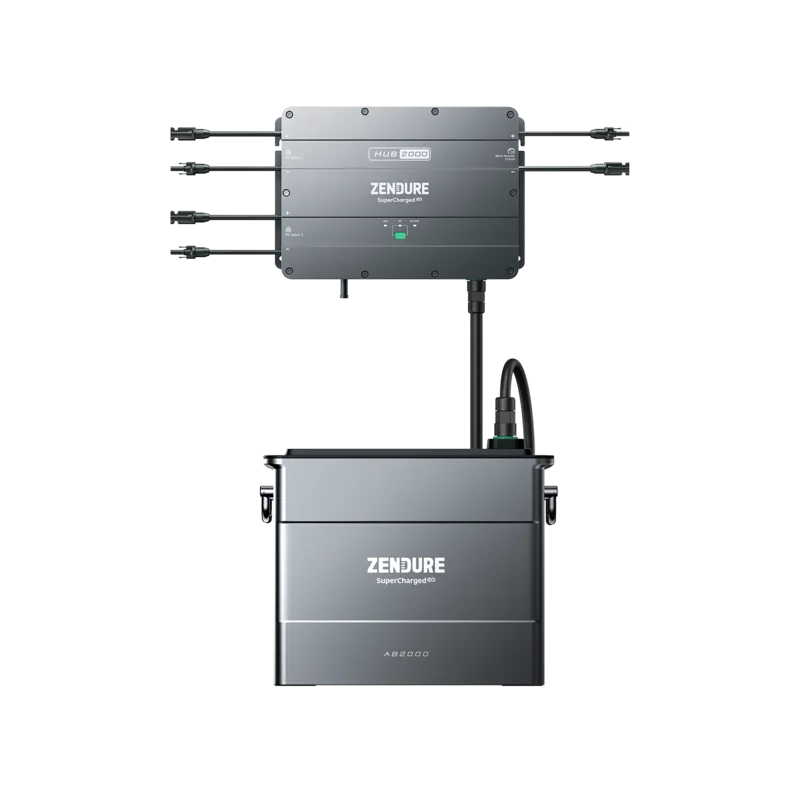
Each Smart PVHub supports up to four AB2000 units, allowing modular expansion of storage capacity up to a maximum combined 7680 Wh per PVHub.
Is this answer helpful?
No. The AB2000 uses the same port for input and output, so it cannot be charged and discharged simultaneously; charge and discharge operations must occur separately.
Is this answer helpful?
Yes. Third-party solar panels can charge the AB2000 when connected through the Smart PVHub. Always connect panels to the PVHub and manage charging via the PVHub and Zendure app.
Is this answer helpful?
For long-term storage, cycle the AB2000 every three months: discharge to about 20–30% SOC then recharge to 60–80% SOC per the manual. If SOC falls below 1% after use, charge to ~60% before storage to avoid irreversible battery damage.
Is this answer helpful?
Power off the SolarFlow system before checking cables, ensure app and firmware are up to date, reboot your router and app, and use the IoT button sequence (hold 6s to power off, then 2s to restart). If unresolved, contact Zendure support with serial number, purchase details, and LED status.
Is this answer helpful?
Connect AB2000 to the PVHub and use the Zendure app OTA update. Ensure battery SOC is above 20%, do not power off or unplug any cables during update, and retry via the app or contact support if the update fails.
Is this answer helpful?
Store in a cool, dry place; avoid direct sunlight and heat sources; don’t immerse in liquids; do not disassemble; use only original chargers and cables; secure all connections; clean ports with a dry cloth; and keep away from children and pets.
Is this answer helpful?
Advantages and Disadvantages
Advantages

- High capacity 1920 Wh LiFePO4 battery offering safe chemistry and long cycle life.
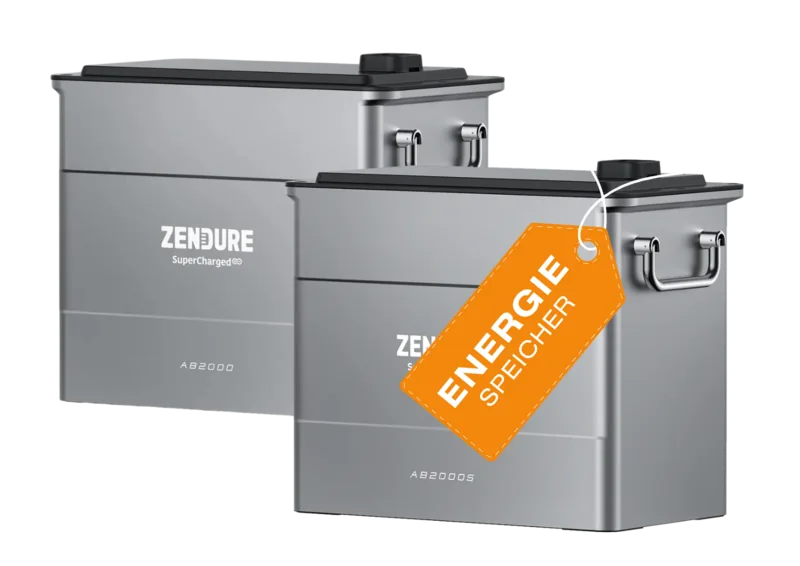
- Modular stacking up to 4 units per PVHub expands system capacity to 7680 Wh.
- IP65 rating for outdoor-resistant installation and sturdy build for home solar systems.
- Clear LED indicators and app integration for status monitoring and OTA firmware updates.
- 10-year warranty provides long-term support and assurance for owners.
Disadvantages

- Cannot simultaneously charge and discharge due to shared input/output port.
- Not submersible despite IP65; immersion may permanently damage the unit.
- Device must follow specific storage and cycling rules to keep battery warranty valid.
- Heavy unit (~21.6 kg) may require mounting hardware and careful handling.
- Firmware updates require >20% SOC and stable connections; failed updates need retries or support.
Product Specification
Note
Prices partly include 0% VAT tax rates for AT and DE
Battery type
LiFePO4
Battery modules
1 Module (max. 4)
Rated capacity
40Ah, 1920Wh
Rated voltage
48V
Discharge current
25A
Discharge power
1.2kW
Operating temperature
-4°F to +131°F
Lifespan
10 years, 6000 charge cycles (up to 70% remaining capacity)
Display
no
Mounting type
freestanding (stackable)
Protection class
IP65
Dimensions
7.87x11.73x13.78in (WxHxD)
Weight
47.66lbs
Product Description
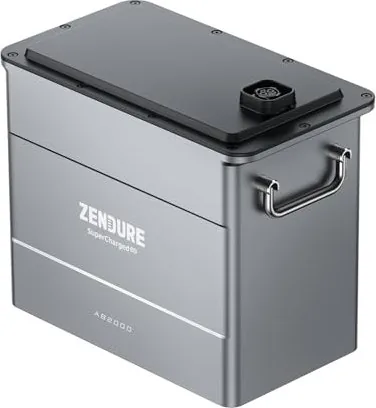
Zendure AB2000 — Reliable Add-on Battery with Zendure AB2000 Manual
The Zendure AB2000 is a robust LiFePO4 add-on battery designed for the SolarFlow ecosystem, offering 1920 Wh capacity (48 V), 1200 W output and input, IP65 protection, and a long 10-year warranty. Engineered for stacking up to four units per PVHub, the AB2000 supports home solar setups via the Smart PVHub, enabling modular expansion of backup and storage capacity up to 7680 Wh per system. Its LiFePO4 chemistry delivers enhanced cycle life and safer thermal characteristics compared to typical lithium chemistries.
Key features and usage
The AB2000 emphasizes practical installation and safe operation. It includes a dedicated battery port that aligns with PVHub connectors, LED status indicators (connection, charging, temperature warnings, and faults), and mounting hardware for wall or stacked installations. Users should place units on flat surfaces away from direct sunlight and heat sources and ensure good Wi‑Fi coverage near the PVHub for best app connectivity and firmware updates.
For first-time commissioning, remove any charge/discharge limits, perform a full discharge-to-0% followed by a full charge to 100%, and update firmware via the Zendure app (OTA). AB2000 enforces a 5% forced discharge floor under extreme low-temperature conditions to protect the cells. For long-term storage, cycle the battery every three months (recommended SOC routines provided) to avoid irreversible cell damage and maintain warranty coverage.
Safety and maintenance
Follow environment temperature limits and never immerse the unit in liquids; AB2000 is IP65-rated but not submersible. Do not disassemble—repair or service should be routed through official Zendure channels. Clean ports only with a dry cloth, use original chargers and cables, and secure cables/terminals tightly to avoid performance loss or fire risk. If the LED indicators show persistent faults or the unit fails to connect, follow the troubleshooting steps: check cables with the system powered off, update app and firmware, reboot network equipment, and use the IoT button sequence to reboot the battery; contact Zendure support if issues persist.
Practical notes
- AB2000 supports charging from third-party solar panels via the PVHub; however, charging and discharging cannot occur simultaneously through the same port.
- Keep firmware above 20% SOC before performing OTA updates and never power off or disconnect cables during updates.
- Dispose of packaging and batteries responsibly per regional regulations; battery cells must be discharged and taken to designated recycling points.
Notes
- Model: ZDAB2000; Weight ≈ 21.6 kg; Dimensions 350 × 200 × 298 mm.
- Battery type: LiFePO4; IP rating: IP65; Operating temperatures: charge -20–55°C, discharge -20–60°C.
- Warranty: 10 years for Smart PVHub and AB2000.
Search for 67,706 Manuals online


Type-in Brand or Model