
Zeegma Gewit Manual
PDF manual · 74 Pages
English



Quick check
Incorrect answer, please try again.
Chat with your Zeegma Gewit manual using AI
Get instant AI answers from your Zeegma Gewit manual
Ask anything about the Zeegma Gewit. Answers come from this manual, with the pages they are based on.
Ask a Question
Do you recommend Gewit?
Yes NoFrequently Asked Questions
The scale displays weight, BMI, body fat percentage (FAT), total body water (TBW), muscle percentage (MUS), bone mass (BONE), BMR (KCAL) and repeats weight. The AiFit app also shows additional metrics like visceral fat, protein percentage, body age and weight control suggestions.
Is this answer helpful?
Enable Bluetooth on your phone, install the AiFit / AiFit Health app, register or log in, and allow the app to search. The app automatically finds and pairs with the scale; subsequent nearby activations reconnect automatically. Ensure no other device is actively connected to the scale during pairing.
Is this answer helpful?
Err indicates the maximum weight limit (200 kg) was exceeded. Err1 signals electrode measurement issues—stand barefoot, slightly moisten feet, remove foot calluses and confirm correct profile data (age, height, sex) in the app.
Is this answer helpful?
Pregnant women are advised not to use the body analysis functions. Individuals with pacemakers or electronic implants should avoid using the body analysis feature because electrical measurement methods may interfere with implant operation.
Is this answer helpful?
The scale displays the complete set of body composition data only after the first pairing with the mobile application. Also, full data sets for certain parameters may be restricted to users aged 18 and over.
Is this answer helpful?
Turn the scale over, slide out the battery cover, remove old batteries and insert two fresh AAA cells observing polarity, then replace the cover. Do not mix batteries of different brands or old and new cells; never use rechargeable batteries. Replace when low-battery is shown or the display is unclear.
Is this answer helpful?
Common causes include Bluetooth disabled, depleted or missing batteries, another device already connected, or nearby Bluetooth interference. Enable Bluetooth, ensure batteries are installed and functional, close the app on other devices, and disable other nearby Bluetooth devices before reconnecting.
Is this answer helpful?
Advantages and Disadvantages
Advantages

- Comprehensive multi-parameter measurements (weight, BMI, FAT, TBW, MUS, BONE, BMR).
- Bluetooth sync with AiFit app for history, trends and multi-profile management.
- Simple battery replacement using two AAA cells with clear low-battery warnings.
- Compact home-friendly design with clear sequential display and repeat readings.
- Data privacy by sending results to only one paired device at a time (reduces accidental data overlap).
Disadvantages

- Body analysis not suitable for users with pacemakers or electronic implants.
- Not waterproof — cannot be used in humid or wet environments.
- Full data range unlocked only after app pairing and limited for under-18 users.
- Only one active device can receive results, which complicates simultaneous multi-user use.
- Electrode measurements can fail if feet are dry, callused, or profile data is incorrect.
Product Specification
Operating mode
Battery operated (2x AAA battery)
Material
Glass
Load capacity
440.92 lb
Graduation
0.22 lb
Units of measurement
kg, lb, st
Analysis data
Body Mass Index, Ideal weight, Calorie requirement, Bone mass, Body fat, Body water, Muscle mass, Protein, Metabolic age, Visceral fat, Graphical weight development, BMR
Memory function
User memory (for 8 persons)
Display
yes
Special features
Automatic person recognition, Child mode, Automatic switch-on (Step-on), Automatic switch-off
Smart Home
App control optional (Bluetooth)
Tread surface
11.81x10.24in (WxD)
Product Description
Zeegma ZE-GEWIT digital body analysis scale — Manual
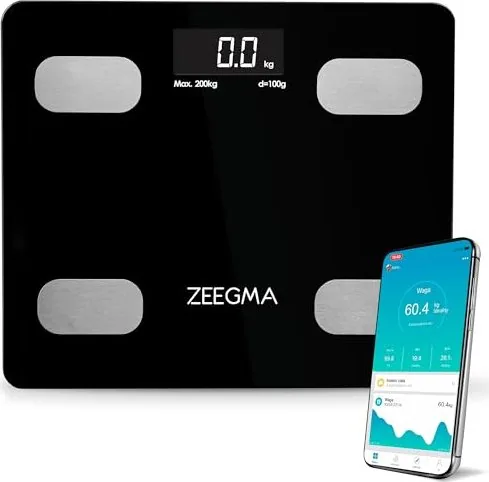
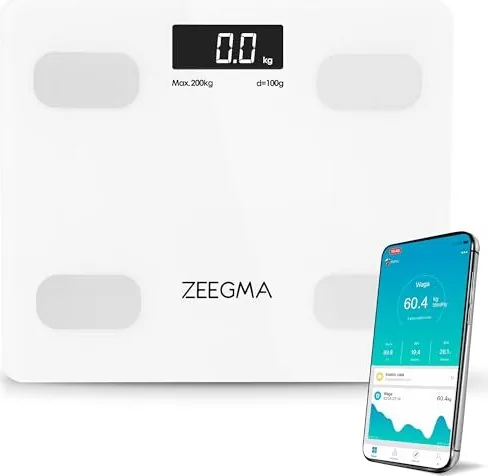
The Zeegma ZE-GEWIT digital body analysis scale is a domestic smart scale that combines precise weight measurement with multi-parameter body composition analysis. Built from quality materials and designed for everyday home use, it offers a clear digital display, metal electrodes and Bluetooth connectivity to sync results with the AiFit / AiFit Health mobile app on Android and iOS. Measurements include weight, BMI, body fat percentage, total body water, muscle percentage, bone mass, BMR (KCAL) and more — displayed sequentially and saved in the app for history and trend analysis.
Placement and basic use are straightforward: place the scale on a hard, level surface, step on barefoot, and wait for the weight reading followed by additional body composition values. The unit requires two AAA batteries and shows a low-battery message when replacement is needed. For reliable electrode-based readings, users should be barefoot (slightly moist feet can improve contact) and ensure correct profile data (age, height, sex) in the app. The scale displays the full data range only after initial pairing with the app, and certain analyses are restricted to users aged 18+.
Safety and limitations are emphasized: the device is for home use only, not waterproof, and should not be used outdoors or in explosive/flammable environments. It is not a medical diagnostic tool; results are guidance for a healthy lifestyle. People with pacemakers or electronic implants should avoid using body analysis features — pregnant women should also avoid the analysis mode. The scale supports pairing with multiple devices but transmits results to one active device at a time.
Connectivity and app features: the AiFit app automatically discovers and pairs with the scale via Bluetooth, stores user profiles and measurement histories, and provides averages, graphs and recommended ranges for each parameter. App settings allow unit selection, reminders and device management. If multiple household members use the scale, each should manage their app sessions because only one app instance can receive data from the scale at a time.
Practical care and troubleshooting guidelines include battery replacement steps, correct positioning (avoid carpets and soft surfaces), calibration notes (touch to activate and wait for zero), and common error codes (Err for exceeding 200 kg limit, Err1 for electrode measurement issues). Bluetooth connection troubleshooting suggests ensuring Bluetooth is enabled, disabling other nearby Bluetooth devices, verifying batteries, and restarting the app.
Notes:
- Use the scale on a hard, level surface and avoid carpets.
- For electrode readings: stand barefoot, slightly moisten feet, and ensure accurate profile data.
- Do not use body analysis if you have electronic implants or if pregnant.
- Full dataset is available after first pairing and for users 18+.
Search for 67,732 Manuals online


Type-in Brand or Model