
ZAGG Universal Keyboard Manual
PDF manual · 5 Pages
English



Quick check
Incorrect answer, please try again.
Chat with your ZAGG Universal Keyboard manual using AI
Get instant AI answers from your ZAGG Universal Keyboard manual
Ask anything about the ZAGG Universal Keyboard. Answers come from this manual, with the pages they are based on.
Ask a Question
Do you recommend Universal Keyboard?
Yes NoFrequently Asked Questions
Remove the keyboard from packaging and plug the cable end directly into the Lightning port on your Apple device. It activates immediately upon connection.
Is this answer helpful?
This keyboard comes with a one-year manufacturer warranty. You must register the product and keep your purchase receipt to activate it.
Is this answer helpful?
Clean only with a soft, dry cloth. Do not use liquid, aerosol cleaners, or solvents. Disconnect cords before cleaning to prevent damage.
Is this answer helpful?
No. Do not attempt to service, disassemble, or adjust any ports. Doing so could void the warranty and cause serious damage.
Is this answer helpful?
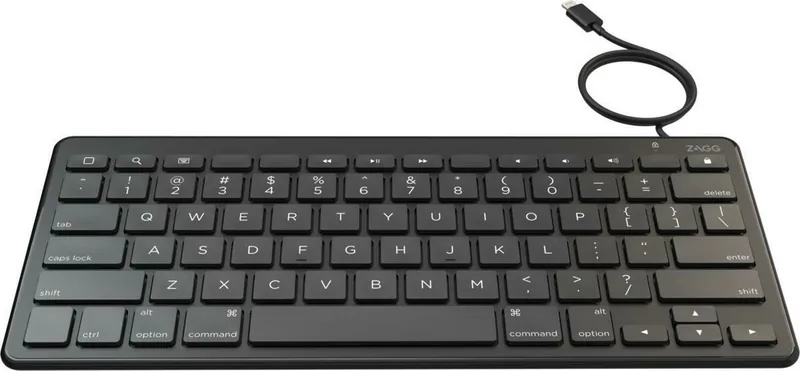
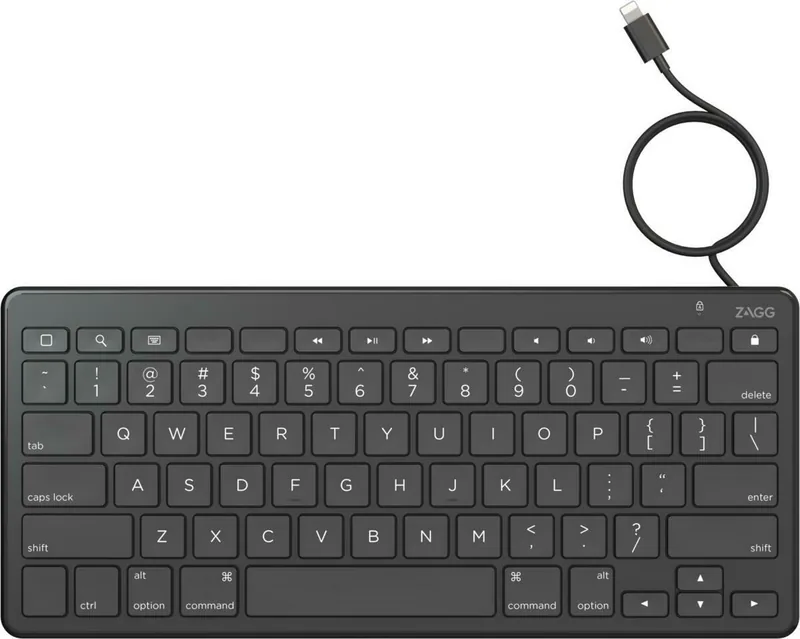
Yes, it includes Play/Pause, Mute, Volume Up/Down, Previous/Next Track, Home, Lock, Search, and Keyboard Hide/Show keys.
Is this answer helpful?
Do not immerse the keyboard or put it in contact with water. Liquids can cause short circuits, fire, or electric shock.
Is this answer helpful?
Visit the FAQ section online or contact customer service via the website, email, or phone number listed in the documentation.
Is this answer helpful?
Advantages and Disadvantages
Advantages

- Plug and play setup requires no drivers or pairing codes
- Dedicated media keys provide quick navigation and control
- Wired connection ensures stable power and reliability
- Full-size layout supports comfortable typing sessions
- Easy integration with Apple Lightning devices
Disadvantages

- Wired design limits mobility compared to wireless options
- Compatible only with Apple devices using Lightning port
- No backlight feature included for low-light environments
- Cable length may restrict placement distance from device
- Not suitable for use while operating motorized vehicles
Product Specification
Layout
UK
Type
Rubber Dome
Backlight
N/A
Keycap Profile
Regular, with frame, Chiclet
Keycap Shape
Flat
Keycap Crown
Straight
Numpad
N/A
Navigation Cluster
Staggered
Control Keys
N/A
Status Indicator
N/A
Palm Rest
N/A
Housing Material
Plastic, Metal
Housing Color
Solid, Black
Keycap Finish
Solid, Black
Keycap Legend
Solid, White
Connection
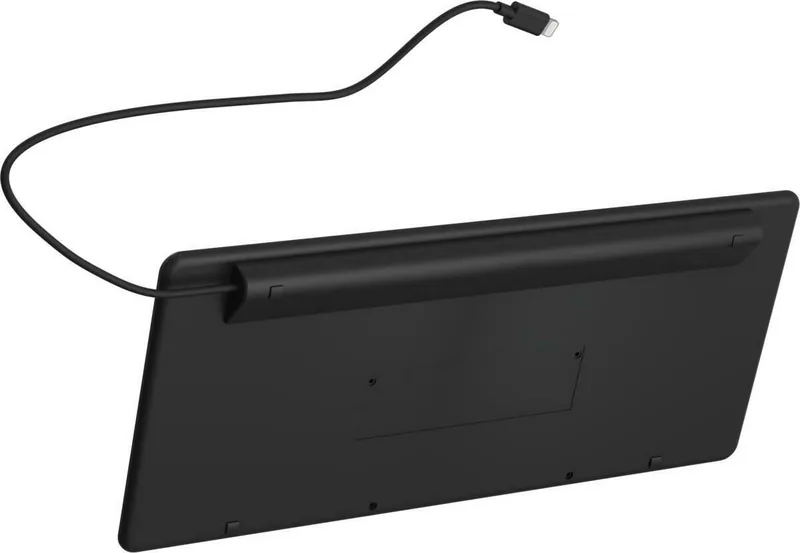
Wired (4.92ft), Lightning
Power Source
Lightning
Dimensions (WxHxD)
11.42x5.08x0.79 in
Weight
0.93 lbs
Features
FN Key, CMD Key
Product Description
Elevate Your Typing Experience
Modern productivity relies on reliable hardware. The ZAGG Universal Keyboard Wired Black, Lightning, UK Manual guides you toward efficient device interaction without wireless complications. This wired solution delivers consistent power and connectivity, ensuring your Apple device remains responsive during critical work sessions. Comfortable typing is the foundation of digital efficiency, and this peripheral supports that goal effectively. Typing speeds improve with this hardware.
Seamless Setup Process
Getting started requires minimal effort. Upon unboxing, simply remove the keyboard and locate the USB cable end. Connect the adapter directly into the Lightning port of your Apple device. Activation occurs instantly without drivers or pairing codes. This readiness allows users to switch contexts between mobile and desktop tasks fluidly. The full-size layout provides standard spacing that mimics traditional desk setups. There are no wireless interruptions to worry about. The cable length accommodates typical usage distances comfortably.
Comprehensive Key Functionality
The keyboard includes specialized keys to enhance navigation and media control. You can access the home screen or lock your device quickly. Search functions are one touch away. Volume adjustments and mute keys manage audio levels effortlessly. Play pause, previous track, and next track buttons facilitate media consumption directly from your workspace. These shortcuts reduce the need to interact with the touchscreen screen constantly. The home key displays the main interface immediately. Lock activates sleep mode to save battery life.
Safety and Maintenance Guidelines
Protecting your investment ensures longevity and safety for the user. Avoid immersing the unit in water as liquids cause internal damage. Clean gently using a soft dry cloth. Disconnect cords before cleaning to prevent electrical hazards. Do not disassemble the housing as this voids the warranty. Users should take frequent breaks to avoid strain during long typing periods. Keep the unit away from heat sources like radiators or stoves. Do not use cleaning liquids or aerosol sprays. Water contact can result in electric shock or property damage. Ensure proper usage around water.
Warranty and Support Coverage
ZAGG offers a one year manufacturer warranty for verified purchases. Registration is required unless bought through ZAGG.com where it is automatic. Keep your receipt for proof of purchase. If issues arise, visit the support section online or contact representatives via phone. Follow FCC compliance rules for interference prevention. Proper recycling at end of life reduces environmental impact responsibly. Support channels exist for trained representatives available globally.
Important Note: Always refer to the official guidelines for specific safety instructions before operation. Please keep this information for future reference.
Search for 67,706 Manuals online


Type-in Brand or Model