
ZAGG Pro Stylus Manual
PDF manual · 7 Pages
English



Quick check
Incorrect answer, please try again.
Chat with your ZAGG Pro Stylus manual using AI
Get instant AI answers from your ZAGG Pro Stylus manual
Ask anything about the ZAGG Pro Stylus. Answers come from this manual, with the pages they are based on.
Ask a Question
Do you recommend Pro Stylus?
Yes NoFrequently Asked Questions
Simply press the power button on the stylus. It automatically connects to any iPad 2017 or newer. Ensure no other stylus is currently paired if you have used one before.
Is this answer helpful?
The Pro Stylus lasts up to eight hours on a single charge. You can recharge it fully in about one hour and twenty-five minutes using the included USB-C cable.
Is this answer helpful?
Yes, the stylus comes with a replaceable tip that screws on and off. This feature ensures the device remains usable even after extended wear.
Is this answer helpful?
Press and hold the power button for two seconds. The LED will flash three times: green for over 50%, yellow for 25-49%, and red for less than 25%.
Is this answer helpful?
Yes, it includes a one-year manufacturer warranty. You must register the product and keep your purchase receipt to activate coverage.
Is this answer helpful?
Advantages and Disadvantages
Advantages

- Dual-tip design offers versatility for scrolling and precise drawing
- Automatic connection with iPads released in 2017 or newer
- Long battery life of up to eight hours per charge
- Replaceable tip extends the lifespan of the device
- Quick charging time of about 85 minutes
Disadvantages

- Requires unpairing previous styluses before initial use
- Battery indicator requires holding the power button to check
- Charging cable is Type-C which may differ from standard USB-A
- No pressure sensitivity mentioned compared to Apple Pencil
- Must be charged regularly as it does not last indefinitely
Product Specification
Compatible with
Apple iPad Air 12.9-inch 4th Generation (2020), Apple iPad Pro 11-inch 1st Generation (2018), Apple iPad Pro 12.9-inch 3rd Generation (2018), Apple iPad Pro 12.9-inch 4th Generation (2020), Pad Pro 11-inch 2nd Generation (2020)
Type
active stylus
Power supply
battery, charging port (USB-C)
Tip
broad
Grip
not recessed, plastic
Shaft
round, plastic
Size
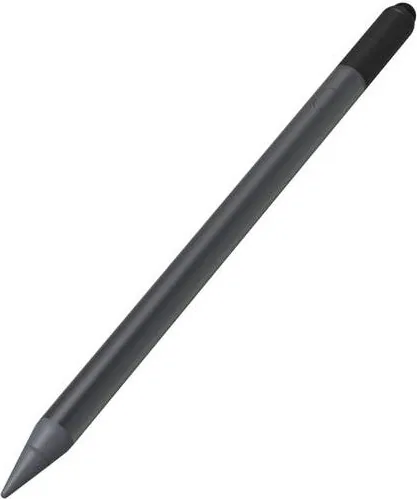
0.35x6.67 in (Diameter x Length)
Weight
0.56 oz
Features
Bluetooth
Product Description
Discover the ZAGG Pro Stylus Dual Tip Pen for iPad
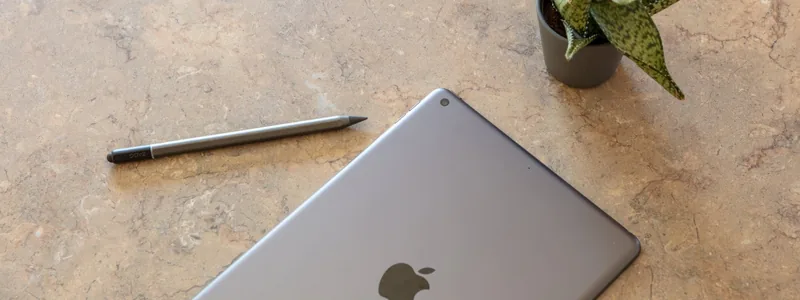
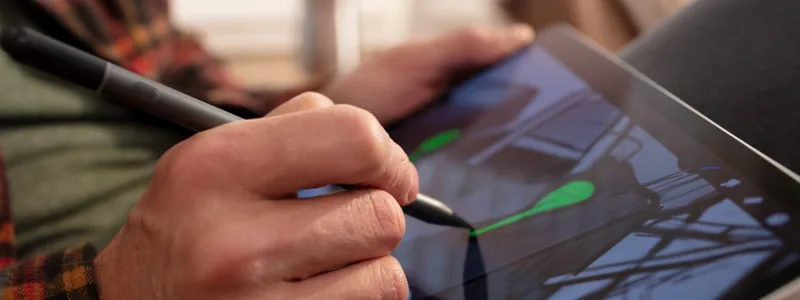
The ZAGG Pro Stylus Dual Tip Pen for Apple iPad in black and gray is a versatile tool designed to enhance your digital creativity and productivity. This stylus offers a unique dual-tip system that caters to both casual navigation and precise artistic work. The broad, pliable universal capacitive backend tip allows users to scroll through pages effortlessly, making it ideal for general tablet use. On the other hand, the active tip enables smooth, precise line drawing perfect for taking notes or creating sketches.
Precision and Control
Achieving the right stroke width is simple with this device. To draw thin, precise lines, hold the stylus at an upright angle to utilize the sharp point. For broader, thicker strokes, simply tilt the pen slightly so more of the stylus point touches the screen. This flexibility makes it a great alternative for artists who want control without complex settings.
Seamless Connectivity and Battery Life
Connecting the Pro Stylus to any iPad from 2017 or newer is automatic once you press the power button. If you previously paired an Apple Pencil, ensure it is unpaired first to avoid conflicts. The battery lasts up to eight hours on a single charge, covering a full day of work. Charging is quick, taking approximately one hour and twenty-five minutes via a USB-C connector. A red LED indicates charging status, while holding the power button reveals remaining battery life through green, yellow, or red flashes.
Durability and Support
This stylus features a replaceable tip that screws on and off easily, ensuring longevity. It comes with a one-year manufacturer warranty provided you register the product and keep your receipt. ZAGG also provides extensive customer support for troubleshooting issues like dead batteries or pairing errors.
Search for 67,706 Manuals online


Type-in Brand or Model