
Yi Technology Dome Guard R30 Manual
PDF manual · 33 Pages
English



Quick check
Incorrect answer, please try again.
Chat with your Yi Technology Dome Guard R30 manual using AI
Get instant AI answers from your Yi Technology Dome Guard R30 manual
Ask anything about the Yi Technology Dome Guard R30. Answers come from this manual, with the pages they are based on.
Ask a Question
Do you recommend Dome Guard R30?
Yes NoFrequently Asked Questions
The camera requires a 2.4 GHz Wi‑Fi network for initial pairing. After pairing over Wi‑Fi, you can connect an Ethernet cable so the camera can operate over a wired connection.
Is this answer helpful?
Insert a microSD card into the camera's microSD slot. Use a Class 10 or higher card for reliable recording. Local clips on the microSD are retained when resetting Wi‑Fi but back up important footage regularly.
Is this answer helpful?
Yes. The R30 uses an IR cut filter plus non-invasive infrared LEDs to provide night vision, allowing the camera to capture usable footage in low-light or no-light indoor conditions.
Is this answer helpful?
The camera pans horizontally up to 355°, tilts up 67° and down 17°, and offers 4x digital zoom controllable from the live feed in the YI Home app to inspect distant areas within the camera’s field of view.
Is this answer helpful?
No. The YI Dome Guard R30 is designed for indoor use only and should not be exposed to outdoor weather or harsh environments.
Is this answer helpful?
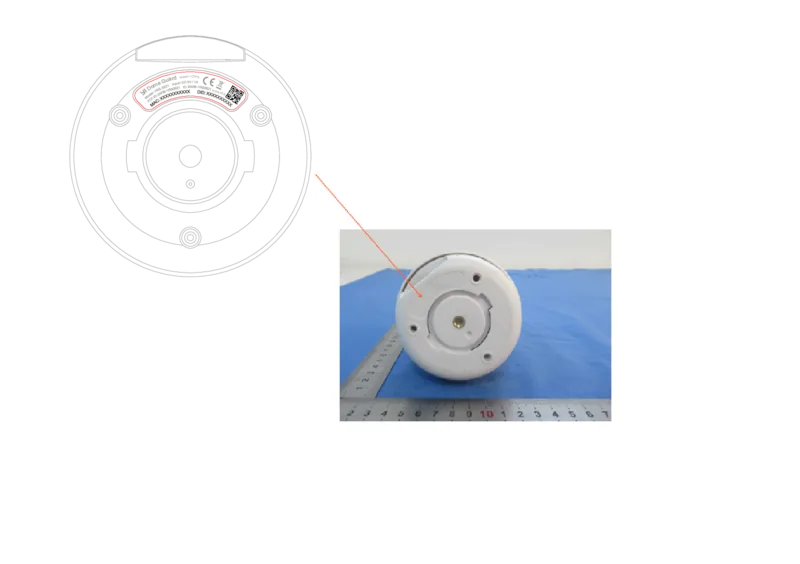
Press the reset button located on the bottom of the camera to restore factory defaults. Then reconnect using the YI Home app; recordings on the microSD card will remain intact.
Is this answer helpful?
The camera complies with FCC and Canadian IC regulations and includes an EU Declaration of Conformity. It supports wireless encryption standards WEP, WPA and WPA2 and lists regional compliance details in the documentation.
Is this answer helpful?
Advantages and Disadvantages
Advantages

- Full 1080p resolution with wide-angle lens and 4x digital zoom for clear room coverage.
- Extensive PTZ range — 355° pan and +67°/−17° tilt for near-complete room visibility.
- Human detection and motion alerts reduce false alarms compared with motion-only systems.
- Two-way audio, local microSD and YI Cloud storage provide flexible recording and communication.
- Cross-platform app support (iOS/Android/Mac/PC) and easy pairing via QR code or sound method.
Disadvantages

- Requires 2.4 GHz Wi‑Fi for pairing; no native 5 GHz support for faster networks.
- Digital zoom only (no optical zoom), so detail at long distances is limited.
- MicroSD card not included — users must supply Class 10+ media for reliable local recording.
- Indoor use only; not rated for outdoor or harsh environmental exposure.
- Some features rely on app/firmware updates — functionality may depend on manufacturer support.
Product Specification
Type
PTZ
Resolution
1920x1080 Pixels (20fps)
Pan
355°
Tilt
-17° to 67°
Zoom Function
4x digital
Connections
1x RJ-45 100Mb LAN
Wireless
Wi-Fi 4 (WLAN 802.11b/g/n)
Data Storage
1x microSD-Slot
Microphone
integrated
Speaker
integrated
Lighting
IR Lighting (32.81 ft)
Protection Class
N/A
Control & Operation
Mobile App (Android, iOS)
Zone & Analysis Functions
Motion detection, Privacy zones, IR filter
Product Description
YI Technology Dome Guard R30 — Smart Home Security Simplified
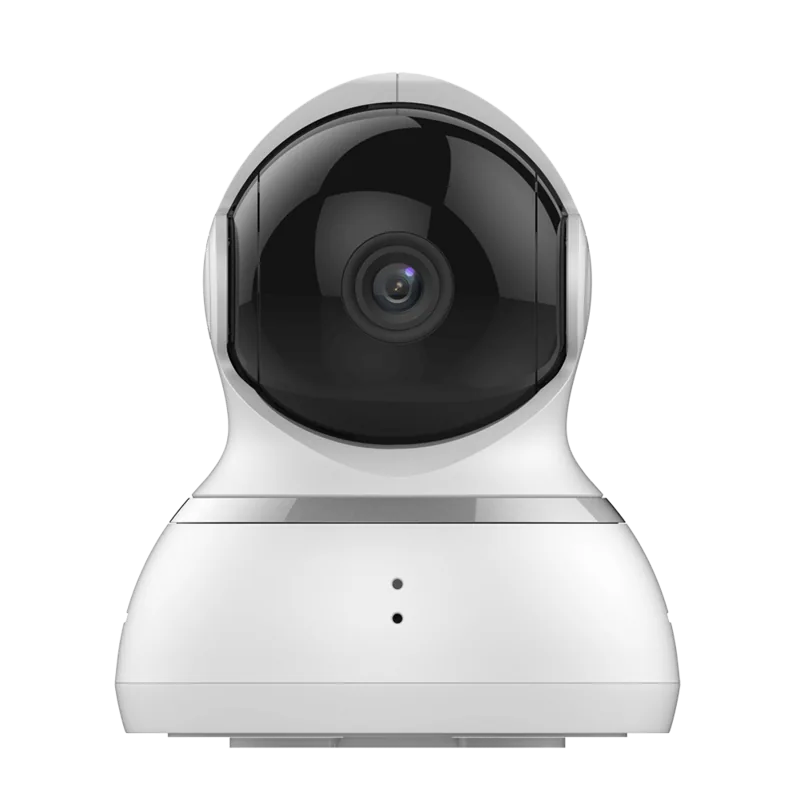
The YI Technology Dome Guard R30 is an indoor 1080p PTZ security camera designed for home and small-office monitoring. With a 1920×1080 wide-angle lens, 355° horizontal pan and 67° up / 17° down tilt, plus 4x digital zoom, the R30 provides flexible coverage of large rooms from a single mounting point. It combines motion and human detection alerts, IR night vision, two-way audio via built-in microphone and speaker, and both local microSD and cloud storage options to keep footage accessible and secure.
Setup and daily use are oriented around the YI Home app (iOS/Android). Pairing supports 2.4 GHz Wi‑Fi or initial Wi‑Fi pairing followed by Ethernet operation. The camera speaks introductory prompts during setup and offers QR-code and sound-wave pairing methods. Resetting to factory defaults is straightforward using the reset button when changing networks or credentials.
The R30 is compact and mounts to ceilings or walls using the supplied bracket and screws. A 2‑meter USB cable and 5V/1A adapter power the device; the camera draws up to around 3.5–5W at peak. Wireless security supports WEP/WPA/WPA2, and firmware updates are available from the manufacturer to maintain features and security.
Key feature highlights include human detection to reduce false alarms, IR cut filter with non-invasive IR LEDs for nighttime clarity, and cross-platform support for Android, iOS, Mac and PC. The camera’s certifications (FCC, IC, EU declarations) and regional support emails are provided by Yi Technology for North America, Europe, and APAC.
Installation advice emphasizes indoor use only, cleaning with a dry cloth, using only manufacturer-recommended accessories, and unplugging during storms or long unused periods. Regulatory notes recommend maintaining at least 20 cm distance between the device and users and warn that changes not approved by the manufacturer may void compliance.
Notes:
- For local recordings, insert a microSD card (not included). Use Class 10 or higher for reliable clip storage.
- Ensure your phone is on a 2.4 GHz network for pairing and keep the app and firmware updated for best performance.
- If switching to Ethernet, pair over Wi‑Fi first, then connect the cable to allow automatic wired operation.
Search for 67,706 Manuals online


Type-in Brand or Model