
Yeelight Staria Pro Manual
PDF manual · 25 Pages
English



Quick check
Incorrect answer, please try again.
Chat with your Yeelight Staria Pro manual using AI
Get instant AI answers from your Yeelight Staria Pro manual
Ask anything about the Yeelight Staria Pro. Answers come from this manual, with the pages they are based on.
Ask a Question
Do you recommend Staria Pro?
Yes No
Phoebe Saunders
4 months ago
Is the shipping packaging eco-friendly or appropriately sized?
Frequently Asked Questions
Download the Yeelight app from your app store, ensure your Wi-Fi is stable, and follow the in-app instructions to pair the device using the QR code on the base.
Is this answer helpful?
Yes, you can link the lamp to Google Assistant, Amazon Alexa, or Apple HomeKit to control it via voice commands after linking accounts in their respective apps.
Is this answer helpful?
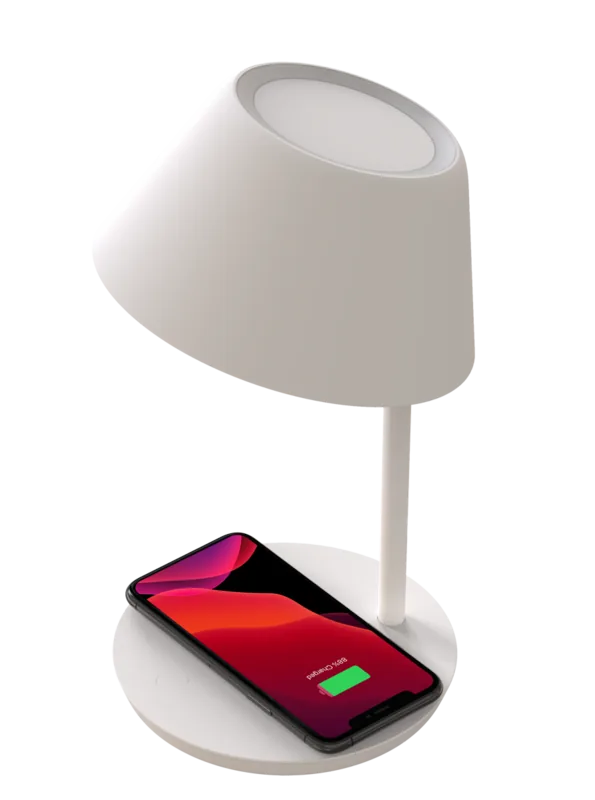
It supports wireless charging up to 10 Watts for devices placed correctly on the pad, provided the phone case is no thicker than 3.5mm.
Is this answer helpful?
The indicator light will blink quickly to signal an error or the presence of a foreign object that is not being charged safely.
Is this answer helpful?
No, the light source is integrated and cannot be replaced by the user. If it fails, contact support for assistance.
Is this answer helpful?
Hold the ON/OFF button while plugging the power adapter back in until the light starts breathing, then release the button.
Is this answer helpful?
Advantages and Disadvantages
Advantages

- Versatile color temperature adjustment from 2700K to 6000K
- Built-in 10W wireless charging pad with foreign object detection
- Compatible with Google Assistant, Alexa, and Apple HomeKit
- High Color Rendering Index (CRI) of 95 for accurate colors
- Customizable night mode and timer features via app
Disadvantages

- Not compatible with 5G Wi-Fi networks, limited to 2.4GHz
- Light source cannot be replaced by the user
- Requires specific original power adapter for safety
- May generate heat during extended operation periods
- Night mode must be manually activated in the app initially
Product Specification
Type
Desk lamp, nightstand lamp, shade lamp
Built-in LEDs
yes
Socket
no
Light source
LED (integrated light source), 20W, warm white to daylight white (2700-6000K), dimmable, 350lm, 230V
Total power
20W
Total luminous flux
350lm
Material
Aluminum, plastic
Color
white
Design
round
Features
White color tone control, timer, programmable lighting settings, integrated wireless charging station
Smart home
App control (Bluetooth), voice assistant
Protection class
IP20
Safety class
Class 2
Dimensions
7.07x11.52 in (ØxH)
Note
For full functionality, a manufacturer gateway may be required. This may also change via firmware update. Please note the manufacturer-specific details!
Product Description
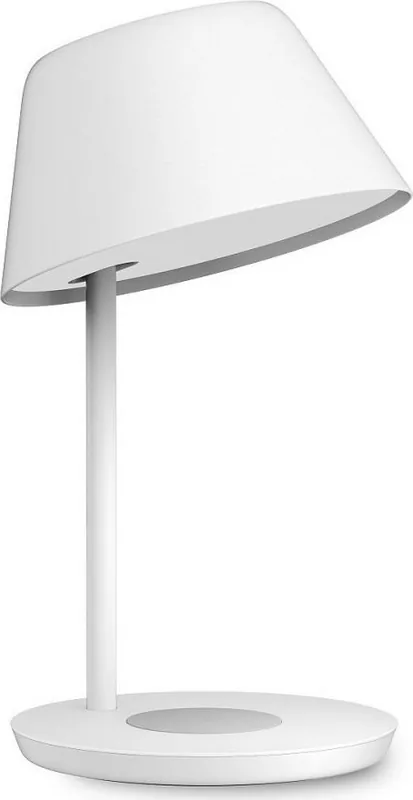
Experience the Yeelight Staria Pro Bedside LED
Transform your bedroom into a sanctuary of comfort with the Yeelight Staria Pro Bedside LED. This innovative lamp blends sophisticated design with advanced smart technology to deliver an unparalleled lighting experience. Whether you are reading a book before bed or need a gentle glow for the night, this device adapts seamlessly to your needs.
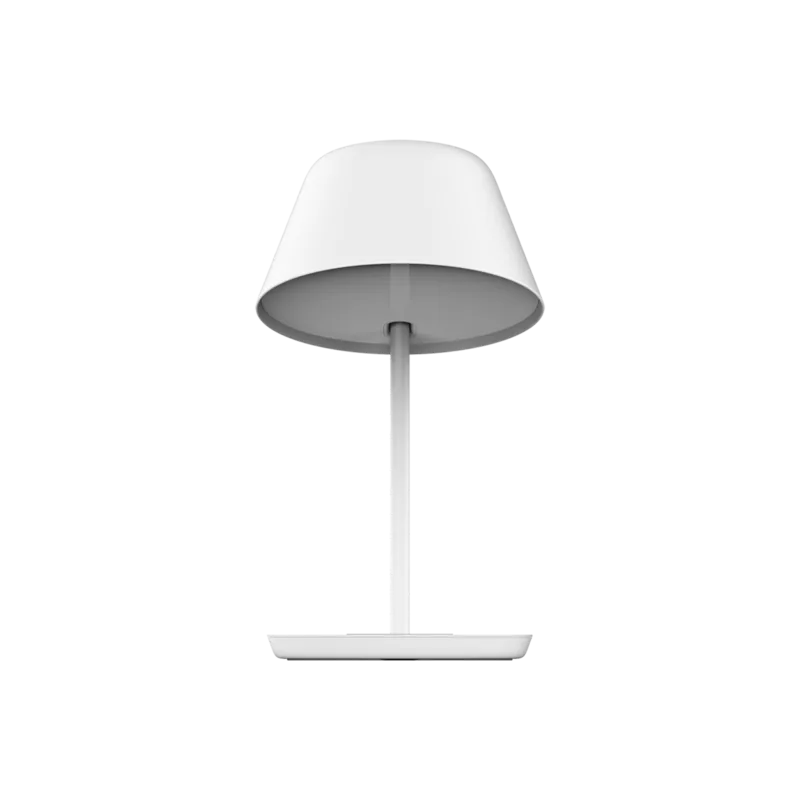
The lamp features a sleek adjustable arm and a built-in wireless charging pad, allowing you to power up your smartphone while enjoying ambient light. Its rotary joint offers a 30-degree rotation angle, ensuring the light hits exactly where you need it. With a color temperature range spanning from warm 2700K to cool 6000K, you can customize the atmosphere to match any time of day or mood.
Connectivity is at the heart of the Staria Pro. It integrates effortlessly with the Yeelight App, enabling you to set personalized schedules, activate timer functions, and control brightness with a simple tap. Voice control compatibility extends its utility further; link it with Google Assistant, Amazon Alexa, or Apple HomeKit for hands-free operation. The Night Mode feature automatically dims the lights during preset hours, creating a cozy environment that aids sleep without manual intervention.
Safety and efficiency are prioritized in its design. The lamp includes foreign object detection to prevent heating issues near non-compatible items on the charging pad. A high CRI of 95 ensures colors appear vibrant and true under the light. The unit operates within a standard voltage range and requires only a 2.4 GHz Wi-Fi connection, making setup straightforward for most homes.
Key Highlights
- Adjustable color temperature and brightness levels
- Integrated wireless charging for compatible devices
- Seamless integration with major smart home ecosystems
- Customizable night mode and timer settings
- High-quality illumination with excellent color rendering
Important Notes
Always use the original power adapter to ensure safety and performance. Do not place the lamp on uneven surfaces, and ensure adequate ventilation as the unit generates heat during operation. The light source is not replaceable, so handle with care. Reset the device by holding the button while reconnecting the power if you encounter network issues.
Search for 67,706 Manuals online


Type-in Brand or Model
Matt Okuneva
7 months ago
Can the brightness be adjusted low enough for use as a night light?
Manual.ly
6 months ago
Thank you for your feedback. We have noted that some users find the lowest brightness setting too bright for night light purposes. While the lamp features integrated charging and practical design, we are currently reviewing the dimming levels to better accommodate this need. We appreciate your patience.