
Yeelight Candela Manual
PDF manual · 29 Pages
English



Quick check
Incorrect answer, please try again.
Chat with your Yeelight Candela manual using AI
Get instant AI answers from your Yeelight Candela manual
Ask anything about the Yeelight Candela. Answers come from this manual, with the pages they are based on.
Ask a Question
Do you recommend Candela?
Yes NoVideo Manual
Xiaomi Yeelight Candela: Smartes Kerzenlicht aus China
Frequently Asked Questions
Rotate the lampshade: turn counterclockwise to lower brightness and clockwise to increase. The lamp defaults to 100% brightness when turned on.
Is this answer helpful?
Set the physical switch to the smart position, enable Bluetooth on your mobile device, open or download the Yeelight app, then follow the in-app pairing instructions to add the lamp.
Is this answer helpful?
No. The LED module is integrated and not user-replaceable. If the LED fails or the module is damaged, the entire lamp needs to be replaced.
Is this answer helpful?
Perform a factory reset: press and hold the recessed reset button on the lamp base with a pointed object for about 5 seconds until it breathes and turns off, then try pairing again via the Yeelight app.
Is this answer helpful?
No. The lamp is intended for indoor use only. Keep it away from liquids, damp locations, and high humidity to avoid damage and safety risks.
Is this answer helpful?
Check the USB cable, adapter, and port for damage or debris. Use a standard adapter and a working cable. Replace any compromised components and ensure proper connection to resume charging.
Is this answer helpful?
The Yeelight app supports modern Android and iOS versions. Ensure your device runs a recent OS release compatible with the Yeelight app to enable smart features and grouping.
Is this answer helpful?
Advantages and Disadvantages
Advantages

- Portable rechargeable design with a wide 1–100% brightness range for cordless use.
- Intuitive mechanical dimming by rotating the lampshade—no app needed for basic control.
- Bluetooth BLE connectivity and Yeelight app support grouping and synchronized scenes.
- Minimalist aesthetic fits bedside tables and small living spaces without visual clutter.
- Factory reset via recessed button simplifies troubleshooting and pairing issues.
Disadvantages

- Integrated LED module cannot be replaced; full-unit replacement required if LED fails.
- Designed for indoor use only; not suitable for wet or highly humid environments.
- Advanced features require Bluetooth range and a compatible smartphone with the Yeelight app.
- Generates heat during operation—needs adequate ventilation and clearance.
- Charging depends on cable and adapter condition; damaged accessories can prevent charging.
Product Specification
Type
Table lamp, Bedside lamp
EEC built-in light source old
A++, A+, A (A++ to E)
Permanently installed LEDs
yes
Socket
no
Light source
LED (permanently installed light source), 6.5 W, warm white (1600 K), 13 lm
Total power
6.5 W
Total luminous flux
13 lm
Material
Plastic
Color
silver
Design
round
Special features
dimmable, white tone control, battery operation
Smart Home
App control
Dimensions
2.83x7.68in (DxH)
Note
For full functionality, a manufacturer's gateway may be required. This may also change with a firmware update. Please note the manufacturer-specific information!
Product Description
Yeelight Candela Leuchte — Stylish Portable Ambience
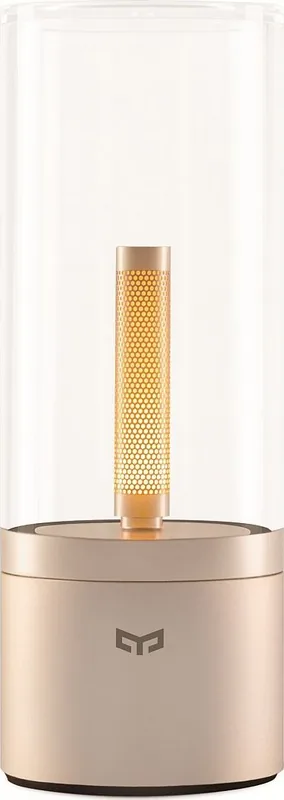
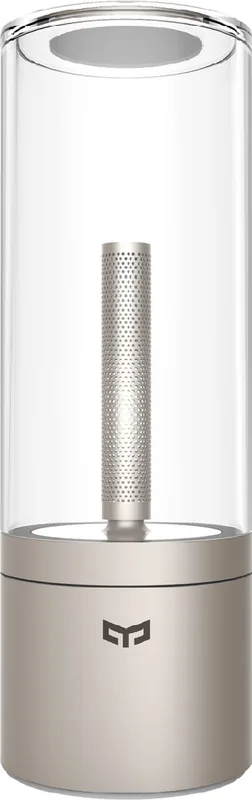
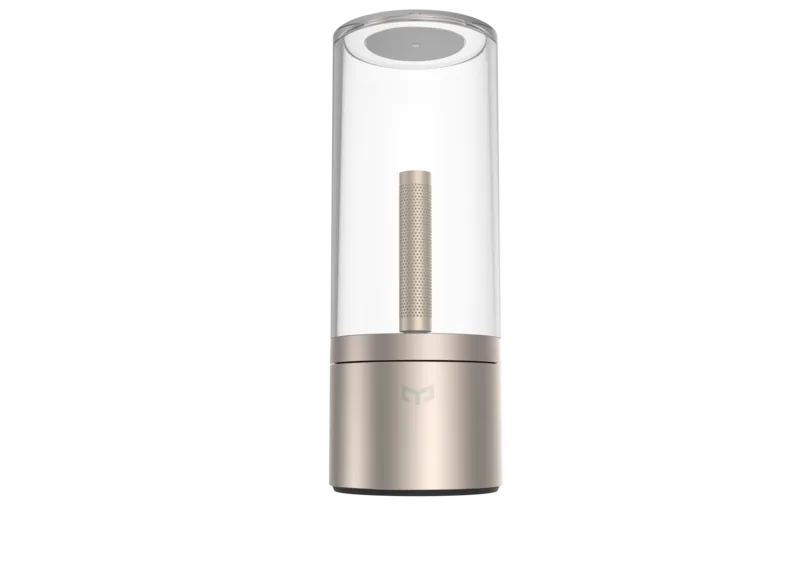
The Yeelight Candela Leuchte is a compact, rechargeable ambience lamp designed to blend soft, warm illumination with smart features. Its minimalist silhouette and rotatable lampshade let you fine-tune brightness easily, while Bluetooth connectivity and app control add convenience for modern interiors. Ideal for bedside tables, small living areas, or outdoor evenings, the Candela balances form and function: it’s portable, rechargeable, and simple to operate.
Design and usability
A soft-touch finish and clean lines make the Candela visually unobtrusive. The lamp’s brightness is adjusted mechanically by rotating the shade: turn counterclockwise to dim and clockwise to brighten. The physical switch offers quick on/off control and a separate position to enable smart features. The lamp’s LED module is integrated, so the unit is maintenance-free apart from recharging.
Smart features and connectivity
Equipped with Bluetooth Low Energy (BLE) 4.x, the Candela links to the Yeelight app for added functionality: grouping multiple lamps, advanced brightness settings, and firmware updates. System requirements are modest (Android and iOS modern versions). The app-driven experience enables synchronized scenes and remote adjustments when the lamp’s smart mode is activated.
Performance and power
Rated at approximately 6 W, the lamp provides a smooth brightness range from 1–100%. It uses a built-in lithium-polymer battery (nominally around 2100 mAh) for true portability. The product is intended for indoor use and produces some heat during operation, so allow for ventilation. Charging is via the included cable; ensure the cable and adapter remain in good condition for safe operation.
Safety and maintenance
Follow the recommended voltage and use only standard adapters. Do not disassemble the lamp—the LED cannot be replaced separately. Keep the device away from liquids and excessively humid environments. If components are damaged (cord, adapter, or housing), discontinue use. A factory reset is available via a recessed reset button on the lamp base (press and hold ~5 seconds until the lamp breathes and turns off).
Final impressions
The Yeelight Candela Leuchte is a versatile, easy-to-use ambience lamp for users who want simple tactile dimming plus optional smart control. Its portability and ability to group with other Yeelight products make it a flexible addition to a smart home lighting setup.
Notes
- Integrated LED—lamp replacement requires full-unit replacement.
- Use indoors only; maintain ventilation during operation.
- Perform reset with a pointed tool if pairing issues arise.
Pros and Cons
-
Pros:
- Portable rechargeable design with ~1–100% brightness range.
- Intuitive mechanical dimming by rotating the shade.
- Bluetooth BLE connectivity and app grouping for multi-lamp scenes.
- Compact, minimalist aesthetic suitable for many interiors.
- Simple setup and factory reset for troubleshooting.
-
Cons:
- Integrated LED module — cannot replace individual LEDs.
- Indoor use only; not rated for outdoor wet conditions.
- relies on Bluetooth range and smartphone app for advanced features.
- Produces heat during operation; needs ventilation.
- Charging depends on cable/adaptor condition; replacements may be needed.
Key Results
- Easy brightness control: Mechanical rotation adjusts brightness smoothly from 1–100% for quick tactile use without the app.
- Smart grouping: BLE and Yeelight app support grouping multiple lamps for synchronized scenes and remote control.
- Portable power: Built-in lithium-polymer battery (~2100 mAh) enables cordless use and mobility around the home.
- Safety constraints: Indoor-only device with non-replaceable LED module — damaged units must be replaced entirely.
- Simple recovery: Factory reset via recessed button restores default settings and resolves many pairing issues.
FAQ
-
Q: How do I adjust brightness without the app? A: Rotate the lampshade—turn counterclockwise to dim and clockwise to increase brightness. The lamp powers up at 100% by default.
-
Q: How do I enable smart controls and pairing? A: Set the switch to the smart position, enable Bluetooth on your phone, open/download the Yeelight app, and follow in-app pairing instructions.
-
Q: Can the LED be replaced if it fails? A: No. The LED module is integrated and not user-replaceable; if it fails the entire lamp must be replaced.
-
Q: What should I do if the lamp won’t pair or respond? A: Try a factory reset: press and hold the recessed reset button on the base for about 5 seconds until the lamp breathes and turns off, then reattempt pairing.
-
Q: Is the Yeelight Candela suitable for outdoor use? A: No. The product is designed for indoor use only and should be kept away from liquids and high humidity.
-
Q: What should I check if the lamp won’t charge? A: Verify the USB cable and adapter are intact and using a standard adapter. Replace damaged cables or adapters and ensure the charging port is clean.
-
Q: Which devices are compatible with the Yeelight app? A: The Yeelight app supports recent Android and iOS versions; ensure your device meets current OS requirements (modern Android or iOS releases).
Search for 67,706 Manuals online


Type-in Brand or Model
voluptatem_aperiam
10 months ago
Does the Bluetooth and app actually work? Mine seems not to connect - can I still use the mood light without the app?
Manual.ly
10 months ago
Yes, the light can be used without the app. Even if Bluetooth/app connectivity is unreliable, you can still operate the main lighting functions using the on-device controls (and any included remote, if applicable). If you want to try the app again, please check that your phone's Bluetooth is enabled, the app has required permissions (location/Bluetooth), you are using the correct pairing mode, and your device is fully powered on. If pairing fails, restart the light and phone, then remove the device from your Bluetooth list and pair again. If it still will not connect, contact support with your phone model and app version so we can help troubleshoot or replace if needed.