
Yeastar TG100 Manual
PDF manual · 93 Pages
English



Quick check
Incorrect answer, please try again.
Chat with your Yeastar TG100 manual using AI
Get instant AI answers from your Yeastar TG100 manual
Ask anything about the Yeastar TG100. Answers come from this manual, with the pages they are based on.
Ask a Question
Do you recommend TG100?
Yes NoFrequently Asked Questions
You can connect the TG100 to your PBX using three modes: Account Mode, Register Trunk Mode, or Peer Trunk Mode. In Account Mode, create a VoIP account on the gateway and register it on the PBX. For Register Trunk Mode, create an extension on the PBX and register the gateway as a trunk. Peer Trunk Mode involves creating peer trunks on both devices.
Is this answer helpful?
Yes, the Yeastar TG100 supports sending and receiving SMS messages directly through its web interface. You can also integrate SMS with email, allowing incoming texts to be forwarded to an email address or emails to be sent as SMS to mobile numbers.
Is this answer helpful?
If your SIM card has a PIN lock, you can unlock it directly through the TG100 web interface by entering the correct PIN code. However, if the PUK code is required due to multiple incorrect attempts, you must unlock the SIM card using a mobile phone, as the gateway does not support PUK entry.
Is this answer helpful?
Yes, the device includes robust security features such as configurable firewall rules, IP blocklists, and alert settings for IP attacks and failed login attempts. You can also enable SSL/TLS for encrypted communications and disable unused services like SSH to enhance security.
Is this answer helpful?
You can update the firmware via HTTP server or TFTP server. Navigate to System Preferences > Firmware Update, enter the URL or server details, and start the download. Ensure the device remains powered on during the process to prevent corruption.
Is this answer helpful?
Yes, the Yeastar TG100 supports OpenVPN client mode. You can upload a compressed configuration file to establish a secure VPN tunnel, allowing remote access and secure data transmission between locations.
Is this answer helpful?
Advantages and Disadvantages
Advantages

- Seamlessly integrates GSM networks with existing IP-PBX systems
- Supports multiple trunk modes for flexible network configurations
- Comprehensive SMS and USSD management via web interface
- Advanced security features including firewall and IP blocking
- Detailed reporting and logging for call analysis
Disadvantages

- Requires manual configuration for optimal network routing
- Limited to single Ethernet port which may restrict redundancy
- Firmware updates require careful handling to avoid system damage
- SIM card management requires physical access for initial setup
- Complex routing rules may challenge novice administrators
Product Specification
Type
Gateway
Product Description
Unlocking Seamless Communication with the Yeastar TG100
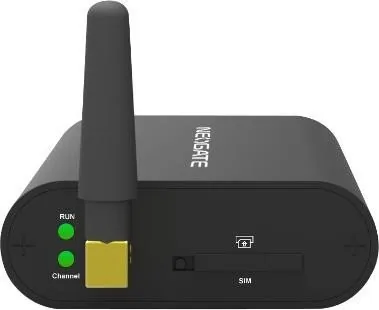
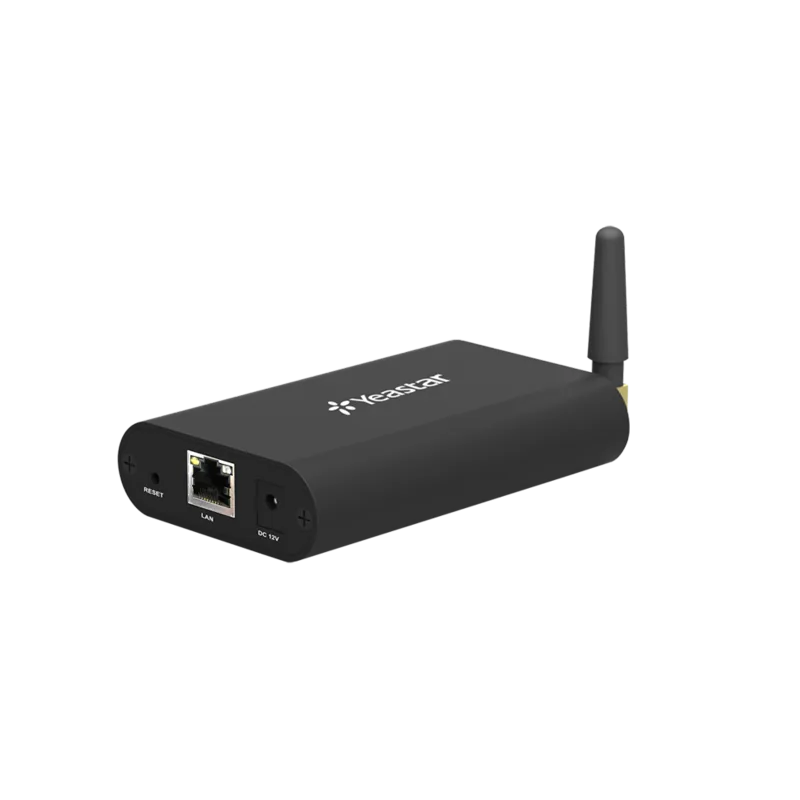
The Yeastar TG100 stands as a robust solution for modernizing telephony infrastructure by bridging the gap between traditional GSM networks and IP-based communication systems. This versatile gateway allows businesses to leverage mobile networks for voice calls, effectively reducing costs while maintaining high-quality connectivity. By integrating seamlessly with existing PBX systems, the TG100 transforms standard mobile SIM cards into reliable VoIP trunks, enabling organizations to handle inbound and outbound calls with flexibility and efficiency.
At its core, the device features an intuitive web-based management interface that simplifies complex configuration tasks. Users can effortlessly manage mobile modules, configure routing rules, and monitor call status in real-time. The gateway supports multiple connection modes including Account Mode, Register Trunk Mode, and Peer Trunk Mode, ensuring compatibility with a wide range of private branch exchange setups. Whether you need to route calls from mobile networks to IP extensions or direct incoming calls to specific users, the TG100 provides the necessary tools to execute these operations with precision.
Beyond basic voice capabilities, the system offers advanced messaging features such as SMS sending and receiving, email-to-SMS integration, and USSD command execution. Security is paramount, with built-in firewall rules, IP blocklists, and alert settings to protect against unauthorized access and cyber threats. The ability to customize system prompts, update firmware remotely, and generate detailed call logs makes this device an indispensable asset for any organization seeking to optimize its communication strategy without relying solely on expensive landlines.
Search for 67,706 Manuals online


Type-in Brand or Model