
Yeastar P550 Manual
PDF manual · 2 Pages
English



Quick check
Incorrect answer, please try again.
Chat with your Yeastar P550 manual using AI
Get instant AI answers from your Yeastar P550 manual
Ask anything about the Yeastar P550. Answers come from this manual, with the pages they are based on.
Ask a Question
Do you recommend P550?
Yes NoFrequently Asked Questions
The P550 supports modular expansion boards such as analog port boards (FXS/FXO modules) and digital trunk boards (E1/T1/J1). Choose modules based on whether you need analog phones, PSTN lines, or digital carrier trunks.
Is this answer helpful?
Use the NFC feature on the front panel: tap an NFC-capable mobile phone to the Yeastar logo to apply network settings quickly, simplifying initial setup without needing direct console access.
Is this answer helpful?
Yes. The P550 provides an SD card slot and a USB port for local storage of call recordings, voicemails, and logs, enabling on-site retention without requiring an external recording server.
Is this answer helpful?
The rear panel includes system and power indicators to show device health and power status, plus a reset button to restore factory defaults. These help with quick diagnostics and recovery operations.
Is this answer helpful?
Connect the WAN port to your Internet or SIP trunk provider, use LAN for internal network devices, and install appropriate expansion boards (FXO for PSTN, FXS for analog phones, or E1/T1 modules) to interface with legacy lines.
Is this answer helpful?
Yes. An RS232 console port is available on the rear panel for low-level debugging and advanced configuration by technical staff.
Is this answer helpful?
Always connect the protective earth grounding to reduce electrical risk and external noise. Secure and rotate the antenna into its socket for best reception and ensure proper power and ventilation when installing the unit.
Is this answer helpful?
Advantages and Disadvantages
Advantages

- Modular expansion lets you mix FXS, FXO, and digital trunk modules for tailored connectivity.
- NFC-based quick network configuration speeds up initial deployment using a mobile device.
- Local storage via SD/USB supports on-site voicemail and call recording without extra servers.
- Clear front/back indicators and a reset button simplify troubleshooting and status checks.
- Hybrid design supports smooth migration from PSTN/analog to SIP-based telephony.
Disadvantages

- Physical expansion boards limit scalability compared to fully virtual/cloud PBX solutions.
- Requires onsite hardware management and potential maintenance for expansion modules.
- Advanced configuration may need console access or IT expertise for optimal setup.
- Limited wireless capabilities—external antenna required for radio reception improvements.
- Local storage adds responsibility for backup and data retention management.
Product Specification
Interfaces
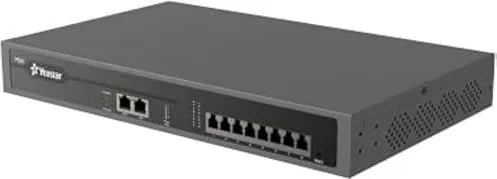
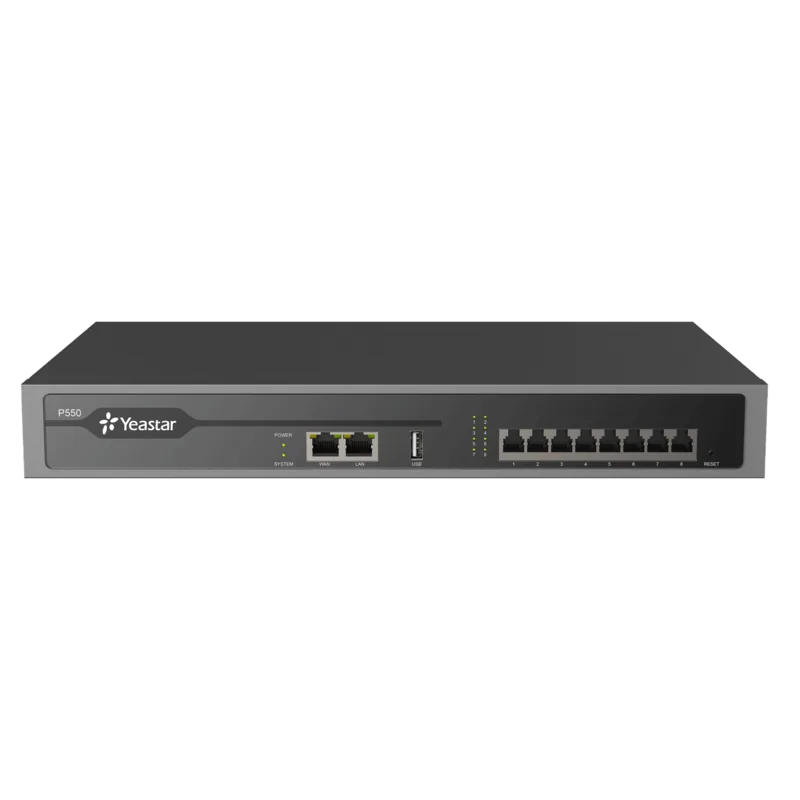
8x analog (FXS/FXO), 1x USB, 1x Gb LAN, 1x Gb WAN
Users
50
Features
Rackmount (1U)
Dimensions
13.39x8.27x1.73in
Weight
3.26lb
Product Description
Yeastar P550: Powerful, Scalable Business Telephony
The Yeastar P550 is a robust hybrid IP PBX designed for small and medium businesses that need reliable voice communications, modular expansion, and simple deployment. Built on Yeastar’s P-series hardware lineage, the P550 combines enterprise-class call handling features with flexible physical interfaces, making it suitable for mixed VoIP/analog environments and phased upgrades from legacy PSTN trunks to SIP trunks.
Key Features and Overview
The P550 offers a compact but expandable platform with support for multiple expansion boards, allowing administrators to tailor port types and quantities for their environment. Typical expansion options include analog FXS/FXO modules and higher-capacity digital trunk modules, enabling connections to analog phones, fax machines, PSTN lines, ISDN/E1/T1/J1 circuits, or PBX trunks. Front-panel conveniences such as NFC-based quick network configuration simplify initial setup, while rear-panel ports cover WAN/LAN, console, USB/SD storage, power, and antenna connectors.
Inside operations are supported by clear indicators and physical controls: system and power LEDs for status, a reset button to restore factory defaults, and grounding and antenna sockets for safe deployment and improved wireless connectivity. The device supports local recording and voicemail storage via SD card or USB flash drive and provides console access for advanced troubleshooting.
Deployment and Management
Installation is straightforward: mount the appropriate expansion boards to match required interfaces, connect network and power, and use the NFC tap to quickly provision network settings from a compatible mobile device. The P550 is intended to integrate smoothly into existing networks—LAN for local devices and WAN for external SIP trunks or cloud services—while offering RS232 console access for technicians who need low-level debugging.
Use Cases
- Migrating from legacy PSTN to SIP with hybrid connectivity during transition phases.
- Branch office PBX with mixed analog handsets and VoIP endpoints.
- Call centers or small contact operations needing reliable call routing and on-site voicemail/recording storage.
Notes
- Choose expansion boards carefully to match your required mix of FXS, FXO, and digital trunk ports.
- Use the SD or USB slots for local recordings and backup of voicemail or logs.
- Ground the unit and secure the antenna for best performance and safety.
Search for 67,706 Manuals online


Type-in Brand or Model