
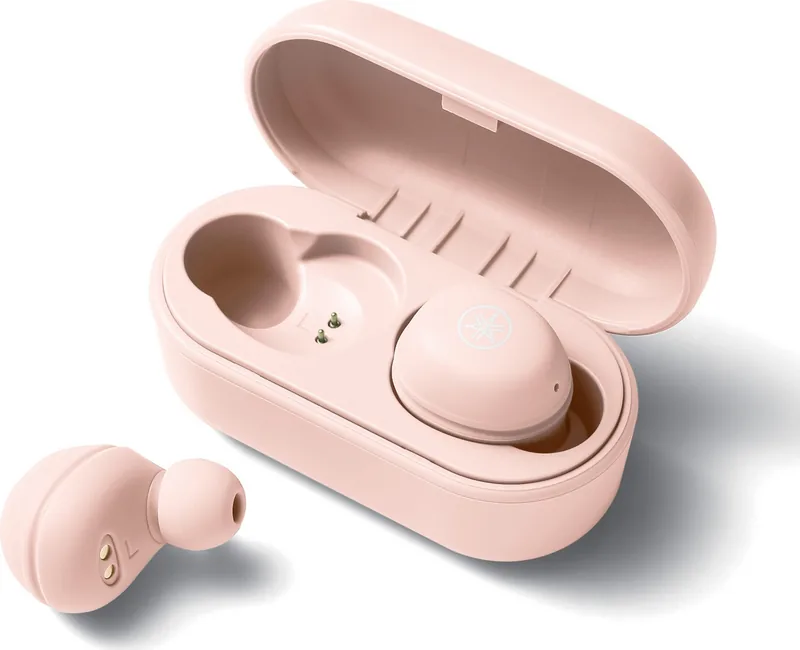

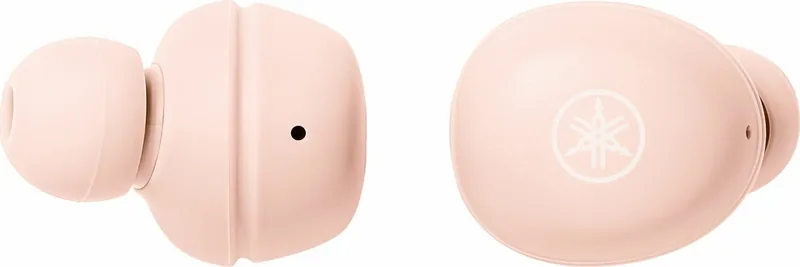
Yamaha TW-E3A Manual
PDF manual · 56 Pages
English



Quick check
Incorrect answer, please try again.
Chat with your Yamaha TW-E3A manual using AI
Get instant AI answers from your Yamaha TW-E3A manual
Ask anything about the Yamaha TW-E3A. Answers come from this manual, with the pages they are based on.
Ask a Question
Do you recommend TW-E3A?
Yes NoFrequently Asked Questions
Remove the earphones from the case. Wait for the LEDs to light up. Hold the function keys until indicators flash red and blue. Select the device on your phone or music player from the Bluetooth list. Input 0000 if asked for a passkey.
Is this answer helpful?
The earphones body is compliant with IPX5 standards and protected from direct jets of water. However, the charging case is not waterproof. Avoid using it in the bath or shower and wipe moisture before placing it in the case.
Is this answer helpful?
The earphones provide approximately six hours of continuous playback. The charging case provides approximately three additional full charges. Charging time is about two hours for both the earphones and the case to full capacity.
Is this answer helpful?
Yes, you can update the firmware using the Headphones Controller smartphone app. Open the app, go to the menu, and tap Confirm Firmware Update to check for new versions and perform the installation.
Is this answer helpful?
Press the function key on the right earphone twice to turn the volume up. Press the function key on the left earphone twice to turn the volume down. You can also use the Bluetooth device to adjust volume.
Is this answer helpful?
The maximum communication range is 10 meters without obstructions. If the signal is weak, move the earphones closer to the device and stay away from microwaves or Wi-Fi access points that emit electromagnetic waves.
Is this answer helpful?
Turn off the power. Hold the function key on the right earphone for 10 seconds until purple flashes. Press three times within 10 seconds. Do the same for the left earphone. Release and turn power on. This restores factory defaults.
Is this answer helpful?
Advantages and Disadvantages
Advantages

- Supports Qualcomm aptX and AAC for high-quality audio playback
- Features LISTENING CARE to maintain rich sound at low volumes
- Includes IPX5 waterproof rating for the earphones against water jets
- Up to three devices can be registered for quick switching
- Allows firmware updates via the dedicated Headphones Controller app
Disadvantages

- Charging case is not waterproof and lacks liquid ingress protection
- Battery may drain quickly if the product is not used for long periods
- Cannot connect to multiple Bluetooth devices simultaneously
- Earbuds may disconnect if placed in the depleted charging case
- Pairing standby mode ends after two minutes requiring repetition
Product Specification
Type
In-Ear Headphones
Form Factor
True Wireless, Detachable Ear Wings, No Ear Hook
Acoustic Design
Closed
Microphone
Built-in
Wireless
Bluetooth 5.0, AAC, aptX
Controls
1-Button Remote
Battery Life
6 h (with ANC), 24 h (with Charging Case)
Battery
USB-C Charging Port, Charging Case, 2 h Charging Time
Frequency Response
20 Hz - 20 kHz
Driver Size
0.24 in
Device Features
Water-resistant (IPX5)
Software Features
Voice Assistant (Apple Siri, Google Assistant), Equalizer Presets, Custom Equalizer, App Control
Weight
0.22 oz (per earbud)
Product Description
Discovering Audio Excellence with Yamaha TW-E3A
Immersive Wireless Sound Experience
Listening to music has never been as seamless as with this model from Yamaha. You get high-definition playback supported by Qualcomm aptX and AAC codecs. The product is designed to deliver rich sound quality even at lower volumes thanks to the LISTENING CARE feature. This technology corrects the sound balance to match human ear characteristics, ensuring natural audio reproduction that reduces ear load during extended listening sessions. Consult the Yamaha TW-E3A Manual for detailed technical specs and features.
Connectivity and Control
The device connects easily to Bluetooth devices including smartphones and portable players. It supports TrueWireless Stereo Plus for stable connectivity. You can register up to three distinct Bluetooth devices for future use. Pairing involves removing the earbuds from the charging case and holding function keys until indicators flash. You can control volume by pressing the function keys on each earbud twice. Music playback control includes pause and skip functions. You can also activate voice assistance like Siri or Google Assistant with simple taps.
Durability and Power Management
The earphones are built with waterproof performance compliant with IPX5 standards. This protects the body from direct jets of water from all directions during exercise or rain. However, the charging case itself is not waterproof and requires careful handling. The lithium-ion battery provides approximately six hours of continuous playback time. Charging takes about two hours for the earphones to full capacity. The case provides approximately three additional full charges for extended usage. You can check the remaining battery power through indicator lights and audio messages.
Customization and Setup
To get the best out of these units, you can download the Headphones Controller application. This app allows you to adjust settings like the Auto Power-Off Timer. You can also update the firmware to add new functionality and rectify issues. You can configure the listening care on or off within the app settings. When setting up your new audio companion, many users consult the reference materials for the Yamaha TW-E3A Manual to restore factory defaults if issues occur.
Comfort and Eartips
The earphones come with multiple eartip sizes including SS, S, M, and L. Silicone sleeves come in two sizes. Replacing these ensures a secure fit and better passive noise isolation. Proper fit prevents the earphones from falling out during movement. This setup allows for a personalized wearing experience that suits different ear shapes and sizes.
Search for 67,706 Manuals online


Type-in Brand or Model