
Yamaha SR-B40A Manual
PDF manual · 88 Pages
English



Quick check
Incorrect answer, please try again.
Chat with your Yamaha SR-B40A manual using AI
Get instant AI answers from your Yamaha SR-B40A manual
Ask anything about the Yamaha SR-B40A. Answers come from this manual, with the pages they are based on.
SR-B40A Maintenance Schedule
Verify that the installation is secure and perform regular safety checks to prevent the unit from falling.
Check the condition of the power plug regularly and remove any accumulated dirt or dust to prevent fire or electric shock.
Ask a Question
Do you recommend SR-B40A?
Yes NoFrequently Asked Questions
Press the power button on the sound bar or use the remote. It will turn on automatically with the TV if HDMI Control is enabled.
Is this answer helpful?
Yes, it supports Bluetooth 5.1. You can connect smartphones and stream music directly to enjoy wireless audio playback effortlessly.
Is this answer helpful?
Yes, via HDMI eARC connection. Optical connections do not support Dolby Atmos decoding capabilities so use HDMI for best results.
Is this answer helpful?
They pair automatically upon power on. If not, hold pairing button on subwoofer and use remote to establish connection again.
Is this answer helpful?
Yes, via the Sound Bar Remote app using Tone control feature. This allows adjustment of high and low frequency ranges separately for balance.
Is this answer helpful?
Advantages and Disadvantages
Advantages

- Dolby Atmos technology creates a three-dimensional soundscape for realistic action scenes.
- Clear Voice function isolates human speech without changing the overall volume.
- Includes a wireless subwoofer for deep bass without needing extra equipment.
- Supports HDMI eARC for control via TV remote and high quality audio transmission.
- Bluetooth 5.1 allows pairing multiple devices and seamless switching between sources.
Disadvantages

- Tone control function requires the dedicated smartphone app for operation rather than remote.
- Digital optical connection does not support Dolby Atmos decoding capabilities.
- Remote control sensor has an operating range limited to approximately 6 meters distance.
- Child lock requires holding buttons to toggle rather than a simple switch for access.
- Wireless subwoofer pairing may fail if metal furniture obstructs the connection path.
Product Specification
Type
Soundbar with Subwoofer
Power
200W Peak
Audio Decoder
Dolby Atmos, Dolby Digital
HDR
No
Video Inputs
1x HDMI In
Audio Inputs
eARC, 1x Digital Audio In (optical)
Wireless
Bluetooth 5.1, AAC
Color
Black
Dimensions
35.83 x 2.68 x 5.24 in (WxHxD)
Subwoofer Dimensions
7.64 x 16.50 x 16.02 in (WxHxD)
Weight
6.39 lbs
Subwoofer Weight
17.86 lbs
Includes
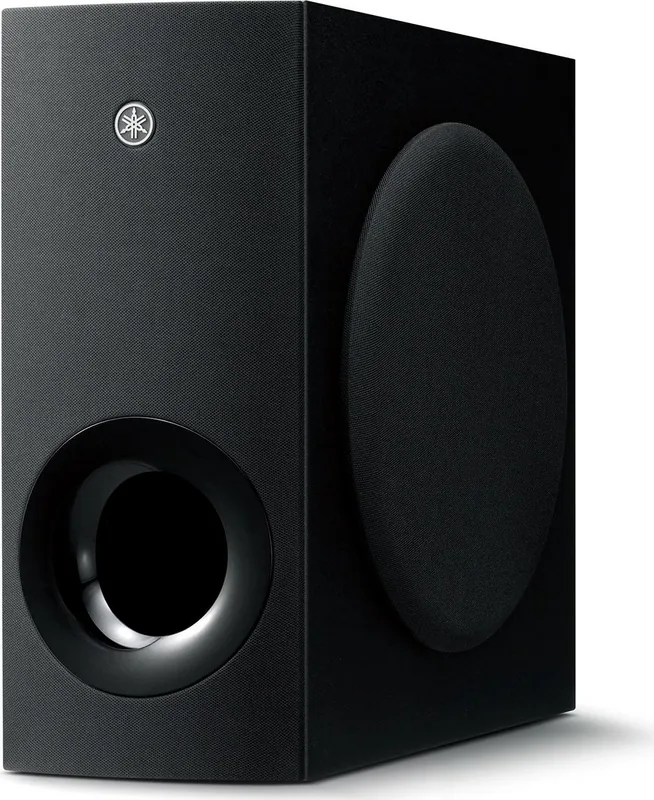
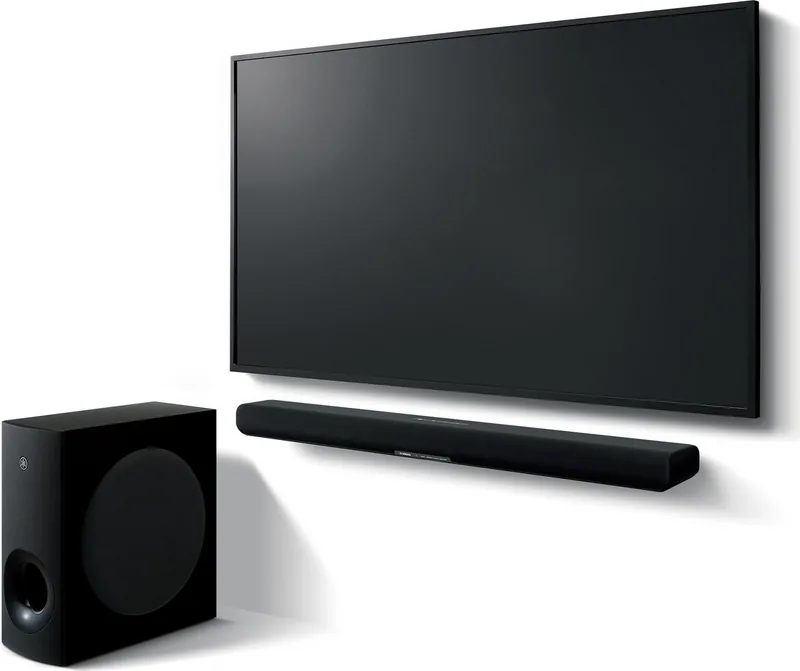
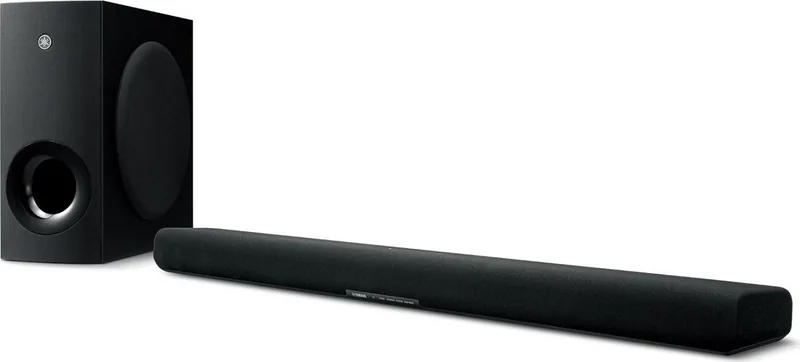
Soundbar, 1x Wireless Subwoofer
Product Description
Elevate Your Home Audio Experience with the Yamaha SR-B40A
Looking for a powerful way to upgrade your television setup? The Yamaha SR-B40A sound bar delivers exceptional audio performance wrapped in a sleek design. This system is tailored for modern households seeking clarity and depth in their entertainment. The sound quality adapts to suit your content precisely while fitting neatly below a TV screen. It works great for any room size.
Immersive Sound Quality
Sound is at the heart of this device. It uses Dolby Atmos technology to create a three-dimensional soundscape. You can hear objects moving precisely around you, adding realism to action scenes. The included subwoofer handles low frequencies, ensuring deep bass without needing extra heavy equipment. If you need to hear dialogue clearly, the Clear Voice function isolates human speech without changing the overall volume. For music lovers, Bass Extension enhances the acoustic image of bass instruments. Tone control via the app allows adjustment of high and low frequency ranges separately for perfect balance and clarity.
Flexible Connectivity
Connecting your devices is straightforward. You can use HDMI eARC or ARC for the best digital audio transmission if your TV supports it. This allows you to control the unit with your TV remote. For older models, an optical connection works perfectly. Streaming music is just as easy via Bluetooth 5.1. You can pair multiple devices and switch between them. Bluetooth standby ensures your sound bar powers on when a device connects. The dedicated smartphone app gives you control over tone settings and modes effortlessly for daily use.
Easy Control and Setup
Powering up is simple. The system turns on automatically when a connected TV turns on, thanks to HDMI Control. You can adjust volume, mute, and change modes using the included infrared remote. The indicators clearly show input sources like TV, OPTICAL, or BLUETOOTH. Multiple sound modes include Standard for TV programs, Movie for cinema-like experience, and Game for immersive gaming audio localization. Experience better audio today with this system.
Setup Notes
Ensure your subwoofer is placed near the sound bar for optimal wireless pairing. Metal objects between units might interfere with the connection. Keep the brightness settings comfortable for your viewing habits using the Dimmer function. This model features a Child Lock function to prevent accidental operation. This unit consumes minimal power in standby mode, making it energy efficient for daily use. You also save electricity with low energy usage settings available.
Search for 67,706 Manuals online


Type-in Brand or Model