
XYZprinting PartPro200 xTCS Manual
PDF manual · 125 Pages
English


Quick check
Incorrect answer, please try again.
Chat with your XYZprinting PartPro200 xTCS manual using AI
Get instant AI answers from your XYZprinting PartPro200 xTCS manual
Ask anything about the XYZprinting PartPro200 xTCS. Answers come from this manual, with the pages they are based on.
PartPro200 xTCS Maintenance Schedule
Run the Clean Nozzle function every 60 printing hours to remove accumulated filament residue using a cleaning wire.
Replace the PC film on the EZ removable rubber magnet when it becomes dirty or broken.
Ask a Question
Do you recommend PartPro200 xTCS?
Yes NoFrequently Asked Questions
Yes. The PartPro200 xTCS is built for integrated color printing. It uses CMYK ink cartridges (Black, Cyan, Magenta, Yellow) alongside filament-based 3D construction. After loading filament and installing ink cartridges, you run guided ink status checks and calibration/test pages to ensure accurate color alignment.
Is this answer helpful?
Not necessarily. The printer supports USB printing by importing compatible files from a USB drive and running them directly from the touchscreen. You can also use the XYZmaker software with a computer for preparing files and adjustments before sending the job.
Is this answer helpful?
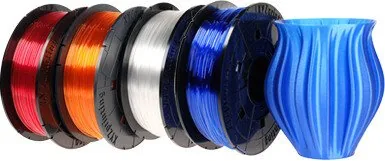
The printer supports 3D Color-inkjet PLA, PLA, Tough PLA, and PETG. Filament diameter is 1.75 mm. For best workflow, store unused filament properly and follow the printer's guided load/unload steps on the touchscreen.
Is this answer helpful?
Color consistency relies on guided routines. After ink cartridge installation or replacement, the printer recommends test pages and calibration procedures, including inkjet calibration and color alignment checks. It then uses the results to better align filament and ink output for your model.
Is this answer helpful?
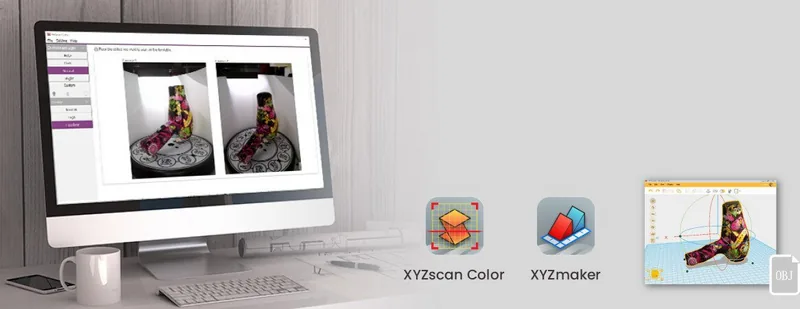
The scan module enables 3D scanning using photogrammetry with a rotating turntable. Use XYZscan Color on your computer to capture objects. Best results come from stable objects within the supported scan area and with textures that are not overly reflective or transparent.
Is this answer helpful?
Regular nozzle cleaning is recommended to prevent clogging and maintain print quality. The printer also advises cleaning steps when filament residues build up on internal parts. Keeping the workflow aligned with the on-screen maintenance prompts helps reduce color and extrusion issues.
Is this answer helpful?
Advantages and Disadvantages
Advantages

- CMYK inkjet-style color using separately replaceable cartridges (no need to replace all colors at once).
- 5-inch touchscreen guides filament, ink, and calibration tasks for more consistent results.
- USB printing and offline standalone operation reduce dependence on a computer during the print run.
- Optional 3D scanning with XYZscan Color for capturing models via photogrammetry.
Disadvantages

- Full-color print area is smaller than mono-color (185 x 185 x 150 mm vs 200 x 200 x 150 mm).
- Accurate color output depends on ink calibration and test-page checks after cartridge changes.
- Scanning quality is limited by object properties like reflectivity and transparency.
- Nozzle and feed-path upkeep is recommended to avoid clogging and performance drops over time.
Product Specification
Process
Fused filament fabrication FFF
Arrangement
1x movable print head (forward/backward, left/right), 1x movable print bed (up/down)
Construction
Ready-made model, closed print chamber (with viewing window, front door), full metal frame, control unit in the device, integrated filament holder
Manufacturer's recommended materials
0.07 in Filament, closed system (NFC-encoded), Color-Inkjet PLA, PLA, PETG, Carbon
Print size
7.87x5.91x7.87in (WxHxD, monochrome), 7.28x5.91x7.28in (WxHxD, full color)
Contour formation
1x print head (1x print nozzle with mono-feed, 0.02 in, brass, replaceable), 1x direct extruder (with automatic filament feed)
Layer height
3.94-15.75 mil
Accuracy X
0.49 mil
Accuracy Y
0.49 mil
Accuracy Z
0.16 mil
Speeds
1.18-4.72 in/s printing (max. 2.36 in/s recommended), 7.09 in/s travel speed without printing
Print bed
Rectangular, metal, removable (magnetic clasp), automatic print bed leveling, turntable (with drive, only for scanning, instead of print bed)
Interfaces
USB-A 2.0 (Host), USB-B 2.0, WLAN (802.11b/g/n)
Scanner
Laser scanner, automatic, simultaneously installed, 5 Megapixel, scan size 5.51x5.51in (DxH)
Additional functions
Inkjet print head (CMYK, simultaneously installed)
Screen
5" diagonal, color, touchscreen
Control
Touchscreen, optional via computer
Power supply
100-240V, 240W
Operating environment
59-86F, 30-60% rel.
Dimensions
23.62x25.20x22.87in (WxHxD)
Weight
74.96 lb (empty)
Color
red/black (housing), black (frame), black (print bed)
Scope of delivery
1x printer, 1x 1.32 lb PLA filament (Color-Inkjet PLA), tool set, cleaning set, adhesive film for print bed, USB-A 2.0 WLAN adapter
Special features
Filament sensor, fully colored 3D printing
Manufacturer's warranty
one year
Product Description
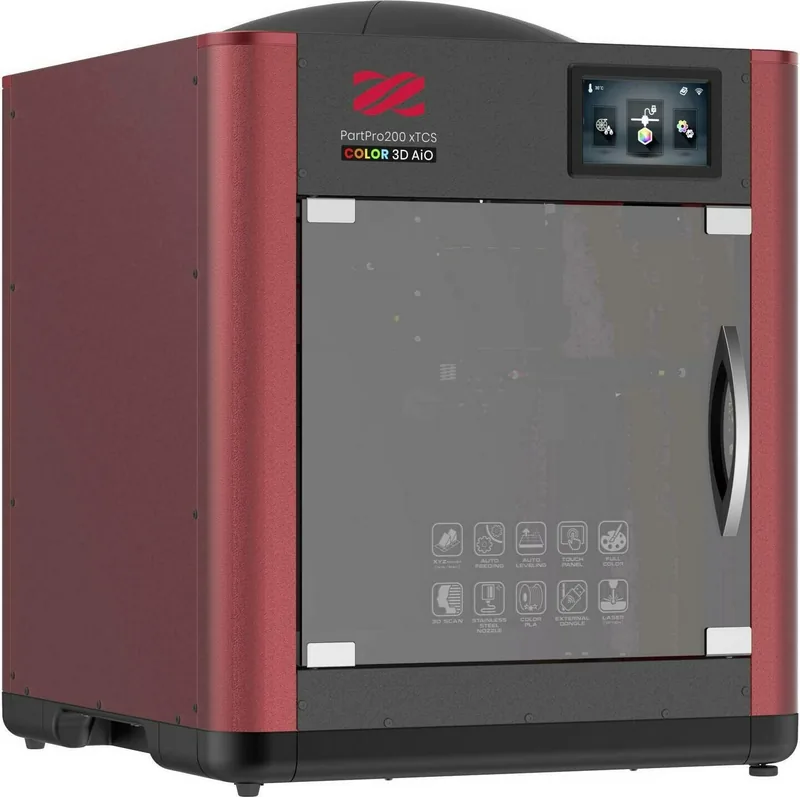
XYZprinting PartPro200 xTCS (aka da Vinci Color All-in-One) - Color 3D Printing with Guided Setup
The XYZprinting PartPro200 xTCS, also known as the da Vinci Color All-in-One, combines a fused-filament 3D printer with inkjet-style color output in one compact workflow. It features a 5-inch color touchscreen for controlling print, material, ink, calibration, and scanning options, helping you go from file to first results with less guesswork.
Designed for everyday creators, the system supports auto-feeding and streamlined job handling. You can load or unload 1.75 mm filament directly from the touchscreen and use USB printing for stand-alone production without a computer. For color output, the printer uses separate CMYK ink cartridges (Black, Cyan, Magenta, Yellow), letting you replace only the colors you need.
In terms of print performance, the PartPro200 xTCS provides a 200 x 200 x 150 mm mono-color build area, with full-color prints slightly smaller at 185 x 185 x 150 mm. Layer thickness ranges from 0.1 mm to 0.4 mm, while alignment precision is specified at X/Y 0.0125 mm. The printer includes automatic calibration and supports common 3D file types (such as STL, OBJ, and AMF) through the XYZmaker software.
This model also adds scanning as a creative extra. With the scan module and the XYZscan Color software, you can capture 3D models using photogrammetry on a rotating turntable. Scanning works best with stable objects placed within the supported scan area, and with surfaces that are not overly reflective or transparent.
Notes for getting better results
- Use good lighting when scanning, and orient the object so the front side faces the scan module.
- For reliable color, run ink status checks and calibration routines after replacing cartridges.
- Maintenance matters: the printer recommends nozzle cleaning regularly to prevent clogging and preserve print consistency.
Pros and cons at a glance
- Pros: touchscreen-guided color setup, CMYK ink cartridges, USB/offline printing, optional scanning.
- Cons: non-heated bed design means you still need careful handling, color calibration steps are essential after ink changes, scanning has material restrictions.
Search for 67,706 Manuals online


Type-in Brand or Model