
XP-Pen Artist Pro 16TP Manual
PDF manual · 17 Pages
English



Quick check
Incorrect answer, please try again.
Chat with your XP-Pen Artist Pro 16TP manual using AI
Get instant AI answers from your XP-Pen Artist Pro 16TP manual
Ask anything about the XP-Pen Artist Pro 16TP. Answers come from this manual, with the pages they are based on.
Ask a Question
Do you recommend Artist Pro 16TP?
Yes NoFrequently Asked Questions
Yes, it is compatible with Mac OS X 10.10 and higher. However, please note that on Mac systems, the stylus and touch control functions cannot be activated simultaneously due to system limitations.
Is this answer helpful?
USB-C mode uses a single cable for video, data, and power on supported computers. The 2-in-1 mode uses separate HDMI and USB-A cables for video and data, requiring a separate power adapter for devices without full USB-C specifications.
Is this answer helpful?
You can correct the offset by opening the XP-Pen driver software, navigating to the workspace settings, and running the calibration tool. Follow the on-screen prompts to align the cursor with the pen tip accurately.
Is this answer helpful?
Flickering usually indicates insufficient power delivery from your computer's USB-C port. Connect the included power adapter to the device using the second USB-C cable to ensure stable power supply.
Is this answer helpful?
No, the stylus requires the specific XP-Pen driver to function correctly. Without the driver, you will not have access to pressure sensitivity, tilt recognition, or button customization features.
Is this answer helpful?
Open the driver software, go to the Application Settings section, select your desired program, and assign specific functions to the shortcut keys or rotary dial tailored to that software's needs.
Is this answer helpful?
Advantages and Disadvantages
Advantages

- Native 4K resolution (3840x2160) delivers ultra-sharp visuals
- Exceptional color accuracy with 92% Adobe RGB coverage
- 8192 pressure levels and tilt recognition for natural drawing
- Multi-touch support allows intuitive gestures and navigation
- Customizable shortcut keys and rotary dial for efficient workflow
Disadvantages

- Requires a powerful computer to drive 4K resolution smoothly
- No battery-free pen alternative; relies solely on included EMR stylus
- Touch and stylus functions cannot be active simultaneously on Mac OS
- Single USB-C port may require additional power adapter for some laptops
- Driver installation can be sensitive to antivirus interference
Product Specification
Type
Graphics tablet with screen
Active Area
13.6x7.65 in
Pen
wireless, tip, 1 button, eraser function
Resolution
200 lpi
Pressure Levels
8192
Tilt Range
60 deg
Max Pen Height
0.39 in
Display
15.6", 3840x2160, Multi-Touch, IPS
Signal Input
USB-C
Brightness
74.4 cd/sq ft
Contrast
1000:1
Response Time
30 ms
Keys
N/A
CPU
N/A
RAM
N/A
Storage
N/A
Graphics
N/A
Host Port
2x USB-C
Other Ports
N/A
Wireless
N/A
Card Reader
N/A
Webcam
N/A
Operating System
N/A
Power Consumption
5W (typical), 0.5W (standby), 0.1W (sleep)
Battery
N/A
Dimensions
16x10.36x0.61 in
Weight
3.26 lbs
Package Contents
Main unit, pen (PH2), 9 replacement tips, pen case, 2x USB-C to USB-C cable, 2-in-1 cable, power adapter, glove, cleaning cloth
SDR Energy Efficiency Class (A to G)
B
SDR Energy Consumption
0.52 kWh/1000h
Product Description
XP-Pen Artist Pro 16TP: A Revolution in Digital Art
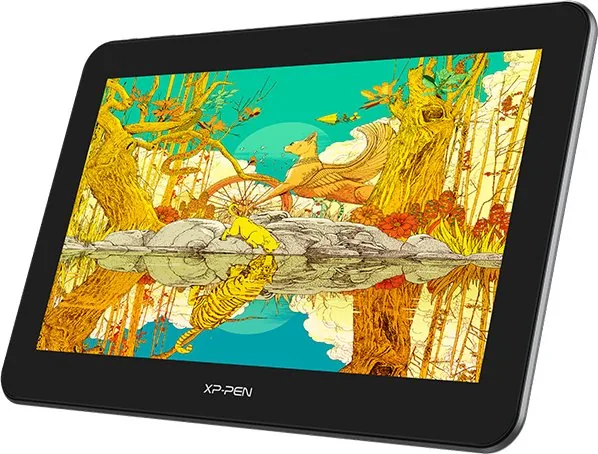
The XP-Pen Artist Pro 16TP represents a significant leap forward for digital artists seeking precision and versatility. This new generation pen display integrates advanced multi-touch capabilities, transforming the traditional drawing experience into an intuitive workflow. Whether you are sketching concept art or editing high-resolution photos, this device offers a seamless connection between your creative vision and the screen.
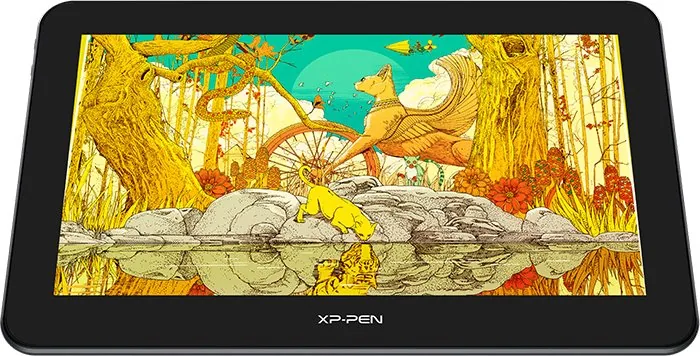
At the heart of the Artist Pro 16TP is a stunning 15.6-inch IPS LCD panel boasting a native 4K resolution of 3840 x 2160 pixels. The color gamut coverage is exceptional, reaching 92% Adobe RGB and 124% sRGB, ensuring that every hue you create is rendered with stunning accuracy and depth. With 16.7 million colors and a contrast ratio of 1000:1, the visual fidelity rivals professional-grade monitors, making it ideal for color-critical work.
The user experience is further enhanced by the included EMR stylus, which features 8192 levels of pressure sensitivity and tilt recognition up to 60 degrees. The pen requires no battery charging, offering a lightweight and responsive tool for detailed line work. The display also includes a built-in touch interface, allowing for natural gestures like zooming and panning directly on the canvas. To manage these complex inputs, the device comes equipped with customizable shortcut keys, a rotary dial, and a touch bar, giving you instant access to essential tools without breaking your creative flow.
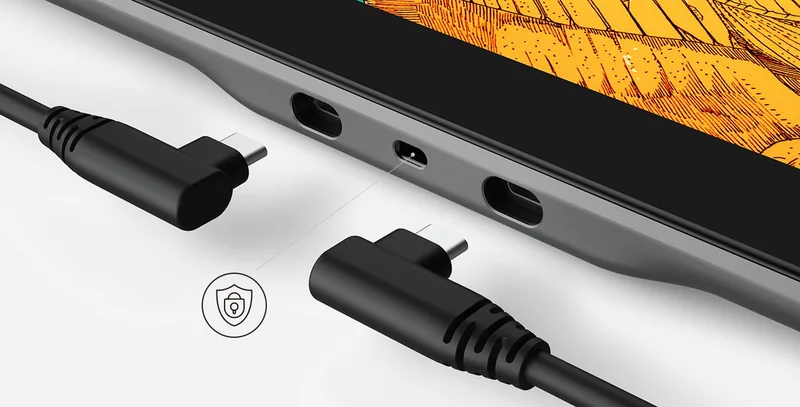
Connectivity is designed for flexibility. The unit supports full USB-C connections for single-cable setups on modern laptops, while also offering a 2-in-1 cable solution for older systems requiring separate HDMI and USB-A connections. The driver software provides extensive customization options, including workspace mapping, calibration for offset correction, and application-specific settings for popular creative suites like Photoshop and Clip Studio Paint.
Key Features Overview
This tablet combines high-performance hardware with user-friendly software to deliver a professional studio environment in a compact form factor. Its sleek design fits easily on any desk, and the anti-glare coating reduces eye strain during long sessions.
Important Notes
- Ensure your computer supports 4K output at 60Hz for the best resolution experience.
- Always update the driver regularly to maintain peak performance and compatibility.
- Calibrate the pen tip offset if you notice discrepancies between the cursor and the actual stroke.
Search for 67,706 Manuals online


Type-in Brand or Model