
XP-Pen Artist Pro 16 Manual
PDF manual · 12 Pages
English



Quick check
Incorrect answer, please try again.
Chat with your XP-Pen Artist Pro 16 manual using AI
Get instant AI answers from your XP-Pen Artist Pro 16 manual
Ask anything about the XP-Pen Artist Pro 16. Answers come from this manual, with the pages they are based on.
Ask a Question
Do you recommend Artist Pro 16?
Yes NoFrequently Asked Questions
Download the driver from the official XP-PEN website. Extract the folder, run the .exe file on Windows or .dmg on Mac, and follow the prompts. Temporarily disable antivirus software during installation and restart your computer afterward.
Is this answer helpful?
Yes. The driver supports dual monitor setups. You can choose between duplicate mode where both screens show the same image, or extended mode where you map the tablet area to a specific monitor using the driver interface.
Is this answer helpful?
No, the included pen is battery-free. It uses electromagnetic resonance technology, so you never need to charge it or replace batteries. It also features tilt recognition for realistic shading effects.
Is this answer helpful?
Open the driver software and navigate to the calibration section. Follow the on-screen prompts to align the cursor with the pen tip. This ensures that what you see on the screen matches exactly where the pen touches the surface.
Is this answer helpful?
The XP-Pen Artist Pro 16 supports both Windows and macOS. Ensure you download the correct version of the driver for your system. Regular updates are recommended to maintain compatibility with new software versions.
Is this answer helpful?
Yes, all express keys can be customized within the driver software. You can assign them to shortcuts used in popular creative applications like Photoshop or Illustrator to speed up your workflow significantly.
Is this answer helpful?
Advantages and Disadvantages
Advantages

- Vibrant 15.6-inch Full HD screen with excellent color accuracy
- Customizable express keys and rotary dial for workflow efficiency
- Battery-free pen with tilt recognition and adjustable pressure
- Easy installation and robust driver software for multiple OS
- Supports Windows Ink for seamless application integration
Disadvantages

- Requires manual driver updates for optimal performance
- Antivirus software must be disabled during initial installation
- Multi-monitor setup requires careful configuration in driver
- Express key functions may vary depending on specific model
- No built-in stand included in the package
Product Specification
Type
Graphics tablet with screen
Active area
13.42x7.55 in
Pen
Wireless, tip, 2 buttons, eraser function
Resolution
5080 lpi
Pressure levels
8192
Tilt range
60 deg
Max pen height
0.39 in
Display
15.4 in, 1920x1080, IPS
Signal input
USB-C
Contrast
1000:1
Response time
14 ms
Keys
8 keys, 1 touch ring
CPU
N/A
RAM
N/A
Storage
N/A
Graphics
N/A
Host connection
HDMI, USB 2.0
Other connections
N/A
Wireless
N/A
Card reader
N/A
Webcam
N/A
Operating system
N/A
Power consumption
7 W (typical), 0.4 W (standby), no data (sleep)
Battery
N/A
Dimensions
17.45x10.10x0.35 in
Package contents
Main unit, pen (X3 Elite Plus), 9 replacement tips, pen case, 3-in-1 cable, power adapter, glove, cleaning cloth
Energy efficiency class SDR (A to G)
B
SDR energy consumption
7 kWh/1000 h
Product Description
XP-Pen Artist Pro 16: Your Ultimate Digital Canvas
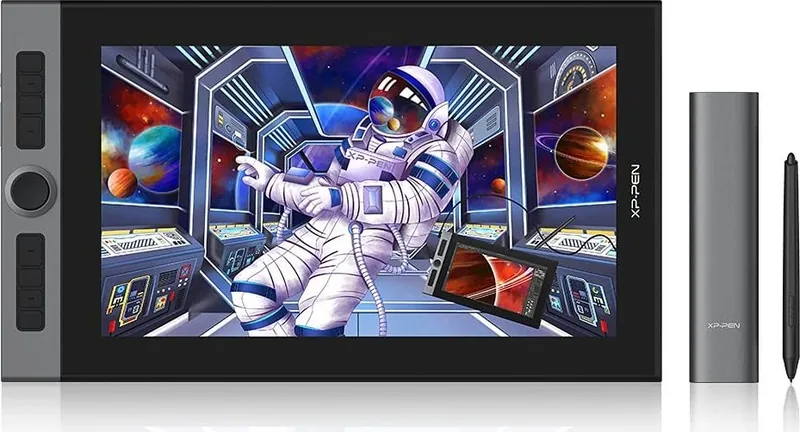
The XP-Pen Artist Pro 16 redefines digital artistry by combining a stunning 15.6-inch Full HD display with exceptional color accuracy and intuitive controls. Designed for professional illustrators, designers, and animators, this pen display offers a seamless drawing experience that feels natural and responsive. The screen boasts a vibrant color gamut that brings your creations to life with true-to-life hues, ensuring every stroke matches your vision perfectly.
Setting up the device is straightforward. After downloading the latest drivers from the official XP-PEN website, installation takes only a few minutes on both Windows and Mac systems. Users are advised to temporarily disable antivirus software during installation to prevent conflicts. Once connected via USB-C or HDMI, the driver interface allows for deep customization of the working area, screen mapping, and pen sensitivity. Whether you prefer full-screen mode or a specific mapped section, the software adapts to your multi-monitor setup effortlessly.
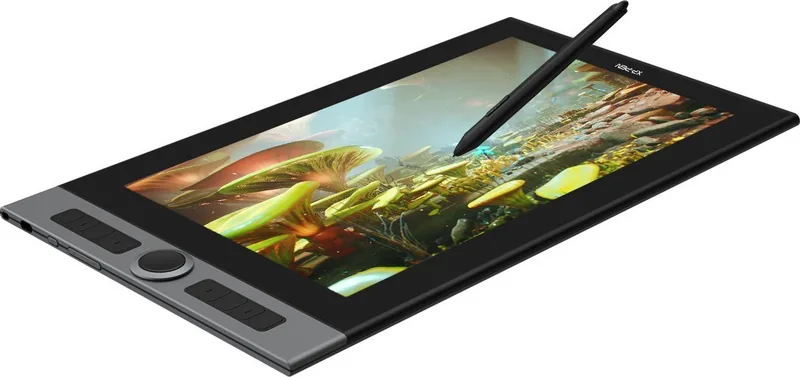
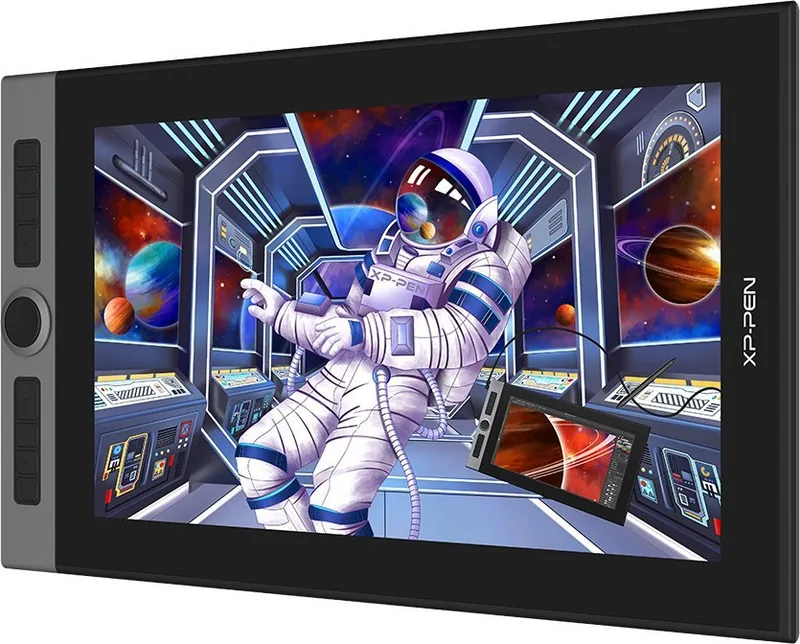
One of the standout features is the customizable ExpressKeys and the rotary dial. These physical controls can be programmed to suit your favorite applications like Photoshop, Clip Studio Paint, or Blender. The rotary knob offers smooth scrolling and zooming capabilities, while the touch button provides quick access to eraser modes or other shortcuts. The pen itself is lightweight and battery-free, featuring tilt recognition and adjustable pressure levels that mimic traditional media.
Calibration tools ensure perfect alignment between the stylus tip and the cursor, eliminating parallax issues. You can also adjust color temperature, brightness, and contrast directly through the driver settings. For precision work, the Precision Mode restricts the active area to a smaller zone for detailed tasks. The device supports Windows Ink out of the box, enhancing compatibility with modern creative software. With its robust build and versatile functionality, the XP-Pen Artist Pro 16 stands as a reliable companion for any digital artist seeking efficiency and quality.
Key Features Overview
- High-resolution display with accurate color reproduction.
- Intuitive hardware controls including express keys and a rotary dial.
- Comprehensive driver support for Windows and macOS.
- Advanced calibration for precise pen-to-cursor tracking.
- Tilt recognition and customizable pressure curves.
Search for 67,706 Manuals online


Type-in Brand or Model