
XP-Pen Artist 15.6 Pro Manual
PDF manual · 23 Pages
English



Quick check
Incorrect answer, please try again.
Ask a Question
Do you recommend Artist 15.6 Pro?
Yes NoVideo Manual
Unboxing XP pen 15.6 Pro V2 tablet as a traditional artist! #xppen #xppentablet #digitalart #csp
Frequently Asked Questions
Yes, this display works seamlessly with macOS systems. It supports both USB-C and HDMI connections, ensuring broad compatibility with modern Apple computers and laptops.
Is this answer helpful?
No, the included stylus is battery-free. It utilizes electromagnetic resonance technology, meaning you never need to charge it or replace batteries, providing endless usage time.
Is this answer helpful?
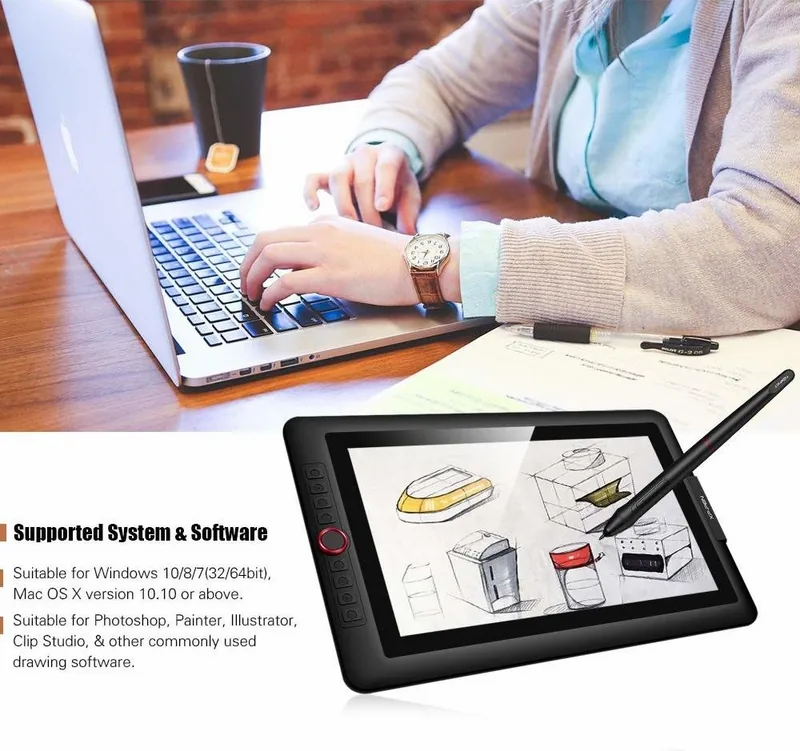
It is fully compatible with industry-standard applications such as Adobe Photoshop, Illustrator, Clip Studio Paint, SAI, and many others running on Windows and Mac.
Is this answer helpful?
No, this unit requires a connected host device like a PC or laptop to function. It acts as a monitor and input device rather than a standalone drawing tablet.
Is this answer helpful?
You can customize the pressure settings through the dedicated driver software provided by XP-Pen. The manual guides you through accessing these preferences for personalized control.
Is this answer helpful?
The surface is coated for durability, but using a protective film is recommended for heavy daily use to prevent scratches from accidental drops or sharp tools.
Is this answer helpful?
The pen boasts a low latency rate, ensuring minimal delay between your hand movement and the cursor on the screen for a natural drawing feel.
Is this answer helpful?
Advantages and Disadvantages
Advantages

- Vibrant 15.6-inch screen with excellent color accuracy for professional work
- Highly responsive pen with tilt support and adjustable pressure levels
- Compatible with major operating systems and popular creative software
- Ergonomic stand allows for flexible viewing angles to reduce fatigue
- Compact design makes it easy to transport for remote work or travel
Disadvantages

- Requires external power source which limits true wireless mobility
- Stand may feel slightly less sturdy compared to premium standalone monitors
- Cable management could be improved with integrated routing options
- Initial driver installation might require troubleshooting on older systems
- Touchscreen functionality is not available on this specific model
Product Specification
Type
Graphics tablet with screen
Active area
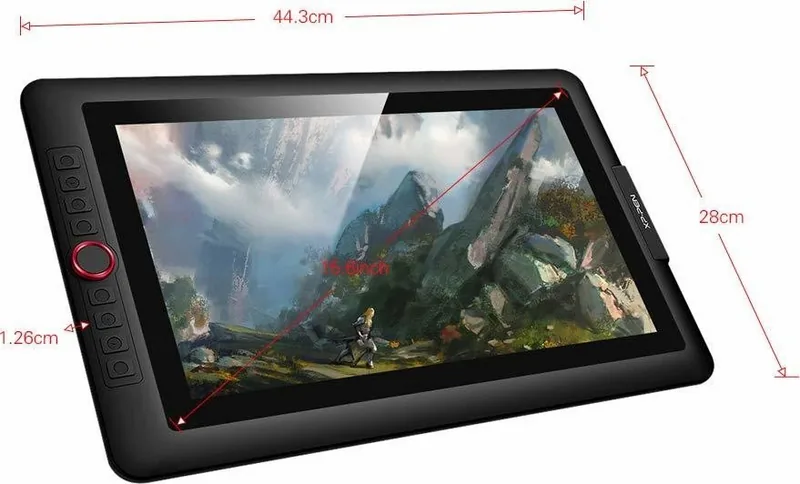
13.54x7.64in
Stylus
wireless, tip, 2 buttons, eraser function
Resolution
5080lpi
Sensitivity levels
8192
Tilt range
60°
Max stylus distance
0.39in
Display
15.6in, 1920x1080, IPS
Signal input
HDMI, mini DisplayPort (via adapter)
Buttons
8 buttons, 1 touch ring
CPU
N/A
RAM
N/A
Storage
N/A
Graphics
N/A
Host connection
USB-C 3.0
Other connections
N/A
Wireless
N/A
Card reader
N/A
Webcam
N/A
Operating system
N/A
Battery
N/A
Dimensions
17.44x11.02x0.50in
Package contents
Main unit, stylus (P05R), 8 replacement tips, stylus holder, stand (AC 41), 3-in-1 cable, HDMI to Mac adapter cable, extension cable, glove, cleaning cloth
Product Description
XP-Pen Artist Display 15.6 Pro: A Creative Powerhouse
The XP-Pen Artist Display 15.6 Pro stands as a premier choice for digital artists seeking precision and portability. This device transforms any workspace into a professional studio, offering an immersive drawing experience that bridges the gap between imagination and reality. With its vibrant color gamut and responsive pen technology, it empowers users to bring their most intricate designs to life with fluid strokes and accurate pressure sensitivity.
Immersive Visual Experience
At the heart of this display is a stunning 15.6-inch screen that delivers exceptional clarity. The high-resolution panel ensures that every pixel is sharp, allowing artists to see fine details without strain. The wide color spectrum covers a significant portion of the industry standard, ensuring that the colors you see are true to your vision. Whether you are working on graphic design, illustration, or photo editing, the visual fidelity remains consistent across various projects.
Seamless Integration and Control
Connectivity is straightforward, making setup quick and hassle-free for both Windows and Mac users. The included manual provides clear guidance on installation and driver configuration, ensuring a smooth start to your creative journey. The pen features tilt recognition and adjustable pressure levels, giving you natural control over line weight and opacity. Ergonomic design considerations in the stand allow for comfortable viewing angles during long sessions.
Notes on Usage
Ensure your system meets the minimum requirements for optimal performance. Regular updates to the drivers can enhance functionality and fix potential bugs. The display supports multiple connection types, offering flexibility for different setups.
Pros and Cons
Pros
- Vibrant 15.6-inch screen with excellent color accuracy for professional work.
- Highly responsive pen with tilt support and adjustable pressure levels.
- Compatible with major operating systems and popular creative software.
- Ergonomic stand allows for flexible viewing angles to reduce fatigue.
- Compact design makes it easy to transport for remote work or travel.
Cons
- Requires external power source which limits true wireless mobility.
- Stand may feel slightly less sturdy compared to premium standalone monitors.
- Cable management could be improved with integrated routing options.
- Initial driver installation might require troubleshooting on older systems.
- Touchscreen functionality is not available on this specific model.
Search for 67,706 Manuals online


Type-in Brand or Model