
XP-Pen Artist 12 Manual
PDF manual · 19 Pages
English



Quick check
Incorrect answer, please try again.
Ask a Question
Do you recommend Artist 12?
Yes NoVideo Manual
XP-Pen Artist 12 Review + How to Install and Settings
Frequently Asked Questions
It supports Windows, macOS, and Linux, ensuring broad compatibility with various creative software suites.
Is this answer helpful?
No, the included stylus is battery-free and relies on electromagnetic resonance technology for operation.
Is this answer helpful?
Yes, provided you have the necessary adapters to connect via USB-C or Lightning ports depending on your iPad model.
Is this answer helpful?
You can download the official driver from the manufacturer's website to access calibration tools within the settings menu.
Is this answer helpful?
The display has an anti-glare coating, though using it in direct sunlight may still cause reflections.
Is this answer helpful?
It covers approximately 72% NTSC, providing good color reproduction for general digital art tasks.
Is this answer helpful?
Yes, brightness and contrast levels can be adjusted directly through the OSD buttons located on the side of the unit.
Is this answer helpful?
Advantages and Disadvantages
Advantages

- Compact and lightweight design for portability
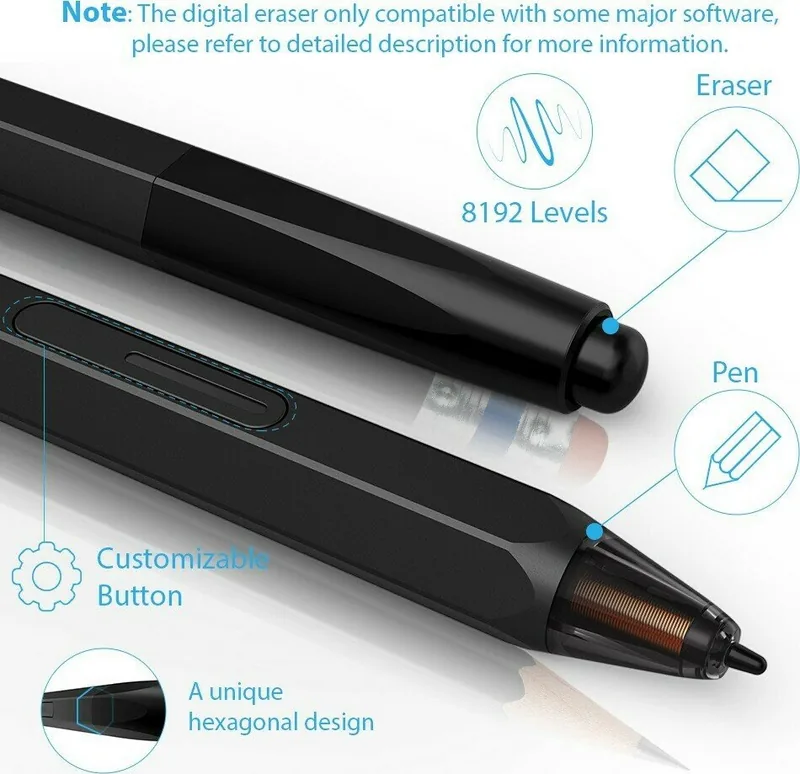
- 8192 levels of pressure sensitivity for precise control
- Supports tilt recognition for realistic brush strokes
- Multiple connectivity options including USB-C and HDMI
- Affordable price point for professional-grade features
Disadvantages

- Screen size may feel small for some users preferring larger canvases
- Stand stability could be improved for heavy-handed adjustments
- Color calibration might require manual tweaking out of the box
- No built-in battery requires constant power connection
- Cable management can be slightly cumbersome in tight spaces
Product Specification
Type
Graphics tablet with screen
Active area
10.1x5.7 in
Pen
Wireless, tip, 2 buttons, eraser function
Resolution
5080 lpi
Sensitivity levels
8192
Tilt range
60°
Max pen height
0.28 in
Display
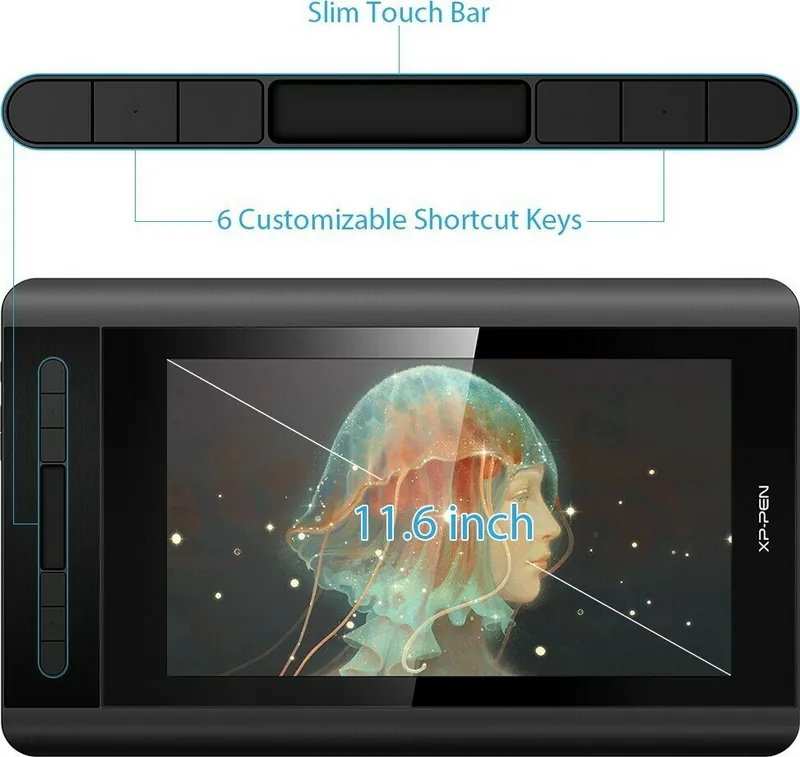
11.6", 1920x1080, IPS
Signal input
HDMI, mini DisplayPort (via adapter)
Contrast
700:1
Response time
14 ms
Buttons
6 buttons, 1 touchstrip
CPU
N/A
RAM
N/A
Storage
N/A
Graphics
N/A
Host port
USB-C 3.0
Other ports
N/A
Wireless
N/A
Card reader
N/A
Webcam
N/A
Operating system
N/A
Battery
N/A
Dimensions
14.3x8.6x0.5 in
Package contents
USB cable, 8 replacement tips, pen, main unit, glove
Product Description
XP-Pen Artist Display 12: A Creative Companion
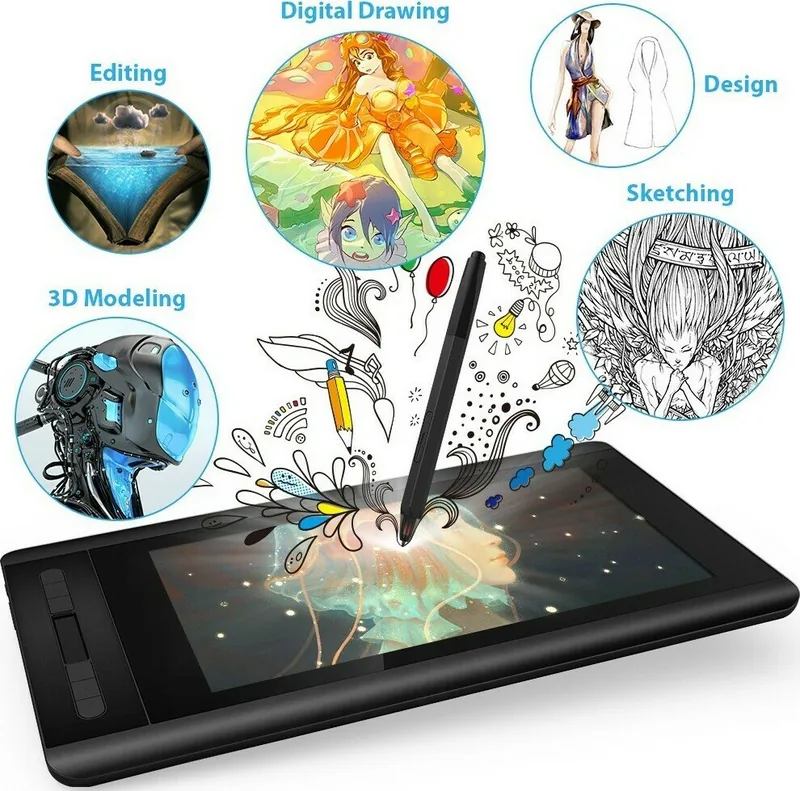
The XP-Pen Artist Display 12 stands as a compact yet powerful tool for digital artists seeking precision and portability. This pen display features an 11.6-inch Full HD screen that delivers vibrant colors and sharp details, making it ideal for sketching, painting, and photo editing on the go. Its slim profile allows for easy transport to coffee shops, studios, or client meetings without compromising performance.
At the heart of this device is its pressure-sensitive stylus, offering 8192 levels of pressure sensitivity. This ensures that every stroke feels natural, capturing the subtle nuances of your artistic expression. The display supports tilt recognition, allowing you to achieve realistic brush effects similar to traditional media. Whether you are creating concept art or detailed illustrations, the responsiveness of the XP-Pen Artist Display 12 enhances your workflow significantly.
Connectivity is straightforward, with support for USB-C and HDMI connections compatible with most laptops, tablets, and smartphones. The included stand provides multiple viewing angles, ensuring ergonomic comfort during long sessions. Users often appreciate the intuitive button layout, which can be customized to streamline common tasks like zooming or changing brushes. For those looking to dive into digital art without breaking the bank, this display offers an exceptional balance of quality and affordability.
Notes
- Ensure drivers are updated for optimal performance.
- Use a stable surface when setting up the display.
- Calibrate the pen regularly for best accuracy.
Pros and Cons
Pros
- Compact and lightweight design for portability.
- 8192 levels of pressure sensitivity for precise control.
- Supports tilt recognition for realistic brush strokes.
- Multiple connectivity options including USB-C and HDMI.
- Affordable price point for professional-grade features.
Cons
- Screen size may feel small for some users preferring larger canvases.
- Stand stability could be improved for heavy-handed adjustments.
- Color calibration might require manual tweaking out of the box.
- No built-in battery requires constant power connection.
- Cable management can be slightly cumbersome in tight spaces.
Frequently Asked Questions
What operating systems does the XP-Pen Artist Display 12 support? It supports Windows, macOS, and Linux, ensuring broad compatibility with various creative software suites.
Does the stylus require charging? No, the included stylus is battery-free and relies on electromagnetic resonance technology for operation.
Can I use this display with an iPad? Yes, provided you have the necessary adapters to connect via USB-C or Lightning ports depending on your iPad model.
How do I calibrate the pen for better accuracy? You can download the official driver from the manufacturer's website to access calibration tools within the settings menu.
Is the screen glare-resistant? The display has an anti-glare coating, though using it in direct sunlight may still cause reflections.
What is the color gamut coverage? It covers approximately 72% NTSC, providing good color reproduction for general digital art tasks.
Can I adjust the brightness easily? Yes, brightness and contrast levels can be adjusted directly through the OSD buttons located on the side of the unit.
Search for 67,706 Manuals online


Type-in Brand or Model