
Wortmann Terra LED 3280W Manual
PDF manual · 20 Pages
English



Quick check
Incorrect answer, please try again.
Chat with your Wortmann Terra LED 3280W manual using AI
Get instant AI answers from your Wortmann Terra LED 3280W manual
Ask anything about the Wortmann Terra LED 3280W. Answers come from this manual, with the pages they are based on.
Terra LED 3280W Maintenance Schedule
Unplug the monitor before cleaning. Wipe the cabinet with a clean, dry cloth. Apply non-ammonia based cleaner onto the cloth, not directly onto the glass screen.
Stop using the monitor if the cabinet is damaged or if smoke, abnormal noise, or odor appears. Unplug immediately and call a service center.
Ask a Question
Do you recommend Terra LED 3280W?
Yes No
Lukas Schmidt
8 months ago
The monitor looks great out of the box, but can the picture quality be improved? What should I adjust to get a more natural look?

Manual.ly
8 months ago
Yes. Many users find the default image is already strong, but final tuning can make it look more natural and balanced. Start by setting the picture mode to something neutral, then adjust brightness and contrast so highlights are not washed out and blacks stay deep. Use a few test images (gray scale, color gradients, and black/white contrast) to fine-tune: set sharpness moderately to avoid halos, and calibrate color saturation if reds or greens look overly strong. After that, verify the white balance and gamma. If your monitor has preset modes, compare them side by side and keep the one that matches the test images best.
Frequently Asked Questions
Its large curved 31.5-inch panel, WQHD resolution, and 144Hz refresh rate make it appealing for users who want a sharp and smooth display for work, media, and gaming.
Is this answer helpful?
Yes. The monitor includes a 144Hz refresh rate and FreeSync support, which can improve motion smoothness and reduce screen tearing on compatible systems.
Is this answer helpful?
DisplayPort is the safest choice for the monitor’s full 2560 x 1440 at 144Hz capability. HDMI and DVI are available too, but compatibility may vary by graphics card.
Is this answer helpful?
Yes. The wide screen, sharp resolution, and adjustable picture settings make it well suited for spreadsheets, browsing, multitasking, and long productivity sessions.
Is this answer helpful?
Yes. It includes built-in 3W x 2 speakers and audio input options, which are useful for basic sound without needing external speakers immediately.
Is this answer helpful?
Keep it in a dry, ventilated area, avoid direct sunlight, unplug it before cleaning, and use a soft cloth. Do not apply cleaners directly to the screen.
Is this answer helpful?
Advantages and Disadvantages
Advantages

- 31.5-inch curved screen improves immersion and supports comfortable viewing for long sessions.
- WQHD 2560 x 1440 resolution offers a sharp, detailed image for work and entertainment.
- 144Hz refresh rate and FreeSync help motion look smoother in supported setups.
- Multiple inputs and built-in speakers make it easy to connect and use right away.
Disadvantages

- HDMI and DVI may not always deliver the highest refresh/resolution combination.
- Built-in speakers are convenient but unlikely to replace dedicated external audio.
- The glossy design can create reflections in bright rooms.
- Some advanced features depend on compatible graphics hardware and correct cabling.
Product Specification
Function
Monitor (stationary)
Diagonal
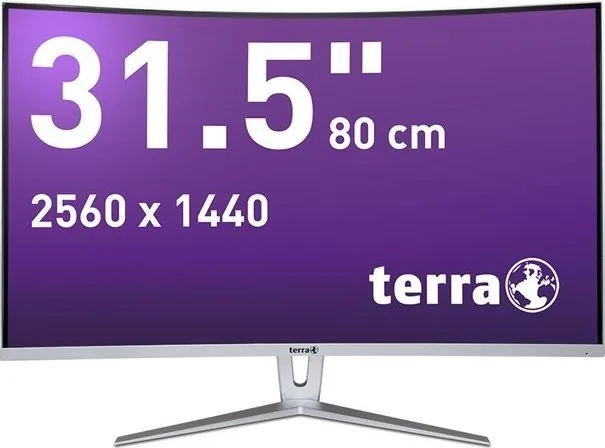
31.5" (31.50in)
Resolution
2560x1440 (QHD), 16:9, 93ppi
Panel
VA (AMVA)
Backlight
LED, Blue light filter, flicker-free
Brightness
250cd/m2 (typical)
Contrast
30,000,000:1 (dynamic)
Response time
5ms (GtG)
Refresh rate
144Hz (2560x1440)
Variable Synchronization
Adaptive Sync, AMD FreeSync Premium certified (48-144Hz via DisplayPort, 48-144Hz via HDMI, with LFC support, without HDR)
Connectors
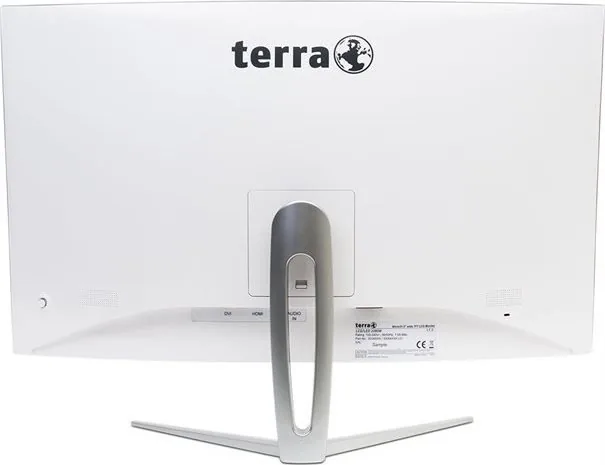
1x HDMI 1.4, 1x DisplayPort 1.4, 1x DVI, 1x 3.5mm jack (Line-In), 1x AC-In C13 (Power connector)
Shape
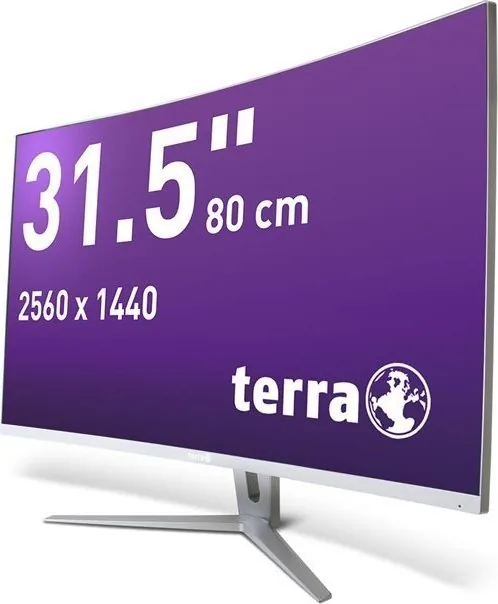
curved, 1800R/5.91ft
Viewing angle
178°/178°
Coating
non-glare (matte)
Color depth
8bit (16.7 million colors)
FRC
unknown
Speakers
Speakers (2x 3W)
Controls
Joystick
Ergonomics
with stand, height adjustable N/A, Pivot N/A, swiveling N/A, tiltable (+15°/-5°)
VESA
100x100 (free)
Power consumption
36W (typical), 0.5W (Standby)
Energy efficiency SDR (A to G)
32kWh/1000h (F)
Features
Security lock (Kensington Security Slot), Slim Bezel
Screen-to-Body-Ratio
91.56% (calculated)
Dimensions
28.07x19.88x6.97in (WxHxD) with stand compressed, 28.07x16.50x3.35in (WxHxD) without stand
Color
black (display frame) / silver (lower bezel) / silver (stand) / white (back)
Weight
13.45lb (with stand), 11.46lb (without stand)
Power supply
internal
Warranty
two years (On-site replacement service)
USB notation
Link
Product Description
Wortmann Terra LED 3280W: A Curved 31.5-Inch Display Built for Comfort and Clarity
If you are looking for a practical overview of the Wortmann Terra LED 3280W, 31.5-inch monitor Manual, this display stands out as a strong blend of size, resolution, and everyday usability. The 31.5-inch curved panel uses an 1800R shape that helps create a more immersive viewing angle, while the WQHD resolution of 2560 x 1440 delivers a sharp image that feels roomy for work, entertainment, and multitasking.
One of the most appealing parts of this monitor is its 144Hz refresh rate. That higher refresh level can make motion feel smoother, whether you are scrolling through long pages, editing content, or playing fast-paced games. The monitor also supports FreeSync, which can help reduce tearing and improve the overall visual experience when paired with compatible hardware.
Connectivity is straightforward and flexible. DisplayPort is the primary choice for full performance, and HDMI or DVI inputs are also available depending on your setup. The monitor includes audio input and built-in 3W x 2 speakers, which makes it convenient for a desk setup where simplicity matters. The on-screen menu offers useful adjustments for brightness, contrast, color temperature, aspect ratio, and blue-light reduction, giving users more control over how the screen looks in different environments.
Beyond performance, the monitor focuses on comfort and safe use. The curved design can ease visual strain for some users, and the anti-blue-light option is a welcome addition for longer sessions. The manual also highlights careful installation, proper power use, and maintenance habits that help protect both the display and the user over time.
For people who want a large screen with a modern feature set, the Wortmann Terra LED 3280W feels like a balanced choice. It is designed for flexible daily use, from office tasks and media viewing to gaming and general productivity. Its combination of smooth refresh rates, WQHD sharpness, and multiple input options makes it a versatile monitor that fits many setups.
Notes
- Best results are achieved with DisplayPort for full 2560 x 1440 at 144Hz support.
- Use the OSD menu to tune brightness, color, and screen scaling.
- Keep the monitor in a ventilated, dry area and avoid strong heat sources.
- Follow recycling rules when disposing of the device.
Search for 67,706 Manuals online


Type-in Brand or Model
Juston Rodriguez
9 months ago
Does the monitor have good picture quality right out of the box, or do I need to spend time adjusting settings?
Manual.ly
9 months ago
Out of the box, the monitor already delivers a very good image. In one review, the picture was impressive directly after setup. With some time for fine-tuning (for example, using test images and adjusting the picture settings), the image quality can be noticeably improved, resulting in a more natural look, richer colors, and stronger contrast levels, especially for black and white tones.