
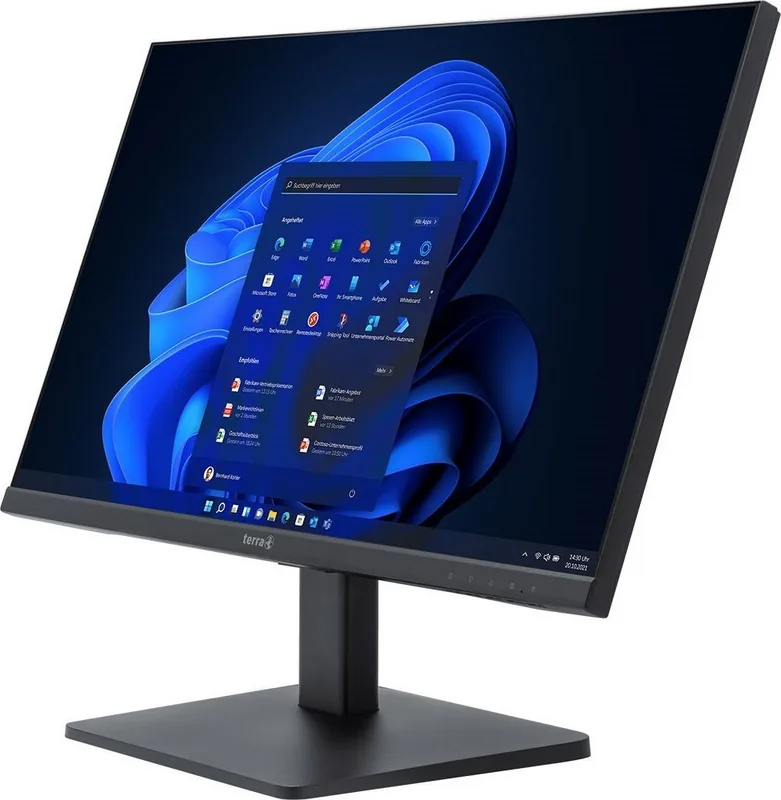
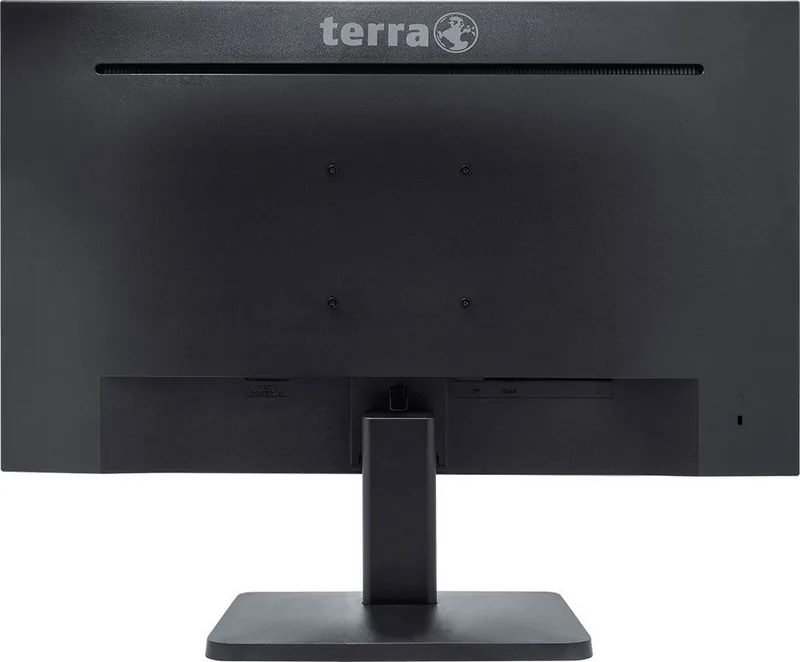
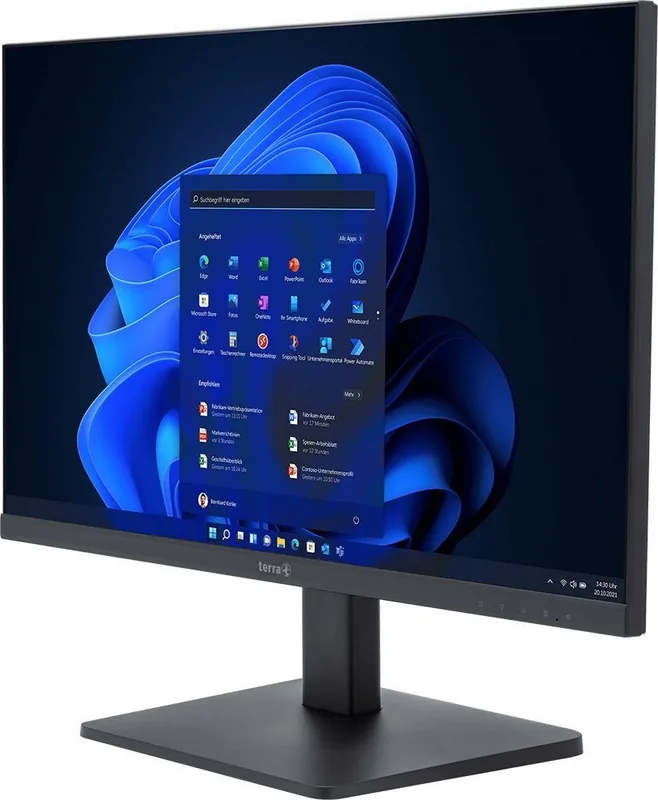
Wortmann Terra LED 2748W V3 Manual
PDF manual · 19 Pages
English



Quick check
Incorrect answer, please try again.
Chat with your Wortmann Terra LED 2748W V3 manual using AI
Get instant AI answers from your Wortmann Terra LED 2748W V3 manual
Ask anything about the Wortmann Terra LED 2748W V3. Answers come from this manual, with the pages they are based on.
Ask a Question
Do you recommend Terra LED 2748W V3?
Yes NoFrequently Asked Questions
The monitor supports a wide range of resolutions including VGA, VESA, and MAC standards. Top supported resolution is 1920 x 1080 at 100Hz for video and gaming. Other options include 1440 x 900 and 1280 x 1024 at 60Hz or 75Hz.
Is this answer helpful?
No, the USB-C connection on this model supports video transmission only. It does not supply power charging capabilities for laptops or tablets. Please use a dedicated power adapter for charging devices.
Is this answer helpful?
Press the OSD menu button once to access settings. Select the 'Menu Reset' option using the navigation keys. Confirm the choice to restore all picture and system settings to default.
Is this answer helpful?
Yes, it features Low Blue Light technology to reduce eye strain. It also supports various color modes like Warm and Normal for reduced harshness during extended reading.
Is this answer helpful?
Use a dry microfiber cloth for dust. If necessary, dampen it slightly with water. Never apply ammonia directly on the screen to avoid chemical damage.
Is this answer helpful?
The device works safely between 0°C and 40°C. Do not leave it in freezing conditions above 60°C storage temperature to prevent damage.
Is this answer helpful?
Yes, the OSD settings include support for AMD FreeSync to reduce tearing. It also offers a Gaming preset mode for optimized performance.
Is this answer helpful?
Advantages and Disadvantages
Advantages

- Full HD resolution with high refresh rates for smooth visuals
- Multiple connectivity options including HDMI, DisplayPort, and USB-C
- Low Blue Light feature protects eyes during long usage sessions
- Built-in speakers provide basic audio without external devices
- Compliant with CE and WEEE safety standards for disposal
Disadvantages

- USB-C connection does not support power charging for hosts
- Requires grounded power source for safe operation
- Requires manual setup for OSD adjustments without auto-tune
- Speaker volume is limited due to single small drivers
- Cleaning must avoid ammonia to prevent screen damage
Product Specification
Function
Monitor (Fixed)
Diagonal
27" (27.0 in)
Resolution
1920x1080 (FHD), 16:9, 82ppi
Panel
IPS
Backlight
LED, Blue Light Filter, flicker-free
Brightness
300 cd/m² (typical)
Contrast
30,000,000:1 (dynamic)
Response Time
5ms (GtG)
Refresh Rate
100Hz (1920x1080)
Ports
1x HDMI 1.4, 1x DisplayPort 1.2, 1x USB-C 3.0 with DisplayPort 1.2 (5Gb/s), 1x 3.5mm Jack (Line-Out), 1x AC-In C13 (Power Input)
Shape
Flat
Viewing Angle
178°/178°
Coating
Non-glare (Matte)
Color Depth
8bit (16.7 Million Colors)
FRC
Unknown
Speakers
Speakers (2x 2W)
Controls
Mechanical Buttons
Ergonomics
with Stand, Height Adjustable N/A, Pivot N/A, Swivel N/A, Tilt (+20°/-5°)
VESA Mounting
100x100 (Included)
Power Consumption
19W (typical), 0.5W (Standby)
Energy Efficiency SDR (A-G)
19kWh/1000h (E)
Features
Security Lock (Kensington Security Slot), Slim Bezel
Screen-to-Body Ratio
90.21% (calculated)
Dimensions
24.1x18.8x9.3 in (WxHxD) with Stand, 24.1x14.3x1.8 in (WxHxD) without Stand
Color
Black (Display Frame)/ Black (Lower Bezel)/ Black (Stand)/ Black (Rear)
Weight
9.04 lbs (with Stand)
Power Supply
Internal
Warranty
Two Years (On-Site Exchange Service)
USB Label
Link
Product Description
Discovering the Wortmann Terra LED 2748W V3, 27" Manual Experience
A Comprehensive View of Modern Display Technology
The Wortmann Terra LED 2748W V3, 27" Manual series stands out for its balance of performance and reliability in the modern market. This 27 inch monitor offers Full HD resolution, providing crisp visuals for both work tasks and entertainment content. Low Blue Light technology ensures eye comfort during extended usage sessions without sacrificing color accuracy or vibrancy. The sleek design complements any professional desk setup while maintaining a slim profile for aesthetic appeal. Users can enjoy seamless connectivity through multiple ports including HDMI, DisplayPort, and USB-C for versatile input options. While USB-C handles high-quality video transmission effectively, it does not support power delivery for charging connected devices.
Installation and Safety Guidelines
Proper installation ensures longevity and optimal performance for the hardware over years of use. Power strictly requires a grounded outlet to meet all safety standards and regulatory compliance. The included cables simplify initial configuration steps for most standard computer setups. Users must avoid exposing the screen to direct sunlight to prevent unwanted reflection issues. Regular cleaning with a dry microfiber cloth maintains visual clarity and surface condition. Chemicals containing ammonia should never touch the display panel directly under any circumstances. WEEE regulations dictate proper recycling procedures to protect the environment from e-waste. Operating temperatures range safely between zero and forty degrees Celsius for reliable operation. Storage conditions allow for safe transport without damage to internal components during moves.
Advanced Feature Integration
This device supports various refresh rates up to 100Hz for smooth motion in dynamic scenes. AMD FreeSync technology significantly reduces screen tearing during gaming or video playback. Resolution options span from VGA to Widescreen formats for older and newer graphics systems. Power management features reduce consumption in standby modes to lower electricity costs. The OSD menu allows language customization for international users across different regions. Brightness and contrast adjustments are granular for specific lighting control needs. Noise and heat are minimized for a quiet environment in open offices. This monitor integrates well into existing home office or dedicated gaming rigs. Compatibility is broad across Windows and Mac operating systems for broad adoption. Drivers ensure stable signal transmission from graphics cards for consistent image quality.
Final Considerations for Buyers
Purchasing this display guarantees a durable product designed for daily professional tasks. The build quality reflects German engineering standards for high reliability. Users benefit from a comprehensive setup process documented in the system instructions. While the USB-C port lacks charging capabilities, the video transmission remains efficient. Overall, this monitor provides significant value for users seeking reliability and performance. It fits both professional and personal computing environments effectively. Careful handling during removal of packaging prevents damage to the frame bezel. The product meets all relevant compliance standards globally for safety and energy. Enjoy your new screen for years to come with proper maintenance and care.
Search for 67,706 Manuals online


Type-in Brand or Model