
Wortmann Terra LCD 2766W PV Greenline Plus Manual
PDF manual · 19 Pages
English



Quick check
Incorrect answer, please try again.
Chat with your Wortmann Terra LCD 2766W PV Greenline Plus manual using AI
Get instant AI answers from your Wortmann Terra LCD 2766W PV Greenline Plus manual
Ask anything about the Wortmann Terra LCD 2766W PV Greenline Plus. Answers come from this manual, with the pages they are based on.
Ask a Question
Do you recommend Terra LCD 2766W PV Greenline Plus?
Yes NoFrequently Asked Questions
The monitor supports WQHD at 2560 x 1440 pixels at 60 Hz. Ensure your graphics card can output this resolution for best performance.
Is this answer helpful?
The stand allows for up to 130 millimeters of height adjustment. Use the stand mechanism carefully to avoid scratching the base.
Is this answer helpful?
Yes, it carries the TCO Certification, meaning it meets strict global standards for quality, ergonomics, and ecological safety.
Is this answer helpful?
Yes, use the On Screen Display menu to select between DVI, HDMI, and DisplayPort inputs directly from the control buttons.
Is this answer helpful?
Use an ammonia-free liquid on a soft cloth. Never spray liquid directly onto the glass screen to avoid damage to the panel.
Is this answer helpful?
They provide 3 watts per channel. Use a headphone jack for higher volume or connect external speakers for better audio performance.
Is this answer helpful?
Do not dispose as household waste. Follow local recycling laws for electronic devices and contact the manufacturer for detailed instructions.
Is this answer helpful?
Advantages and Disadvantages
Advantages

- TCO Certification ensures high quality and safety standards
- Fully adjustable stand with height, tilt, swivel, and pivot functions
- Supports multiple inputs including DisplayPort, HDMI, and DVI
- Energy Star compliant with low power consumption in standby
- Eco-friendly manufacturing with recyclable packaging and materials
Disadvantages

- Built-in speakers are modest with 3 watt output per channel
- Not compatible with resolution higher than 2560 by 1440 pixels
- Requires specific dual link DVI cables for full resolution support
- Headphone jack output requires separate accessory devices for audio
- Self-repair is dangerous and voids the warranty on all models
Product Specification
Function
Monitor (Stationary)
Screen Diagonal
27" (27.01 in)
Resolution
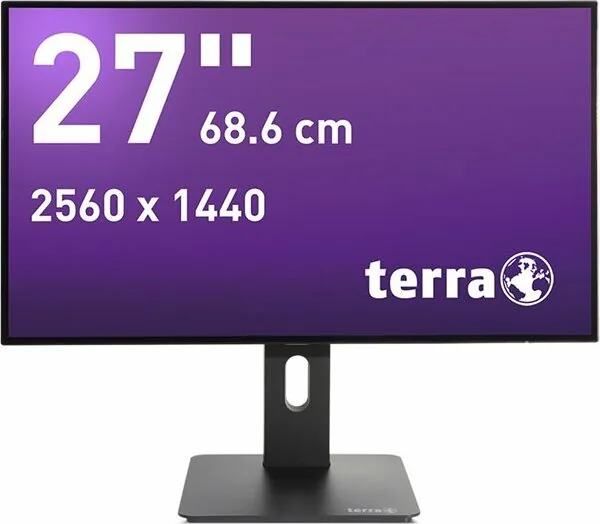
2560x1440 (QHD), 16:9, 109 ppi
Panel
IPS (ADS)
Backlight
LED, flicker-free
Brightness
350 cd/m2 (typical)
Contrast
20,000,000:1 (dynamic)
Response Time
5ms (GtG)
Refresh Rate
60Hz (2560x1440)
Interfaces
1x HDMI 1.4, 1x DisplayPort 1.2, 1x DVI, 1x 3.5mm Jack (Line-Out), 1x 3.5mm Jack (Line-In), 1x AC-In C13 (Power)
Form
Straight (Flat)
Viewing Angles
178deg/178deg
Color Depth
8bit (16.7 Million Colors)
FRC
Unknown
Speakers
Speakers (2x 3W)
Controls
Control Pad
Ergonomics
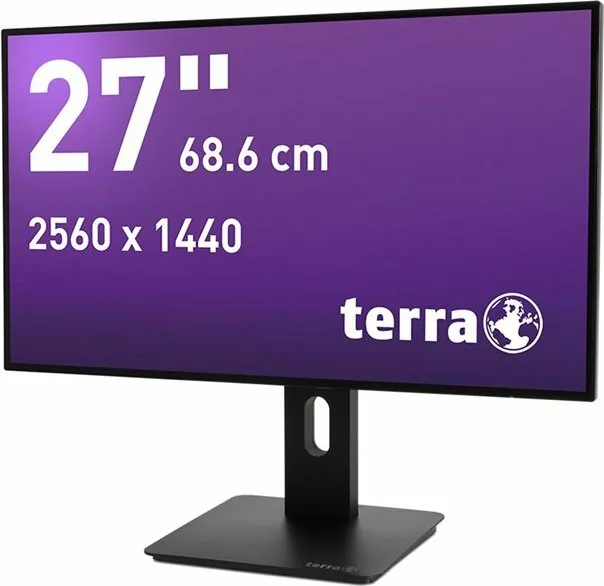
With Stand Base, Height Adjustable (5.12 inches), Pivot (+90deg), Swivel (+/-140deg), Tilt (+20deg/-5deg)
VESA
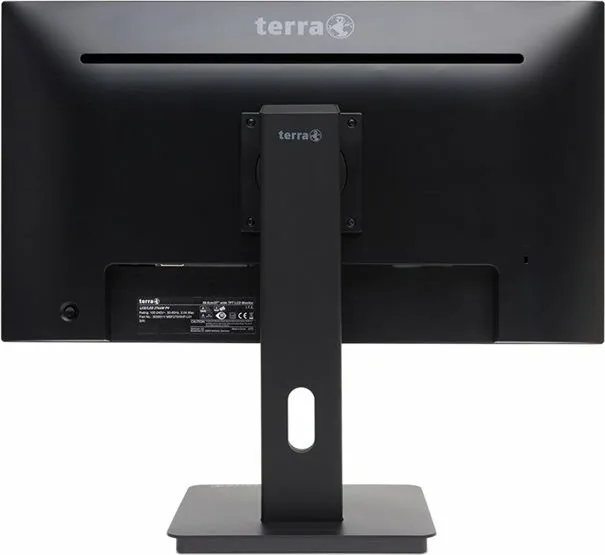
100x100 (Supported)
Power Consumption
22W (typical), 0.5W (Standby), 22W (Old Energy Label A+++ to G)
SDR Energy Efficiency (A to G)
22kWh/1000h (F)
Old Energy Efficiency (A+++ to G)
32.1kWh (A+)
Features
Security Lock (Kensington Security Slot), Slim Bezel
Screen-to-Body Ratio
92.46% (Calculated)
Dimensions
24.17x15.55x9.25 in (WxHxD) with Stand Base Compressed, 24.17x13.94x1.81 in (WxHxD) without Stand Base
Color
Black (Bezel) / Black (Lower Bezel) / Black (Stand Base) / Black (Rear)
Weight
15.21 lbs (with Stand Base), 10.14 lbs (without Stand Base)
Power Supply
Internal
Warranty
Two Years (On-Site Exchange Service)
USB Spelling
Link
Product Description
Discover the Wortmann Terra LCD 2766W PV Greenline Plus 27 Inch Display
When searching for the perfect screen, the Wortmann Terra LCD 2766W PV Greenline Plus, 27 Manual often comes up in discussions about reliable office equipment. This monitor is designed with both user comfort and environmental responsibility in mind. The inclusion of the TCO Certification ensures that this display meets some of the strictest global standards for quality, ergonomics, and ecological safety. Users are guided through proper usage to ensure safety and longevity of the equipment.
Performance and Ergonomics
Users benefit from a highly flexible viewing experience. The stand allows for height adjustment of up to 130 millimeters. You can tilt the screen upward by twenty degrees or downward by five degrees. Additionally, the swivel function permits a rotation of 140 degrees to each side, and the pivot feature allows a ninety degree rotation to the right. These adjustments help reduce eye strain and improve posture during long work sessions. Safety guidelines recommend keeping the device away from magnetic fields and avoiding self-repair attempts to prevent damage.
Connectivity and Features
Connection options are versatile and modern. The device supports digital signal transmission through a twenty-poly DisplayPort input. Users can also utilize HDMI or DVI connections, though the dual link DVI ensures full resolution support. The monitor features built-in speakers providing stereo sound output via a headphone jack. An On Screen Display menu facilitates adjustments to brightness, contrast, sharpness, and color temperature. Modes include game optimization, video playback, and text editing presets.
Technical Specifications
The native resolution is WQHD at 2560 by 1440 pixels. This optimal resolution ensures sharp text and detailed images. The pixel size measures 0.2331 millimeters. Color reproduction covers sixteen point seven million colors. Energy Star compliance confirms efficient power management. The optimal operating temperature ranges from zero to forty degrees Celsius.
Environmental Commitment
This product prioritizes sustainability. It adheres to low energy consumption standards in both operation and standby modes. Materials used limit halogenated flame retardants and heavy metals, ensuring RoHS compliance. Both the product and packaging are recyclable. The device avoids unnecessary power waste, contributing to reduced carbon footprints. Users are encouraged to recycle old devices properly rather than discarding them as household waste.
Conclusion
Choosing this screen supports efficient workflows and planetary health. Whether for office work or multimedia, the clarity and adaptability make it a strong choice. Remember to check the recommended resolution settings for optimal image stability and longevity. Regular cleaning with an ammonia-free cloth ensures the screen remains clear.
Notes
Warranty covers manufacturing defects. Source code is available upon request per GPL license terms.
Search for 67,706 Manuals online


Type-in Brand or Model