
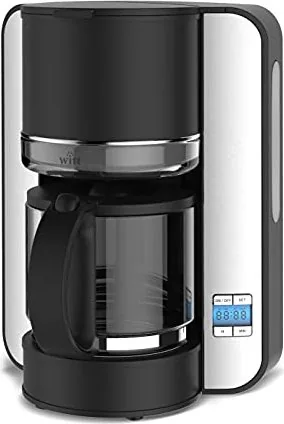
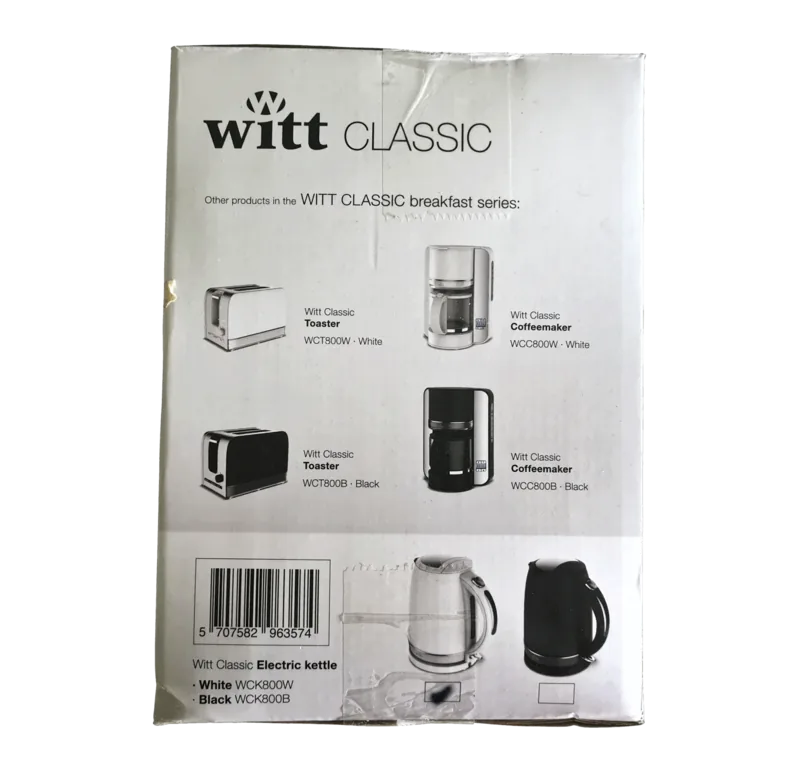
Witt Classic WCC800B Manual
PDF manual · 8 Pages
English



Quick check
Incorrect answer, please try again.
Chat with your Witt Classic WCC800B manual using AI
Get instant AI answers from your Witt Classic WCC800B manual
Ask anything about the Witt Classic WCC800B. Answers come from this manual, with the pages they are based on.
Classic WCC800B Maintenance Schedule
Fill the water tank with regular vinegar and run it through without coffee. Afterwards, run clean water through the device a few times to remove residue.
Wash the carafe and filter basket in hot soapy water. Use a moist rag for other parts, ensuring the plug is removed before cleaning.
Ask a Question
Do you recommend Classic WCC800B?
Yes NoFrequently Asked Questions
The warranty covers manufacturing or material faults for a period of 2 years from the date of purchase for household use.
Is this answer helpful?
No, this product is intended for regular household use. Commercial purchases are not covered by the warranty offered.
Is this answer helpful?
Operate the device filling the tank with vinegar instead of water and without coffee grounds, then run clean water through it a few times.
Is this answer helpful?
Yes, you can set the clock first and then use the P button to set the delayed start time between 0 and 24 hours.
Is this answer helpful?
Children above the age of eight may use the device if they are taught properly and supervised by an adult to ensure safety.
Is this answer helpful?
If the device is turned on for more than 40 minutes without being operated, it will automatically turn off to save energy.
Is this answer helpful?
Report any transport damage immediately and no later than 24 hours after delivery to ensure your claim is accepted.
Is this answer helpful?
Advantages and Disadvantages
Advantages

- Includes automatic shut off after 40 minutes for safety and energy saving
- Features delayed start function for pre-scheduled coffee brewing
- Simple cleaning process with removable carafe and filter basket
- Clear digital display indicates standby, heating, and timer states
- Two-year warranty covers manufacturing and material faults
Disadvantages

- Requires cooling down for five minutes if making more coffee immediately
- Not suitable for commercial use like restaurants or cafés
- Must be unplug before cleaning or descaling process
- Children under eight age cannot use the device unsupervised
- Transport damage must be reported within 24 hours of delivery
Product Specification
Power
1080W
Color
black, silver
Capacity
15 cups
Filter
Swivel filter
Features
Timer, Auto shut-off after 40 min, Water level indicator (transparent), No-drip system
Package Contents
1 Glass carafe
Product Description
Discover the Witt WCC800B Classic Coffee Experience
The Witt WCC800B Classic is designed for every coffee lover who values reliability and taste in their daily routine. This machine brings professional quality coffee directly into your kitchen environment. When you purchase this unit, you should familiarize yourself with the Witt WCC800B Classic Manual to understand all features fully and safely. It ensures you operate the device correctly and avoids risks of electric shock or burns from the hot plate. Proper instruction usage guarantees optimal performance and longevity for your appliance. The voltage requirements must match your local power grid at 220 to 240 volts AC.
Brewing Excellence and Taste
Brewing coffee has never been easier with this compact appliance. You simply fill the water tank ensuring levels are between min and max markers. Only use fresh cold water for the best taste. Insert a standard size 1x4 coffee filter and add ground coffee. The heating element works efficiently to bring your favorite brew to your carafe. For larger cups, use 5-6 grams of coffee per cup. The digital display keeps you informed about the current state clearly. When using it for the first time, run clean water through the system 2-3 times to remove factory residues. Wait five minutes between cycles to cool down. If you brew a single cup and wish more, turn off and cool for five minutes before refilling.
Smart Features and Safety Protocols
Smart features and safety are included to protect your investment. The device includes an automatic shut off feature for peace of mind. If left on for more than 40 minutes without use, it stops heating to save energy. You can also set a delayed start to have coffee ready when you wake up. Just set the clock using hour and minute buttons, then press the programme button to confirm. Children over eight may use it under supervision, but keep cords away from younger kids. Ensure electricity matches the plate details on the device before plugging in. Never place the unit on a hot surface. Do not use outdoors. The display shows 0000 if blinking during startup, meaning you must press On-Off to enter standby mode first.
Maintenance and Care Guidelines
Maintenance and care are essential for longevity. Cleaning is straightforward. Use a moist rag for the base and wash the carafe in soapy water. Never immerse the main unit in water. Descaling is vital for performance. Use vinegar instead of coffee grounds during the cycle, then rinse well with fresh water. Always unplug before cleaning. The warranty covers manufacturing faults for two years if bought for household use. Commercial users need different equipment as this is for home kitchens or similar small businesses. Report transport damage within 24 hours of delivery to be eligible for claims.
Disposal and Service Needs
Disposing of the device requires attention to environmental rules. Do not throw it in regular household waste. Use an authorized recycling station or return to the retailer. Service is available in England and Ireland through the provided company contacts. Always state the product name and serial number when inquiring. Keep the manual safe for reference regarding safety features and maintenance tasks. Faults not related to manufacturing are not covered by warranty. Ensure you follow safety instructions to avoid liability issues.
Search for 67,706 Manuals online


Type-in Brand or Model