

Wansview 102 Manual
PDF manual · 2 Pages
English



Quick check
Incorrect answer, please try again.
Chat with your Wansview 102 manual using AI
Get instant AI answers from your Wansview 102 manual
Ask anything about the Wansview 102. Answers come from this manual, with the pages they are based on.
Ask a Question
Do you recommend 102?
Yes NoFrequently Asked Questions
Yes, this webcam supports mainstream computer systems including Windows XP, Vista, 7, 8, 10, and Mac OS. It is driver-free and works via plug-and-play functionality without needing extra software.
Is this answer helpful?
Yes, the Wansview 1080P 102 features an integrated microphone with sound-absorbing and noise-reducing capabilities to ensure your voice is heard clearly during video calls.
Is this answer helpful?
The webcam comes equipped with a FULL HD 2MP lens that offers a 90-degree viewing angle, allowing you to capture a wider area suitable for both individual and group video conferences.
Is this answer helpful?
No, this device is driver-free. It automatically recognizes the connection when plugged into a USB port on your computer, making setup quick and easy for users of various operating systems.
Is this answer helpful?
It supports a wide variety of tools including QQ, WeChat, Dingding, Skype, Facebook, Zoom, YouTube, and Face Time. It also handles MJPEG, H.264, and H.265 compression formats efficiently.
Is this answer helpful?
Advantages and Disadvantages
Advantages

- Delivers true 1080p Full HD resolution for sharp and clear video quality
- Built-in noise-reducing microphone ensures clear audio during calls
- Driver-free plug-and-play setup works instantly on Windows and Mac
- Wide 90-degree viewing angle captures more of the room or group
- Compatible with all major video conferencing software like Zoom and Skype
Disadvantages

- Fixed focus lens may struggle in very low light conditions
- Plastic build feels less premium compared to metal alternatives
- USB cable length is fixed at 150cm which might be short for some setups
- No physical privacy shutter included to cover the lens when not in use
- Audio quality depends heavily on surrounding silence due to basic mic
Product Specification
Type
Webcam
Image Sensor
1x 1/3" CMOS 2.0 MP
Resolution
1920x1080 Pixels (30fps)
Viewing Angle
90 degrees
Wireless
N/A
Microphone
Integrated (stereo), 23 ft range
Speaker
N/A
Lighting
N/A
Cable Length
4.92 ft
Power Supply
via USB
Mounting
Clip mount
Dimensions
3.58x3.15x1.30 inches
Weight
4.23 oz
Product Description
Elevate Your Video Calls with the Wansview 1080P 102 Webcam
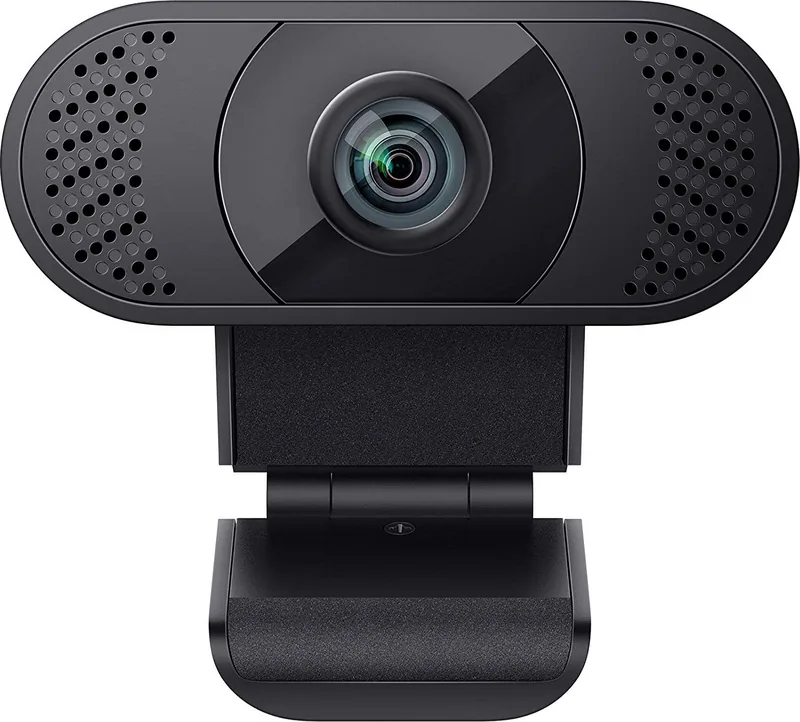
The Wansview 1080P 102 FullHD Webcam with Microphone, Black is designed to bring crystal-clear visuals to your daily digital interactions. Whether you are attending a remote meeting, streaming content, or chatting with friends, this device ensures you look your best. The sleek black finish blends seamlessly into any workspace while delivering professional-grade performance.
At the heart of this webcam lies a high-quality FULL HD 1080P lens paired with a 2MP sensor. This combination captures sharp, detailed images with vibrant colors and excellent contrast optimization. The built-in noise-reducing microphone ensures your voice comes through clearly without background distractions. With a wide 90-degree viewing angle, it captures more of your environment, making it perfect for group calls or presentations.
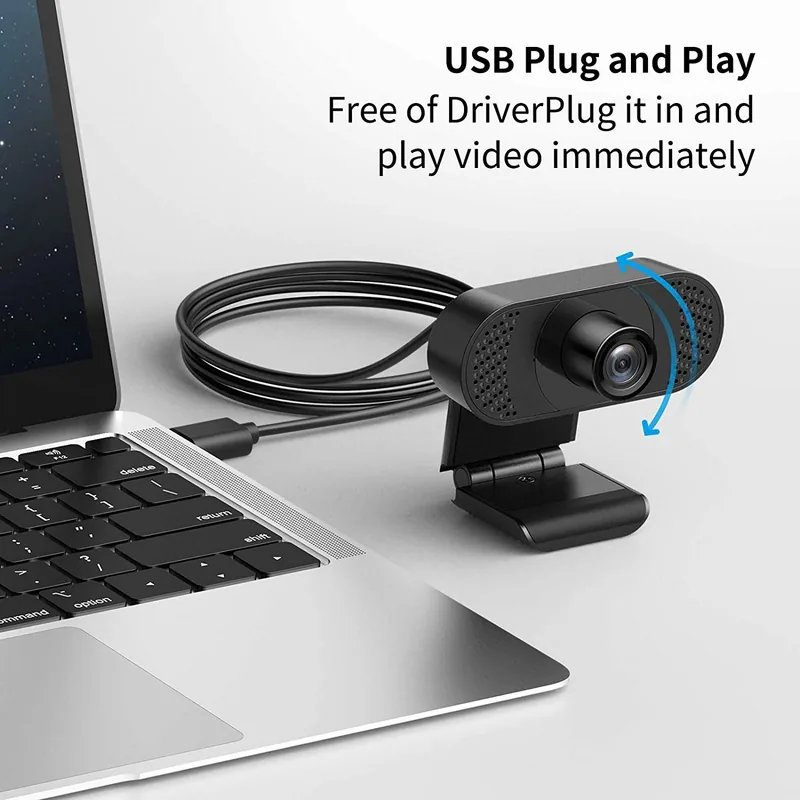
Installation is incredibly simple thanks to its driver-free design. The flexible bracket allows you to mount the camera securely on top of your monitor or laptop screen. Once plugged into a USB port, the system automatically recognizes the device, requiring no additional software installation. It supports a wide range of operating systems including Windows XP, Vista, 7, 8, and 10, as well as Mac OS.
This webcam is compatible with popular video conferencing platforms like Zoom, Skype, Microsoft Teams, and YouTube. Its MJPEG, H.264, and H.265 compression support ensures smooth video transmission even on varying network speeds. The 150cm USB cable provides ample length for flexible positioning. Experience seamless connectivity and superior audio-visual quality with this reliable tool for modern communication.
Key Highlights
- Full HD Resolution: Captures crisp 1920x1080 video for professional appearances.
- Integrated Microphone: Built-in sound absorption reduces noise for clear audio.
- Universal Compatibility: Works instantly with major chat and video apps.
- Easy Setup: Plug-and-play functionality requires no driver downloads.
- Wide Angle Lens: 90-degree field of view covers more space effectively.
Search for 67,732 Manuals online


Type-in Brand or Model