

VOX amPlug 2 Manual
PDF manual · 3 Pages
English



Quick check
Incorrect answer, please try again.
Chat with your VOX amPlug 2 manual using AI
Get instant AI answers from your VOX amPlug 2 manual
Ask anything about the VOX amPlug 2. Answers come from this manual, with the pages they are based on.
amPlug 2 Maintenance Schedule
Replace batteries when the lamp lights dimly (NiMH) or goes dark (alkaline/zinc). Remove depleted batteries immediately to prevent leakage.
If you will not be using the unit for an extended period of time, you should also remove the batteries from the unit.
Ask a Question
Do you recommend amPlug 2?
Yes NoFrequently Asked Questions
Used for guitar practice with amp tones.
Is this answer helpful?
Two channels for different tones.
Is this answer helpful?
Up to 16 hours with alkaline batteries.
Is this answer helpful?
Yes, using AUX jack for recording or music.
Is this answer helpful?
Long-press the STANDBY/ON/CH button.
Is this answer helpful?
Yes, two AAA batteries are included.
Is this answer helpful?
Approximately 40 grams without batteries.
Is this answer helpful?
Advantages and Disadvantages
Advantages

- Authentic Brian May and VOX crunch tones for expressive playing styles.
- Built-in rhythm tracks allow engaging practice sessions with various genres.
- Stereo delay and chorus effects enhance sound versatility and depth.
- Auto power-off feature preserves battery life during inactivity periods.
- Compact and portable design fits easily into any gig bag.
Disadvantages

- Battery life decreases significantly when effects or rhythm are active.
- AUX jack supports only monaural output for recording external devices.
- Input plug can break if grasped at the end during unplugging.
- Auto power-off may trigger incorrectly with extremely low input levels.
- Channel Two may produce noise or feedback depending on volume settings.
Product Description
Experience the Brian May Legacy
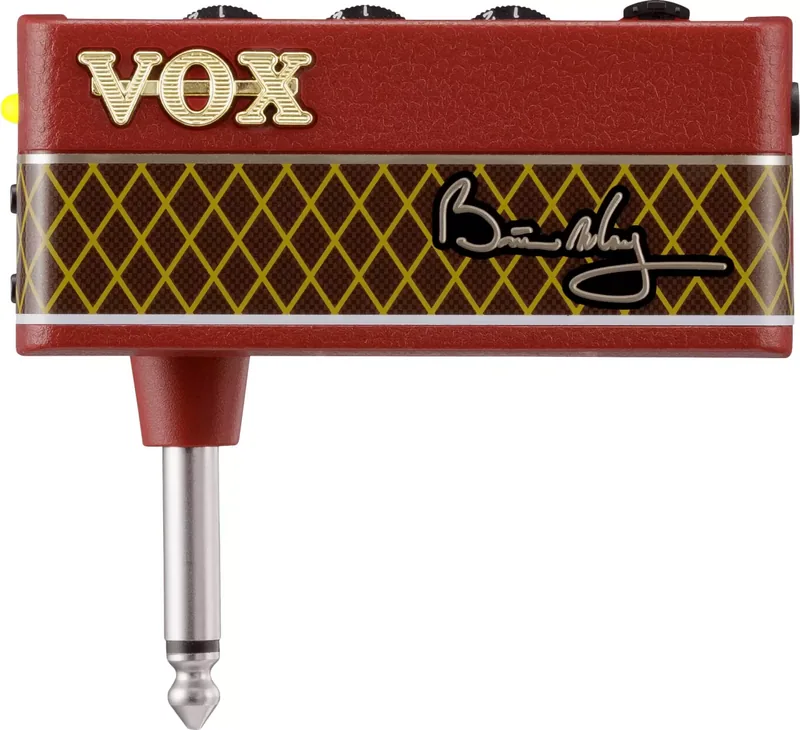
The VOX amPlug 2 offers musicians an incredible way to practice with authentic amplifier tones anytime, anywhere. Designed specifically for guitarists who demand professional sound quality in a pocket-sized package, this device plugs directly into your instrument. It features a distinctive Brian May signature sound, delivering a traditional VOX crunch alongside a sparkling treble boost. Users can choose between two channels to customize their tone for different playing styles. Channel One provides a classic VOX crunch, while Channel Two routes the signal through a treble booster circuit essential for that iconic rock timbre. Many players appreciate the ability to adjust gain, tone, and volume independently to find their perfect match for every song. The build quality ensures durability even during frequent use.
Versatile Effects and Rhythms
Practice sessions become more engaging with the built-in rhythm functions. There are nine rhythm patterns available, ranging from rock and pop to blues and jazz. Additionally, four different effects enhance your sound, including Delay, Phaser, and Chorus. The FX lever switch lets you select and adjust the intensity of these effects easily. A stereo delay option pans sound from left to right for a wider audio image. You can also fine-tune modulation depth and speed to suit your preference.
Connectivity and Power
You can connect headphones or other monitoring equipment to the PHONES jack for silent practice. The AUX jack allows you to connect a portable music player so you can jam along with backing tracks. Recording audio to a smartphone or tablet is also possible using specific cables for monaural output. Powering the unit requires two AAA batteries, which offer up to sixteen hours of playtime depending on battery type. A feature to save your settings ensures you do not lose your favorite configurations. An auto power-off function engages after thirty minutes of inactivity to preserve battery life. You can also restore factory settings if needed. Whether at home or traveling, this compact unit delivers the legendary VOX sound right at the source. It is an essential tool for modern guitarists seeking versatility without bulk.
Setup and Usage
Setup is incredibly simple. You simply slide open the battery cover, insert two AAA batteries, and connect the unit to your guitar. Ensure the input plug is swiveled to the correct angle for your specific guitar model. Be careful when unplugging by holding the base to prevent breakage. When not in use, remember to turn the volume down completely to avoid instability or noise. The lamp indicator shows when the battery power is low or depleted.
Search for 67,706 Manuals online


Type-in Brand or Model