

VOSS.sonic 360 fusion Manual
PDF manual · 60 Pages
English



Quick check
Incorrect answer, please try again.
Chat with your VOSS.sonic 360 fusion manual using AI
Get instant AI answers from your VOSS.sonic 360 fusion manual
Ask anything about the VOSS.sonic 360 fusion. Answers come from this manual, with the pages they are based on.
360 fusion Maintenance Schedule
Perform a visual inspection to check for any visible damage. Do not use the device if it shows signs of damage.
Clean the solar panel with a soft cloth and glass cleaner or mild cleaning solution to ensure efficient operation.
Switch off the device and clean it with a damp cloth if it is dirty. Do not use aggressive solvents or submerge in water.
Ask a Question
Do you recommend 360 fusion?
Yes NoFrequently Asked Questions
It is intended to discourage unwanted small animals using a motion-triggered frequency mix. Examples listed include dogs, cats, martens, foxes, deer, mice, and other small animals. The LED flash setting is especially intended to help deter birds. Individual animal reactions can vary.
Is this answer helpful?
Depending on local conditions and placement, the device can protect an area of up to approximately 200 square metres. Coverage is influenced by the selected trigger angle, obstacles, terrain, and the device position.
Is this answer helpful?
The radius switch offers 120-degree, 240-degree, and 360-degree settings. The 120-degree mode activates on the movement-detecting side, while wider settings activate multiple sides simultaneously after movement is detected.
Is this answer helpful?
The integrated solar panel supports the installed rechargeable batteries when it receives regular sunlight for several hours. In low-light conditions, recharge the batteries using the supplied USB cable and a suitable 5V DC, 500 mAh USB power source.
Is this answer helpful?
The device is for outdoor private use and should not be used in living areas or places where people remain for long periods. Pets can perceive ultrasonic sound, so the unit should be switched off when pets are in its active area. Avoid direct exposure and follow safety guidance.
Is this answer helpful?
Check that the correct trigger radius is selected for the protected area. Make sure the device is not blocked by objects that can absorb or reflect sound waves. Repositioning it in a clear, open location may improve performance.
Is this answer helpful?
Advantages and Disadvantages
Advantages

- Motion-activated operation helps conserve energy by activating when movement is detected.
- Selectable 120, 240, and 360 degree trigger zones allow coverage to be matched to the site.
- Combines ultrasonic sound, audible sound, and optional LED flash deterrence settings.
- Solar panel supports the rechargeable NiMH batteries and can extend outdoor runtime.
- IPX4 splash protection, USB charging, and an adjustable mounting post support outdoor installation.
Disadvantages

- Animal response varies, so the device cannot guarantee that every animal will be deterred.
- Ultrasonic output may disturb household pets if they enter the active coverage area.
- Sound waves can be weakened by obstacles, requiring careful placement in an open location.
- The flash function may be unsuitable near people affected by photosensitive epilepsy.
- It is intended for private outdoor use and should not be used in occupied indoor spaces.
Product Specification
Type
Ultrasonic device
Sound pressure
120 dB
Frequency range
13.50 kHz-23.50 kHz
Beam angle
360 degrees
Special features
Battery operation, LED flashes
Dimensions
5.71 x 4.45 x 4.45 in
Product Description
VOSS.sonic 360 fusion Ultrasonic Repellent - Read, Download & Print Free
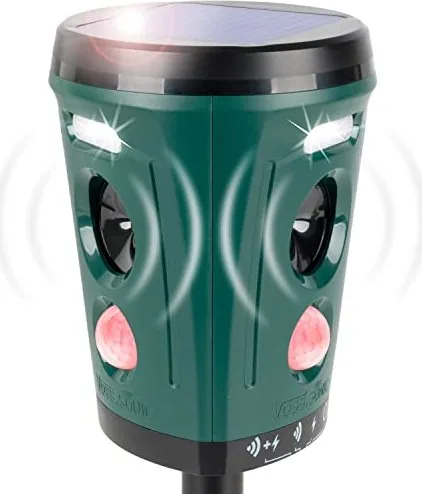
The VOSS.sonic 360 fusion Ultrasonic Repellent is an outdoor animal deterrent designed to help protect gardens, lawns, patios, sheds, and similar private spaces from unwanted small animals. Using motion-activated sound, ultrasonic frequencies, and an optional LED flash, it provides a practical way to discourage animal activity without chemical sprays or traps.
Flexible protection for outdoor areas
When movement is detected, the infrared sensor activates the selected deterrent setting. The device emits a frequency mix between 13.5 and 23.5 kHz, intended to deter animals such as cats, dogs, martens, foxes, deer, mice, and other small animals. The LED flash function can also be selected, particularly for discouraging birds. Users can choose sound and ultrasound, flash only, or both functions together.
A separate radius switch provides adaptable coverage. Select a 120-degree area for targeted protection, 240 degrees for broader coverage, or 360 degrees for all-around monitoring. Depending on positioning and local conditions, the unit can cover an area of up to approximately 200 square metres. For best performance, place it where the speaker area is not blocked by plants, walls, furniture, or other objects that may absorb or reflect sound waves.
Solar-assisted, rechargeable design
The VOSS.sonic 360 fusion Ultrasonic Repellent includes three AA NiMH rechargeable batteries and a USB charging cable. Its integrated solar panel supports battery operation during periods of regular sunlight, helping extend runtime outdoors. When sunlight is limited, the batteries can be recharged through the 5V USB charging port. A red indicator light provides battery and charging status information.
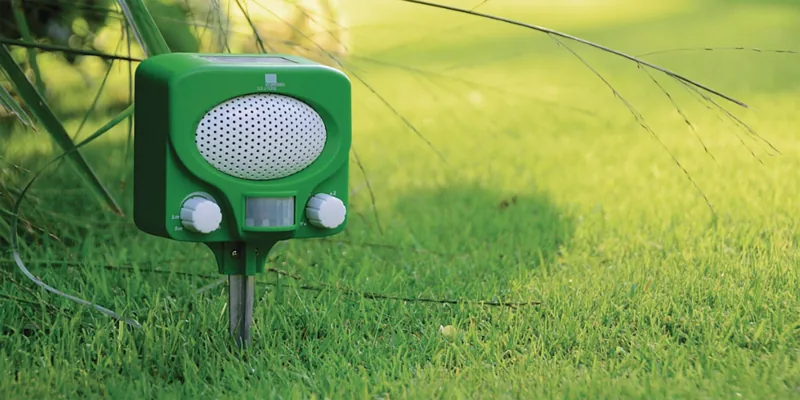
The included three-piece mounting post makes placement simple and adjustable. It can be assembled at full height or shortened by removing the middle segment. The device may also be used without the post, provided it is positioned away from low spots where water can collect. With an IPX4 protection rating, it is designed to handle typical outdoor splashes.
Important placement and safety notes
This repellent is intended for private outdoor use only. It should not be used in living spaces or areas where people remain for extended periods. Ultrasonic sound may also affect household pets, so switch the device off when pets enter its active area. Avoid walkways to reduce tripping risks, and consider the flash setting if anyone nearby is sensitive to strobe lighting.
Notes
- Fully charge the supplied batteries before first use.
- Choose the trigger angle carefully to avoid affecting neighbouring property.
- Results can vary because animals respond differently to ultrasonic signals.
- Clean the solar panel regularly with a soft cloth to support efficient charging.
Search for 67,732 Manuals online


Type-in Brand or Model