

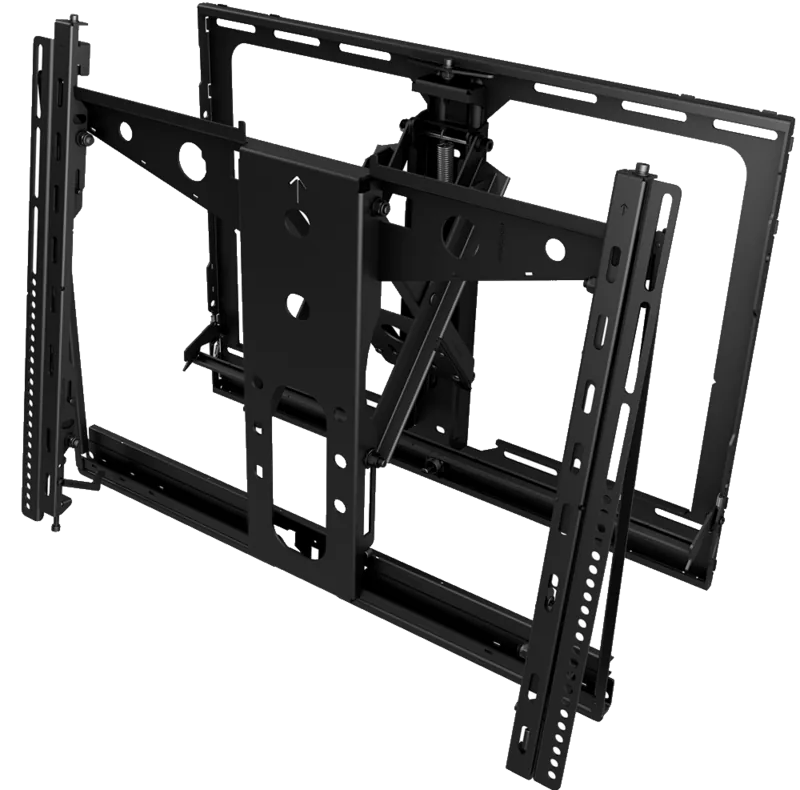
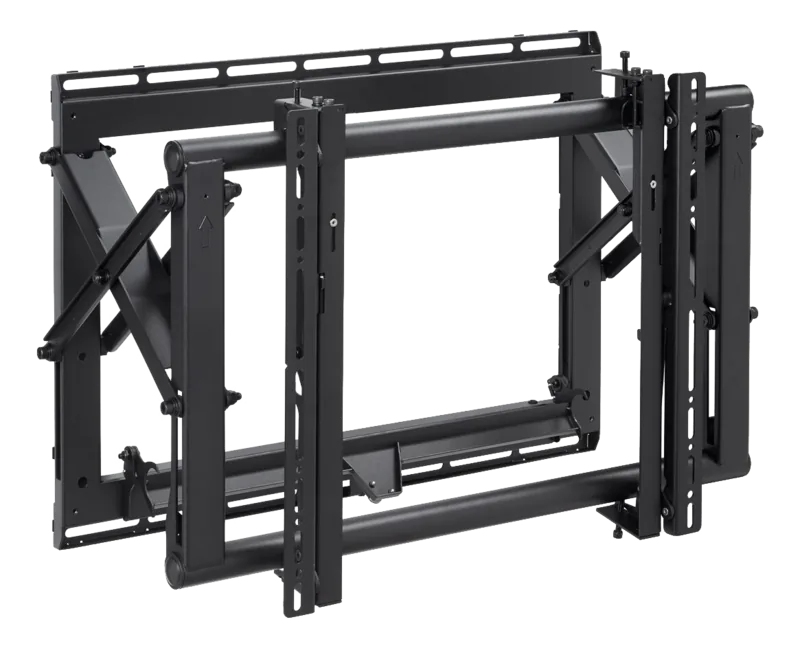
Vogel's PFW 6875 Manual
PDF manual · 14 Pages
English



Quick check
Incorrect answer, please try again.
Chat with your Vogel's PFW 6875 manual using AI
Get instant AI answers from your Vogel's PFW 6875 manual
Ask anything about the Vogel's PFW 6875. Answers come from this manual, with the pages they are based on.
Ask a Question
Do you recommend PFW 6875?
Yes NoFrequently Asked Questions
This mount is engineered to securely hold flat panels weighing up to 160 pounds, making it suitable for large commercial displays and high-end home theater systems.
Is this answer helpful?
Yes, the package includes concrete wedge anchors and the necessary drill bits to ensure a secure installation on solid masonry or concrete surfaces.
Is this answer helpful?
Use the supplied GAPit gauge to inspect the spacing. Adjust until there is a uniform .050 inch gap vertically and horizontally to prevent bezel damage.
Is this answer helpful?
Yes, if your display has recessed or uneven mounting points, you must install the included Universal Spacers to create a flat surface for the bracket.
Is this answer helpful?
Push the front panel to release the latch spring, then pull forward to extend the scissor arms. Tilt the bottom up to access the rear safely.
Is this answer helpful?
Absolutely. Use a straw or toothpick to mark the thread insert depth plus an 1/8 inch allowance to ensure screws do not penetrate too deeply.
Is this answer helpful?
Advantages and Disadvantages
Advantages

- Supports heavy loads up to 160 lbs for large professional displays
- Includes universal spacers for recessed or uneven TV backs
- Enables easy maintenance with spring lock extension feature
- Optimized for video wall setups with alignment spacers
- Comes with complete hardware kit for wood and concrete walls
Disadvantages

- Requires two people for safe panel attachment
- Complex assembly may take significant time for first-time users
- Model-specific spacers may need separate inquiry for certain TVs
- Strict gap requirements must be met to avoid screen damage
- No built-in cable management system mentioned in standard kit
Product Specification
Type
Wall Mount
Number of Monitors
1
Screen Size
37-65"
Mobility
Extendable
Distance from Wall
5.00-13.39 in
Max Load
158.73 lbs
VESA
200x200, 300x200, 300x300, 400x200, 400x300, 400x400, 400x600
Color
Black
Product Description
Vogel's PFW 6875: The Ultimate Professional Flat Panel Mount
The Vogel's PFW 6875 stands as a pinnacle of engineering for professional display installations, designed specifically to handle heavy flat panels up to 160 pounds. This robust mount is the go-to solution for businesses and institutions requiring secure, flexible, and precise placement for large screens in conference rooms, control centers, or retail environments. Its construction ensures stability while offering a wide range of motion, allowing users to tilt, rotate, and level their displays with ease.
One of the standout features of this system is its versatility in installation scenarios. Whether you are drilling into wooden studs or anchoring into solid concrete walls, the PFW 6875 comes equipped with comprehensive hardware kits including lag bolts, concrete wedge anchors, and various washers. The inclusion of universal spacers addresses complex mounting challenges such as recessed, uneven, or curved back panels on televisions, ensuring a flush and safe fit without damaging the screen.
For professionals creating video walls, the PFW 6875 offers specialized model-specific spacers that streamline the alignment process. These tools allow installers to maintain consistent gaps between multiple units, preventing image distortion caused by weight transfer on ultra-thin bezels. The system supports unlimited matrix configurations, making it ideal for large-scale digital signage projects where precision is paramount.
Safety and maintenance are also central to the design. The mount features locking safety screws to prevent accidental dislodging, along with a unique single latch spring lock mechanism. This allows technicians to easily extend the scissor arms and tilt the panel forward for behind-the-screen servicing without needing to remove the entire unit from the wall. With adjustable controls for tilt, rotation, and leveling, the PFW 6875 delivers a seamless viewing experience tailored to any room layout.
Important Notes
- Always verify screw lengths using the straw method to avoid damaging internal components.
- Maintain a .050 inch gap between panels to prevent bezel damage.
- Two people are recommended for lifting and attaching heavy flat panels.
Search for 67,706 Manuals online


Type-in Brand or Model