
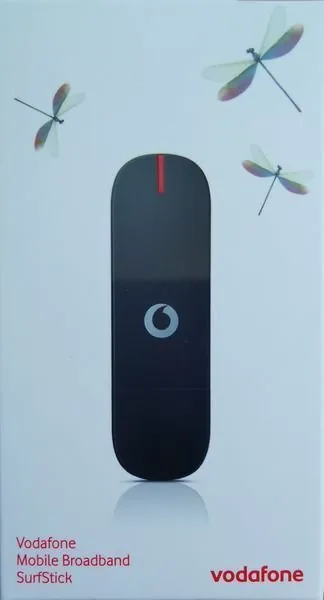
Vodafone K4203-HV Manual
PDF manual · 20 Pages
English



Quick check
Incorrect answer, please try again.
Chat with your Vodafone K4203-HV manual using AI
Get instant AI answers from your Vodafone K4203-HV manual
Ask anything about the Vodafone K4203-HV. Answers come from this manual, with the pages they are based on.
Ask a Question
Do you recommend K4203-HV?
Yes NoFrequently Asked Questions
It is a USB mobile broadband stick that provides internet access through a mobile network. It is useful for browsing, email, messaging, and staying connected away from fixed Wi‑Fi.
Is this answer helpful?
Insert the SIM card, plug the stick into a USB port, and let the Vodafone Mobile Broadband software install or launch. On some systems, you may need to open the setup manually.
Is this answer helpful?
Yes. The device supports Windows, Apple Mac, Linux, and other compatible systems. The interface and connection controls may look different depending on the platform.
Is this answer helpful?
The LED shows network and connection status. Red typically means searching for a network, green indicates GPRS, blue indicates UMTS, and light blue indicates UMTS broadband.
Is this answer helpful?
A common reason is leftover software from an older modem or stick. Removing previous Vodafone Mobile Broadband versions and running the cleanup tool often solves the problem.
Is this answer helpful?
Move to a location with better coverage, such as near a window or outdoors. You can also use the app to search for available networks and confirm roaming or data settings.
Is this answer helpful?
Yes. The software includes SMS tools so you can send, receive, and manage text messages directly from your computer, alongside connection and account features.
Is this answer helpful?
Advantages and Disadvantages
Advantages

- Compact USB design makes it easy to carry and use on the go.
- Works across Windows, Mac, Linux, and other supported systems.
- LED indicators provide quick, readable connection status.
- Includes SMS, account, and connection management features.
Disadvantages

- Performance depends on mobile coverage and signal quality.
- Older software can cause installation conflicts if not removed.
- Some features vary by operating system and version.
- Troubleshooting may require manual network selection or cleanup.
Product Specification
Modem
GSM (850/900/1800/1900), UMTS
Network Standards
GPRS, EDGE, HSDPA, HSUPA, HSPA+
Bandwidth
21Mbps/5.76Mbps (UMTS)
Interfaces
USB 2.0
Dimensions
3.46x1.06x0.46in
Weight
0.07 lb
SIM Form Factor
Mini-SIM
Power Supply
USB-Powered (mobile operation)
Special Features
mobile operation
Product Description
Vodafone K4203-HV Manual: Compact Mobile Broadband for Life on the Move
The Vodafone K4203-HV is a small but capable mobile broadband stick built for users who want internet access beyond the limits of fixed Wi‑Fi. Designed for everyday connectivity, it plugs into a USB port and turns a laptop or desktop into a portable online workstation. With support for mobile networks, it is made for browsing, email, messaging, and light account management wherever coverage is available.
A simple setup experience
One of the strongest points of the Vodafone K4203-HV Manual is how clearly it guides the first steps. You insert the SIM card, add storage if needed, and connect the stick to your computer. From there, the Vodafone Mobile Broadband software handles most of the setup on Windows, Mac, Linux, and other supported systems. On newer systems, connectivity may be managed by the operating system, while the Vodafone app still helps with status checks and account tools.
Built for multiple devices and networks
This device is not just about getting online; it is also about staying informed. The LED indicator gives fast visual feedback about network search, GPRS, UMTS, and broadband states, making it easier to understand whether the stick is connected and how strong the mobile network mode is. That makes the K4203-HV useful for travelers, remote workers, and anyone who needs a lightweight backup connection.
Everyday tools in one place
Beyond internet access, the software includes practical features such as SMS handling, connection shortcuts, usage monitoring, and account access. These options make the stick feel more like a full mobile communication tool than a basic modem. It also supports roaming and includes troubleshooting guidance for common issues such as no network found, connection failures, or older software conflicts.
What stands out
The Vodafone K4203-HV is best described as a dependable, travel-friendly broadband companion. It is especially appealing if you want a compact USB solution that works across several operating systems and offers straightforward visibility into network and device status.
Notes
- Best for mobile internet access in supported coverage areas.
- Setup is easiest when older software versions are fully removed.
- Network quality and speed depend heavily on location and carrier support.
Search for 67,706 Manuals online


Type-in Brand or Model