
Vivo STAND-V011 Manual
PDF manual · 8 Pages
English



Quick check
Incorrect answer, please try again.
Chat with your Vivo STAND-V011 manual using AI
Get instant AI answers from your Vivo STAND-V011 manual
Ask anything about the Vivo STAND-V011. Answers come from this manual, with the pages they are based on.
Ask a Question
Do you recommend STAND-V011?
Yes NoVideo Manual
STAND-V011 Single Monitor Stand Up Mount by VIVO
Frequently Asked Questions
The Vivo STAND-V011 supports monitors up to 22 lbs (10 kg). Exceeding this limit may cause instability, damage, or injury.
Is this answer helpful?
Yes. The STAND-V011 includes a desk-edge clamp for easy attachment and a grommet plate/bolt assembly for through-desk mounting. If your desk lacks a grommet hole, you can drill a 3/8" (10 mm) hole for installation.
Is this answer helpful?
You need a Phillips screwdriver plus the included 3mm and 5mm Allen wrenches. The package provides most screws, spacers, and a security nut; additional basic tools may help depending on your monitor and desk.
Is this answer helpful?
The stand ships with arm cable clips and pole cable clips to route and secure monitor cables along the arm and pole, keeping the workspace tidy and reducing strain on connectors.
Is this answer helpful?
The manual warns against allowing children to climb, stand, or hang on the monitor or stand. Small parts are choking hazards for children under three. Using tip-over restraints or anchoring the stand to a wall can reduce tip-over risk but may not eliminate it.
Is this answer helpful?
Contact Vivo support via [email protected], phone, or live chat during business hours. The manufacturer offers part replacements and aims for quick response and resolution times.
Is this answer helpful?
Yes. Height is set by the pole assembly; tilt adjustments are made with the 5mm Allen wrench to set the desired viewing angle. Ensure all screws are tightened securely after adjustments.
Is this answer helpful?
Advantages and Disadvantages
Advantages

- Extra-tall pole design offers elevated monitor placement for improved ergonomics.
- Two mounting options (clamp and grommet) fit a wide range of desk types.
- Built-in cable clips keep cords organized for a cleaner workspace.
- Comes with necessary hardware and Allen wrenches for straightforward assembly.
- Security nut and included spacers support secure VESA attachment and stability.
Disadvantages

- Maximum weight capacity of 22 lbs (10 kg) limits use with heavier monitors.
- Grommet installation may require drilling a 3/8" hole if desk lacks one.
- Tip-over risk exists; additional restraint or anchoring may be needed for safety.
- Some included hardware may not be used depending on monitor VESA pattern.
- Assembly requires basic tools and can be confusing without technical experience.
Product Specification
Type
Desk mount
Number of monitors
1
Screen size
13-38"
Mobility
tiltable (-90°, +90°), rotatable (360°), swivel (360°), extendable, height adjustable
Max. load capacity
22.00 lbs
VESA
75x75, 100x100
Special features
Cable management
Color
black
Product Description
Vivo STAND-V011 Manual Overview
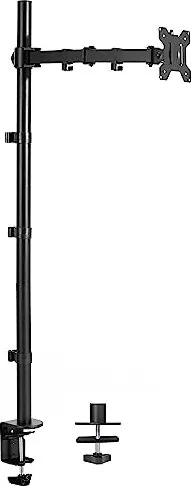
The Vivo STAND-V011 is a single-monitor, extra-tall desk mount designed for users who need elevated screen placement and robust cable management. Built to support monitors up to 22 lbs (10 kg), this adjustable stand offers both clamp and grommet mounting options to fit a variety of desktop setups. With a segmented pole design and a telescoping assembly, the STAND-V011 raises your display higher than typical mounts while maintaining stability and a clean look.
Key Features and Build
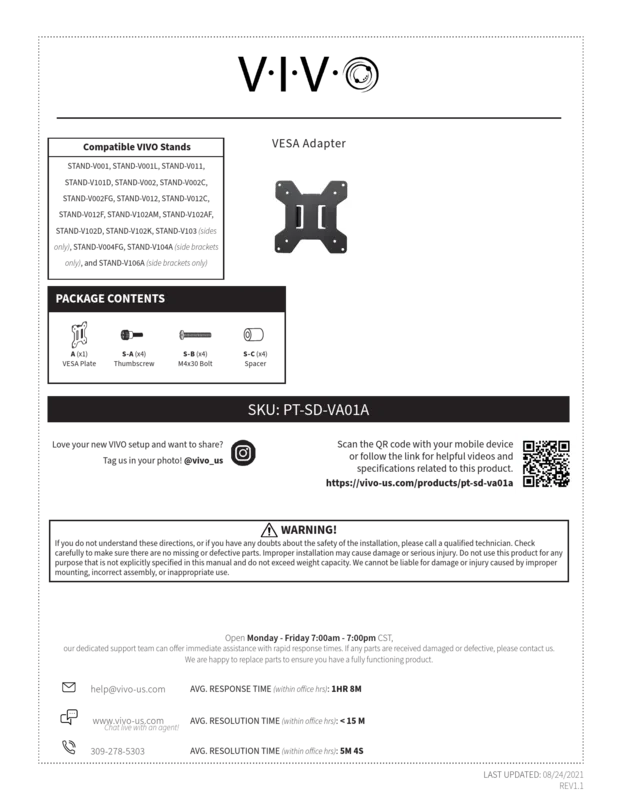
The mount includes a multi-piece pole (lower, middle, and top sections), an articulating arm, and a VESA plate that fits common monitor screw patterns. Hardware provided includes thumbscrews, M4 and M6 screws, spacers, and security nuts to secure the VESA plate and monitor. The package also contains cable clips and a soft pad for grommet installation to keep cords organized and desks tidy. Assembly tools needed are minimal — a Phillips screwdriver plus the included 3mm and 5mm Allen wrenches.
Installation and Adjustment
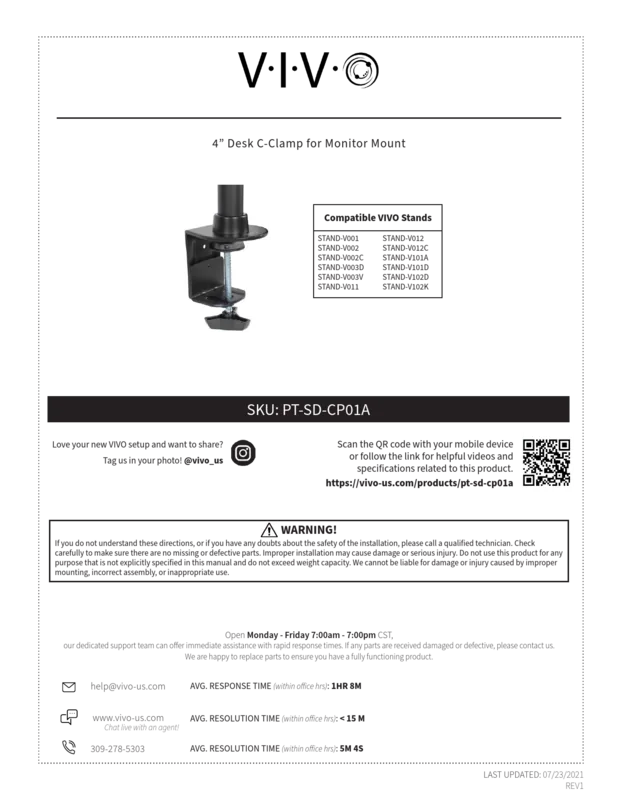
Installation supports two secure methods: a desk-edge clamp for tool-free attachment and a grommet mount for through-desk stability. The clamp uses an adjustable knob, while the grommet method requires fitting a clamp bolt and plate or drilling a 3/8" hole if none exists. After assembling the pole sections and attaching the arm, the VESA plate mounts to the monitor and secures to the arm with a security nut. Final adjustments include tilt tuning via the 5mm Allen wrench and routing cables through dedicated arm and pole clips.
Safety and Capacity
The STAND-V011 emphasizes safety: do not exceed the 22 lb (10 kg) weight capacity. The manual warns about tip-over risks and recommends anchoring or using tip-over restraints where applicable. Small parts pose a choking hazard — keep away from children. The manufacturer advises contacting qualified technicians if installation instructions are unclear.
Support and Resources
Vivo provides online resources such as video guides and product specs accessible via QR code or the product page. Customer support is available Monday–Friday with live chat, email, and phone assistance for missing or defective parts, aiming for rapid response and resolution times.
Notes
- Weight capacity: 22 lbs (10 kg). Do not exceed.
- Two mounting options: clamp or grommet (3/8" drill required if no existing hole).
- Includes cable management clips and a soft pad for grommet mounting.
- Use included Allen wrenches for assembly and adjustments.
Search for 67,706 Manuals online


Type-in Brand or Model