
Vivanco Active USB Hub Manual
PDF manual · 2 Pages
English



Quick check
Incorrect answer, please try again.
Chat with your Vivanco Active USB Hub manual using AI
Get instant AI answers from your Vivanco Active USB Hub manual
Ask anything about the Vivanco Active USB Hub. Answers come from this manual, with the pages they are based on.
Ask a Question
Do you recommend Active USB Hub?
Yes No
Torrance Nikolaus
7 months ago
Is the cable length sufficient for convenient use?
Frequently Asked Questions
The power adapter is an optional accessory. It is not included by default with all units. If your package contains one, you should connect it to the hub for better performance.
Is this answer helpful?
The manual primarily details Windows installation. While many USB hubs work on Mac, you should check specific system requirements for macOS compatibility before purchasing.
Is this answer helpful?
The hub supports three speeds: 480 Mbps for high-speed devices, 12 Mbps for full-speed devices, and 1.5 Mbps for low-speed devices like joysticks.
Is this answer helpful?
No, the hub is designed for plug-and-play usage. Windows will automatically detect the hardware and install the necessary drivers when you connect it.
Is this answer helpful?
Yes, the high-speed 480 Mbps mode is suitable for external hard drives and other devices that require fast data transfer rates.
Is this answer helpful?
The Vivanco Active USB Hub complies with the USB Specification Version 2.0 and is backward compatible with Version 1.1 devices.
Is this answer helpful?
Advantages and Disadvantages
Advantages

- Supports three different data transfer speeds for optimal device performance
- Automatic driver installation simplifies setup for Windows users
- Compatible with a wide range of peripherals including video and gaming devices
- Compact design fits easily on any desk or workspace
Disadvantages

- Power supply adapter is often optional and not included in the box
- Limited to USB 2.0 speeds which may be slower than newer standards
- May require manual driver updates if Windows does not recognize it immediately
Product Specification
Type
USB Hub
Form factor
1x external wired
Connection
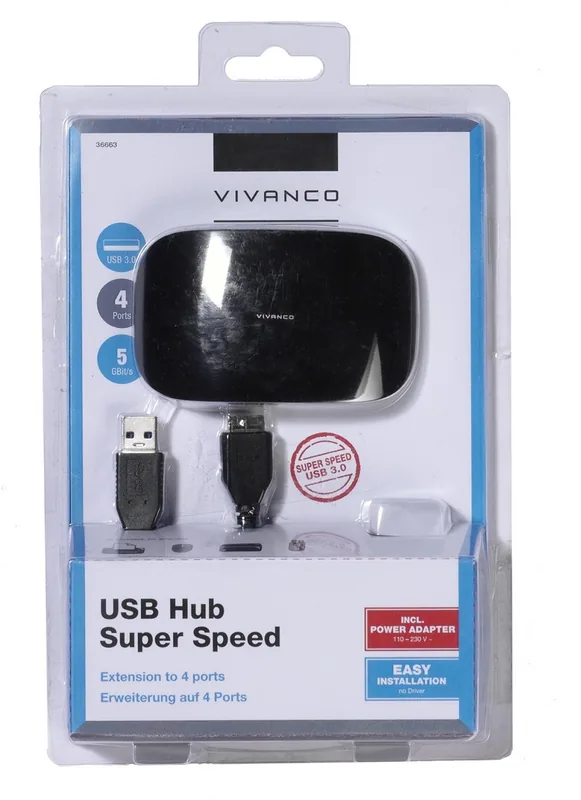
1x USB-A 3.0 (socket, 5 Gb/s), 1x USB-A 3.0 (plug via cable, 5 Gb/s, 3.28 ft cable length)
Interface
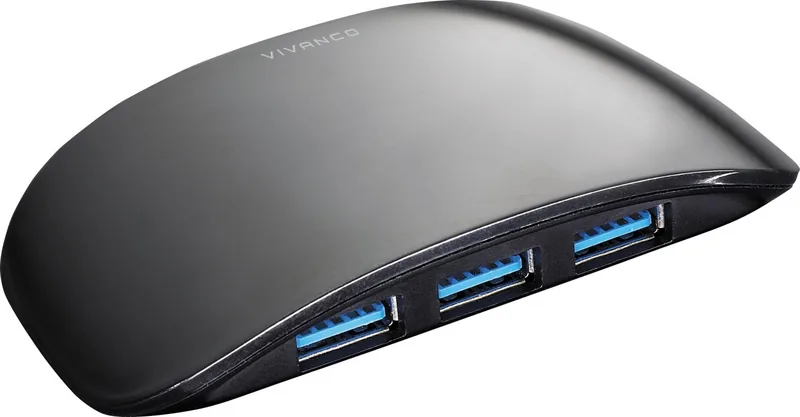
4x USB-A 3.0 (sockets)
Transmission
1x USB-A 3.0 (socket, 5 Gb/s)
Power supply
Power not via connection, mains power required, external power adapter included (5 V/2 A/10 W)
Casing color
black
Compatibility
universal
USB spelling
Link
Product Description
Enhance Your Connectivity with the Vivanco Active USB Hub
The Vivanco Active USB Hub is a versatile solution designed to expand the connectivity options for your desktop computer or notebook. By adhering to the USB Specification Version 2.0, this device ensures reliable performance and flexibility for a wide range of peripherals. Whether you are connecting high-speed video devices, standard data storage, or low-bandwidth gaming controllers, this hub handles them all with ease.
One of the standout features of the Vivanco Active USB Hub is its ability to support three distinct data transfer speeds. It offers 480 Mbps for high-speed devices that demand rapid data transmission, such as external hard drives and video applications. For devices requiring moderate bandwidth, it provides 12 Mbps full speed, while low-speed peripherals like gamepads and joysticks operate smoothly at 1.5 Mbps. This adaptability makes it an ideal companion for users who manage multiple types of hardware simultaneously.
Installation is straightforward and requires no complex setup procedures. Simply power on your PC and plug the USB connector into any available port on your computer. The operating system will automatically detect the new hardware and install the necessary drivers without user intervention. Once the process is complete, the hub is ready for immediate use. Please note that while some models may include a power supply adapter, it is often an optional accessory not included by default in every package. If your specific unit comes with one, connecting it ensures maximum stability for power-hungry devices.
This product is perfect for office environments where multiple peripherals need connection, as well as for home users looking to streamline their workspace. Its compact design allows it to fit seamlessly into any desk setup without taking up excessive space. By choosing the Vivanco Active USB Hub, you gain the freedom to connect more devices than your computer originally supports, enhancing your overall productivity and user experience.
Key Highlights
- Supports USB 2.0 specifications for broad compatibility.
- Offers flexible data rates for various device types.
- Plug-and-play functionality with automatic driver installation.
- Ideal for expanding ports on laptops and desktops.
Search for 67,732 Manuals online


Type-in Brand or Model
autem76
7 months ago
Does this USB hub require external power to prevent connection drops?
Manual.ly
7 months ago
Yes, this active USB hub includes an external power supply. This feature ensures stable operation and prevents connection drops that can occur when the USB port alone cannot provide sufficient power. Users have reported reliable performance and successful charging of devices like smartphones thanks to this design.