
Vision TechConnect TC-HDMIIP Manual
PDF manual · 98 Pages
English



Quick check
Incorrect answer, please try again.
Chat with your Vision TechConnect TC-HDMIIP manual using AI
Get instant AI answers from your Vision TechConnect TC-HDMIIP manual
Ask anything about the Vision TechConnect TC-HDMIIP. Answers come from this manual, with the pages they are based on.
Ask a Question
Do you recommend TechConnect TC-HDMIIP?
Yes NoFrequently Asked Questions
The system supports a direct connection using CAT6 cable for distances up to 120 meters. High quality cables can achieve 150 meters for extended coverage.
Is this answer helpful?
No. The extender and receiver require external 5V 2A power supplies. Power over Ethernet is not supported on this model.
Is this answer helpful?
The device supports maximum resolution of 1080p at 50 or 60 Hz. It does not support 3D video formats.
Is this answer helpful?
Multicasting allows up to 253 receivers to display the same image and audio simultaneously on the network.
Is this answer helpful?
Yes. There is a lifetime return to base warranty. UK users also receive two years of onsite support.
Is this answer helpful?
No. Microwave transmitters usually do not offer enough bandwidth for this product which requires 18 Mbps per receiver.
Is this answer helpful?
Only one transmitter should be used per network unless Virtual LANs are configured to separate the systems.
Is this answer helpful?
Advantages and Disadvantages
Advantages

- Extends HDMI signal up to 120 meters over standard Ethernet cable
- Supports network routing to eliminate cable length limitations
- Includes IR pass-through functionality for remote source control
- Plug and play installation requires no management software
- Capable of multicasting to 253 receivers simultaneously
Disadvantages

- Does not support Power over Ethernet requiring external power adapters
- Does not support 3D video signal formats
- Only one transmitter allowed per network without VLAN configuration
- Latency is 200 milliseconds which may affect sensitive applications
Product Specification
Type
Extender, Receiver
Specification
HDMI 1.3
Product Description
Experience Seamless HD Distribution with Vision TC-HDMI/IP
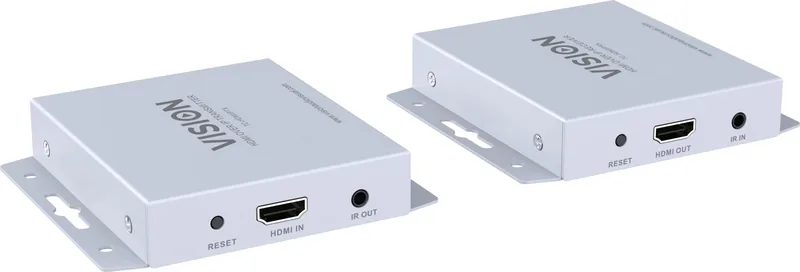
The Vision TC-HDMI/IP HDMI-over-IP Extender Receiver up to 120m Manual highlights a robust solution for modern AV installations. This system transforms HDMI signals into native ethernet traffic allowing distribution across standard LAN networks. Whether you need to extend a video feed across a large room or a building the flexibility of IP routing makes this device a standout choice for professional and commercial environments seeking reliable video transmission without specialized cabling for long distances.
Key Features and Performance
The core strength lies in the ability to transmit video and audio over long distances without signal degradation. Using CAT5e or CAT6 cables you can reach up to 120 meters directly which covers most standard rooms. High quality cables may push this range to 150 meters for extra reach. For larger enterprise setups network routing eliminates cable length limits since the signal is repeated at every node in the network infrastructure. Resolution stays crisp at 1080p at 50 or 60 Hz ensuring compatibility with most flat panels. Although 3D is not supported compression handles bandwidth efficiently at 18 Mbps per receiver to reduce latency within the network.
Installation and Setup
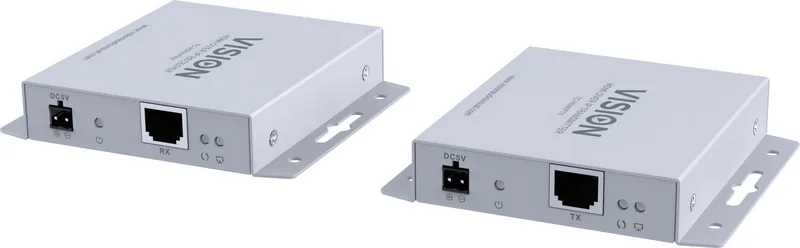
Setup is designed for ease of use with plug and play functionality for most users. There is no online management software required for basic operation which simplifies configuration significantly. You simply connect the transmitter to your source and the receiver to your display using standard connectors. Status LEDs indicate power link status and data transmission progress to assist with diagnostics. Troubleshooting is straightforward via the reset button if issues arise wiring standards. IR distribution is also included allowing remote control of sources from the display side conveniently.
Important Configuration Notes
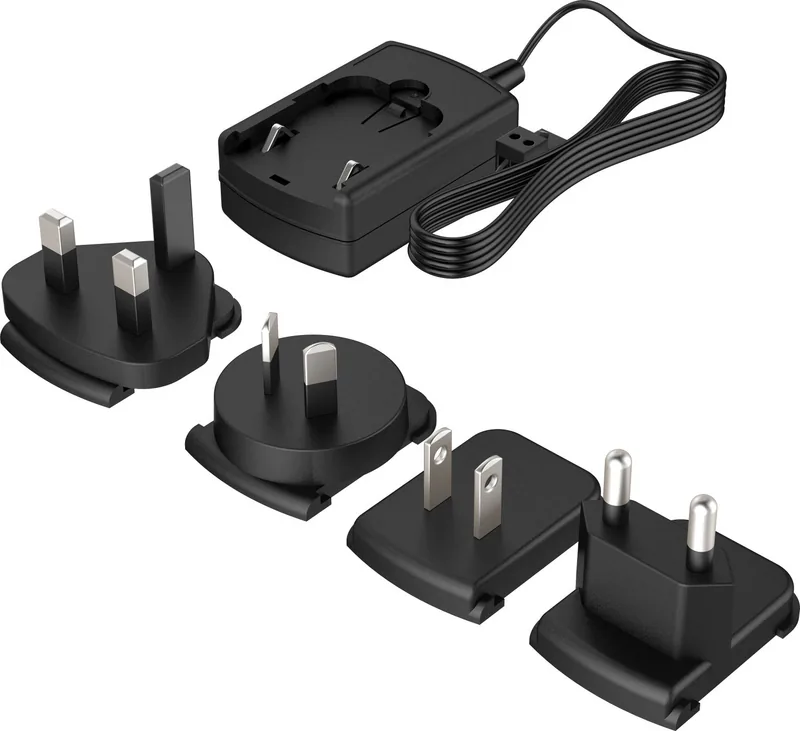
Only one transmitter operates per network subnet unless virtual LANs are configured on switches for isolation. Multicasting allows up to 253 receivers to view the same content simultaneously which supports digital signage needs. Power requires external 5V 2A units as PoE is not supported so plan your power outlets. Maintenance involves keeping units dry and avoiding heat sources to ensure longevity. Safety warnings emphasize not opening the casing or exposing to moisture to prevent electrical hazard risks.
Warranty and Support
Users benefit from a comprehensive lifetime return to base warranty policy covering component failures. In specific regions like the UK two years onsite support helps reduce downtime during repairs. Always keep the original packaging for shipping in the event of a service requirement. Proper cable selection and network planning guarantee reliable operation for years.
This comprehensive resource ensures users understand the full potential of the Vision TC-HDMI/IP HDMI-over-IP Extender Receiver up to 120m Manual for their specific needs.
Search for 67,732 Manuals online


Type-in Brand or Model