
Vision SB-1900P Manual
PDF manual · 203 Pages
English



Quick check
Incorrect answer, please try again.
Chat with your Vision SB-1900P manual using AI
Get instant AI answers from your Vision SB-1900P manual
Ask anything about the Vision SB-1900P. Answers come from this manual, with the pages they are based on.
Ask a Question
Do you recommend SB-1900P?
Yes NoFrequently Asked Questions
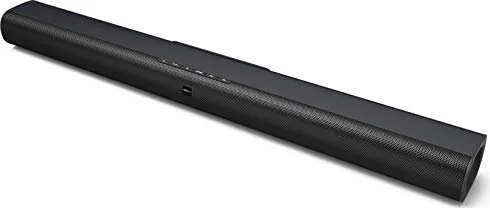
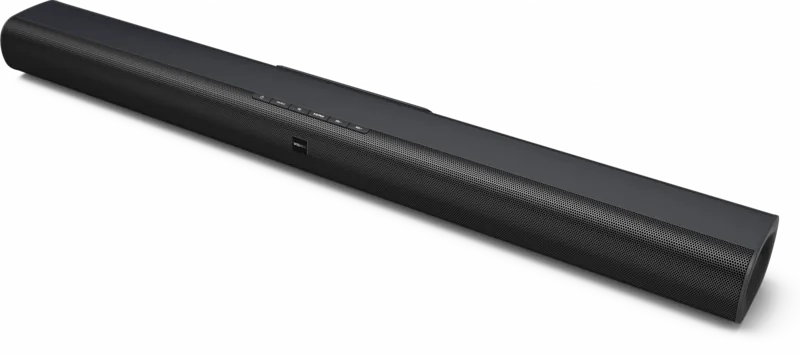
The Vision SB-1900P is a powered soundbar with integrated amplification for display-based audio systems. It supports HDMI, HDMI ARC, Bluetooth, and 3.5 mm AUX sources, making it suitable for meeting rooms, classrooms, presentations, and general media playback.
Is this answer helpful?
Yes. Connect the soundbar's HDMI ARC connection to the ARC output on a compatible display. The display's internal speakers are then disabled, and its remote can control soundbar volume. ARC may need to be activated in the display menu.
Is this answer helpful?
The SB-1900P provides Music, Movie, and Speech equalizer presets. These modes let users quickly adjust the sound character for background music, video content, or clearer spoken dialogue and presentations.
Is this answer helpful?
Select Bluetooth as the source and look for SB-1900P in the Bluetooth settings of the phone or tablet. If needed, activate pairing with the PAIR button. The default pairing PIN is 0000. A solid blue LED confirms a successful connection.
Is this answer helpful?
Yes. The Bluetooth name and PIN can be customized using a USB drive containing a specially formatted ubt_cfg.txt configuration file. The available name length is up to 32 characters. The soundbar confirms updates through LED flashes.
Is this answer helpful?
Yes. It supports RS-232 control through its USB port when used with the supplied USB-to-RS-232 adapter. Available commands include power, source selection, volume, mute, EQ, playback controls, queries, and automatic status reporting.
Is this answer helpful?
Advantages and Disadvantages
Advantages

- Integrated amplification reduces the need for a separate amplifier in compact AV installations.
- HDMI ARC, two HDMI inputs, Bluetooth 4.2, and 3.5 mm AUX support varied source connections.
- Music, Movie, and Speech EQ modes help optimize sound for different content.
- RS-232 control, status feedback, and maximum volume limiting support managed rooms.
- Auto-standby saves energy and the unit restores previous settings after power cycling.
Disadvantages

- HDMI ARC is dependent on display compatibility and may need to be enabled in display settings.
- Some HDMI sources may require PCM audio output to avoid loss of sound.
- Bluetooth pairs with only one source device at a time and has an approximate 8 metre range.
- Bluetooth 4.2 compatibility is not guaranteed with every source device.
- Changing the Bluetooth name or PIN requires a USB-based configuration process.
Product Specification
Type
Soundbar
Power
100 W RMS, 180 W Peak
HDR
No
Video Connections
1x HDMI Out
Audio Connections
1x AUX In (3.5 mm jack)
Wireless
Bluetooth 4.2
Color
Black
Dimensions
31.5 x 3.54 x 2.44 in (W x H x D)
Weight
4.63 lb
Consists of
Soundbar
Product Description
Vision SB-1900P - Read, Download & Print Free
The Vision SB-1900P is a powered soundbar designed to bring clear, flexible audio to meeting rooms, classrooms, presentation areas, and everyday viewing spaces. Its integrated amplification removes the need for a separate amplifier, helping create a cleaner installation while delivering sound from several modern source types. With HDMI, HDMI ARC, Bluetooth, and 3.5 mm AUX connectivity, it can serve as a practical central audio solution for displays, laptops, media players, and mobile devices.
Built for straightforward AV integration
Two HDMI inputs allow compatible sources to connect through the SB-1900P before reaching a display. HDMI ARC support provides a particularly convenient setup for compatible screens: audio returns from the display to the soundbar, and the display remote can control volume. For installations without ARC, the standard HDMI connections and AUX input offer additional ways to bring sound into the system.
Bluetooth 4.2 adds wireless playback for phones, tablets, and other compatible devices. The soundbar supports A2DP and AVRCP profiles, allowing wireless audio streaming and basic playback control. Pairing is designed to be simple, while the Bluetooth name and PIN can be customized through USB configuration when a room needs clearer device identification.
Clear controls and adaptable sound
Front-panel buttons provide access to standby, source selection, equalizer settings, pairing, and volume. A supplied infrared remote adds convenient control from across the room. LED indicators show the selected source at a glance, including AUX, Bluetooth, HDMI 1, HDMI 2, and HDMI ARC.
Three equalizer presets help tailor output to the material being played. Music mode is suited to general listening, Movie mode supports video content, and Speech mode focuses on clearer spoken audio. This makes the SB-1900P useful for environments that regularly switch between presentations, video playback, and collaborative discussion.
Designed for managed spaces
For professional AV systems, the SB-1900P supports RS-232 control through its USB connection and supplied USB-to-RS-232 adapter. Integrators can use commands for power, source, volume, mute, EQ selection, status queries, and more. Later firmware also supports a configurable maximum volume limit, which can help maintain appropriate levels in shared rooms.
Auto-standby reduces energy use by switching the unit off after 15 minutes without a detected signal, then waking when audio returns. The feature can also be disabled when continuous availability is preferred. After a mains power cycle, the soundbar resumes its previous settings.
Notes
- Complete signal connections before connecting power.
- HDMI ARC availability depends on the display and may require menu activation.
- If HDMI audio is unavailable, set the source device to PCM output.
- Bluetooth range is approximately 8 metres under normal conditions.
- Keep the unit away from moisture, extreme heat, poor ventilation, and heavy vibration.
Search for 67,732 Manuals online


Type-in Brand or Model