
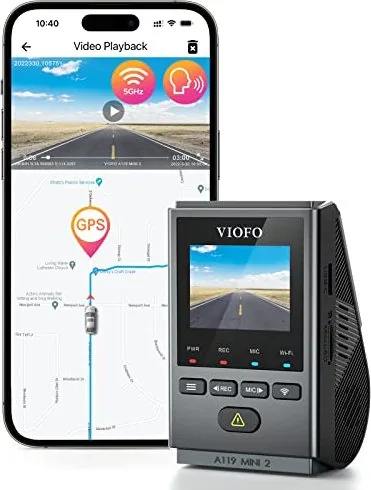
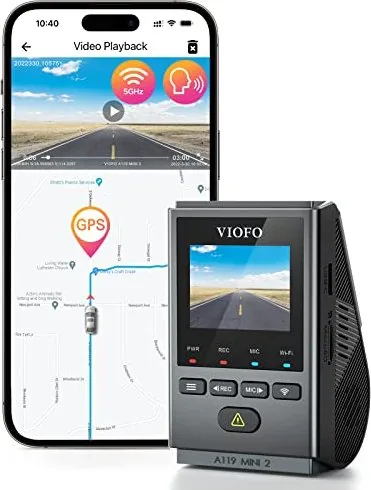
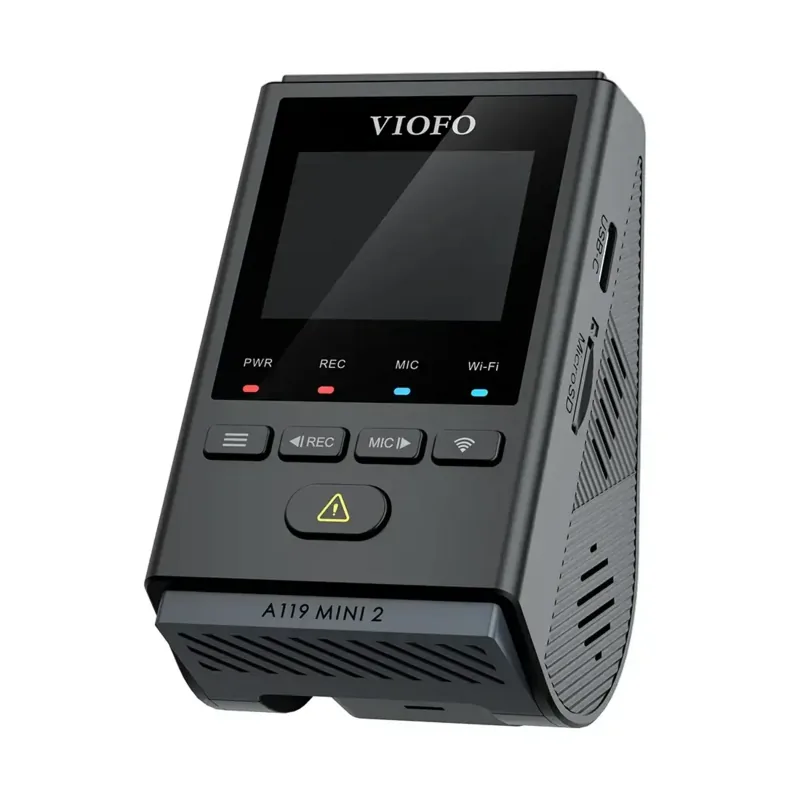
Viofo A119 Mini 2 Manual
PDF manual · 16 Pages
English



Quick check
Incorrect answer, please try again.
Chat with your Viofo A119 Mini 2 manual using AI
Get instant AI answers from your Viofo A119 Mini 2 manual
Ask anything about the Viofo A119 Mini 2. Answers come from this manual, with the pages they are based on.
Ask a Question
Do you recommend A119 Mini 2?
Yes NoFrequently Asked Questions
Select a location behind the rear-view mirror where the view is not obstructed. Clean the surface with a dry cloth to ensure grease-free adhesion. Attach the static sticker or sticky pad then press the camera onto it. Adjust the lens angle using the LCD screen before connecting power.
Is this answer helpful?
The device supports various resolutions including 2560x1944P, 2560x1440P, and 1920x1080P. You can choose frame rates of 30fps or 60fps depending on the selected resolution and bitrate settings.
Is this answer helpful?
Yes, download the VIOFO app from Google Play or the App Store. Connect your phone to the camera WiFi, then launch the app select the camera. This enables live preview, playback, and file management directly on your smartphone.
Is this answer helpful?
Parking mode activates when the engine is off. It uses a hardwire kit for constant power to monitor for motion or impacts. The camera records events and stops automatically when no movement is detected for sixty seconds.
Is this answer helpful?
Use a Class-10 or UHS-I rated microSD card with a maximum capacity of 256GB. VIOFO brand cards using MLC NAND flash are recommended for durability. Format the card to exFAT or FAT32 file system before use.
Is this answer helpful?
Register your product on the official website within the purchase period. This program allows extending the standard warranty from 12 months to 18 months. Access technical support and register to secure your investment.
Is this answer helpful?
Yes, audio recording is enabled by default but can be toggled off via the button menu. Note that audio is not recorded in time-lapse parking mode. You can change the microphone status using the dedicated button or app settings.
Is this answer helpful?
Advantages and Disadvantages
Advantages

- Compact design fits discreetly behind rear-view mirror
- High resolution video up to 2560x1944P at 60fps
- Built-in WiFi allows direct smartphone control and viewing
- Parking mode protects vehicle with motion detection
- G-sensor locks emergency footage from overwriting loop
Disadvantages

- Memory card sold separately and requires specific rating
- GPS module is external and sold separately
- Battery drain risk without hardwire kit during parking
- Audio recording disabled in time-lapse mode
- Firmware download required for computer access
Product Specification
Effective Megapixels
5.0 Megapixels
Sensor
CMOS 1/2.8", Sony Starvis 2 IMX675
Expandable Storage
microSD/microSDHC/microSDXC
Video
2592x1944@30p (4:3), 2560x1440@60p (16:9)
Angle of View
140°
Display
1.5" LCD
Interfaces
USB-C
Wireless
Wi-Fi, Bluetooth, GPS
Features
Motion Sensor, Loop Recording
Color
Black
Product Description
Discover the Viofo A119 Mini 2
The Viofo A119 Mini 2 stands out as a compact yet powerful dashcam solution for modern drivers seeking reliability and high-quality footage. This device captures crystal clear video with multiple resolution settings, ensuring you have evidence when it matters most. Drivers often consult the Viofo A119 Mini 2 Manual instructions to set up the various features quickly and efficiently. Installation is straightforward with a suction mount or the provided static stickers designed for windshield adhesion. The camera fits discreetly behind the rear-view mirror to avoid obstructing visibility. Wiping the surface clean ensures the adhesive holds firmly against heat and vibration during daily commutes.
Core Features and Performance
Recording loop ensures continuous coverage by overwriting old files when storage is full. Users appreciate the flexible video options ranging from 1080p to 2560x1944P at thirty or sixty frames per second. Night vision performance is enhanced by HDR settings that balance exposure in varying light conditions. The built-in WiFi allows you to view live feeds directly on your smartphone via the official application. This connectivity makes checking footage easy without removing the memory card. You can save important clips instantly using the remote control if paired. Adjusting the lens angle is simple by looking at the live LCD screen during mounting. Video quality remains consistent even in low light scenarios.
Advanced Safety Modes
Parking mode is vital for protecting your vehicle while unattended. When paired with the hardwire kit, the camera monitors the area automatically upon detecting motion or impacts. A G-sensor locks critical footage during collisions so it cannot be overwritten by the loop system. You can also choose time-lapse recording for battery conservation during extended parking sessions. Audio recording can be toggled on or off depending on personal privacy needs. The system protects the car battery from draining too deeply during overnight surveillance. Emergency recording files are stored in a protected partition automatically.
Setup and Maintenance
Proper setup involves formatting the MicroSD card correctly using a computer or the camera interface. The guide references selecting appropriate card ratings like Class-10 for optimal performance. Regular cleaning of the lens prevents smudges from affecting video clarity significantly. Firmware updates are available to improve system stability and add new capabilities over time. Extending the warranty through registration is encouraged for added security on your purchase. Ensure all cables are routed neatly to avoid clutter inside the vehicle cabin. Enjoy peace of mind knowing your travels are being recorded in high definition.
Control via Smartphone Application
Managing files is intuitive through the dedicated app available for Android and iOS devices. Live streaming allows passengers to see the road view in real time. You can playback videos directly on the screen and download them to save space. Taking snapshots during recording is possible with a simple tap on the interface. Customizing settings like Wi-Fi passwords and system language is done easily. The interface displays battery levels and GPS status clearly. This integration creates a seamless user experience for managing your dash recording duties.
Search for 67,706 Manuals online


Type-in Brand or Model