

Verbatim Ultra HD 4K External Slimline Blu-ray Writer Manual
PDF manual · 16 Pages
English



Quick check
Incorrect answer, please try again.
Chat with your Verbatim Ultra HD 4K External Slimline Blu-ray Writer manual using AI
Get instant AI answers from your Verbatim Ultra HD 4K External Slimline Blu-ray Writer manual
Ask anything about the Verbatim Ultra HD 4K External Slimline Blu-ray Writer. Answers come from this manual, with the pages they are based on.
Ask a Question
Do you recommend Ultra HD 4K External Slimline Blu-ray Writer?
Yes No
Lukas Weber
10 months ago
Will this external Blu-ray writer work with Windows 10/11 (and Mac OS), given that the included Nero software seems outdated or 32-bit? Do I need to install it to play discs?

Manual.ly
10 months ago
The drive itself is typically recognized by Windows 10/11 as a standard optical drive, and you can usually read and play discs without installing the included Nero package. Several users reported that the bundled Nero software can be outdated or incompatible, so it is not required for playback. For playing, use a current media player such as VLC (with the necessary settings) or PowerDVD (for UHD/4K scenarios, depending on your hardware/Intel iGPU and BIOS settings). For Mac OS, compatibility can vary by macOS version and the included disc software; the safest approach is to rely on the operating system's built-in optical drive support and use up-to-date playback software rather than the legacy installer. If you need help verifying your exact OS version, contact support with your macOS/Windows version.
Frequently Asked Questions
It is best for people who still use optical discs for backups, archiving, media playback, or project delivery. It also suits users who want a portable external writer instead of an internal drive.
Is this answer helpful?
No separate driver is needed on supported Windows and Mac systems. The operating system installs the drive automatically after it is connected by USB.
Is this answer helpful?
Yes. The drive supports Blu-ray media along with CDs and DVDs, and the Ultra HD 4K version is aimed at users who want advanced Blu-ray functionality in a compact external unit.
Is this answer helpful?
No. Blu-ray playback is not supported on Mac systems with this drive. If you need to watch Blu-ray movies on Windows, you may also need additional playback software.
Is this answer helpful?
It supports a wide range of optical formats, including common CD, DVD, and Blu-ray variants. It also works with M-DISC media for long-term storage use cases.
Is this answer helpful?
Keep it horizontal, avoid sudden movement, disconnect it safely through the operating system, and use a short cable. Also protect it from dust, liquids, and extreme temperatures.
Is this answer helpful?
Advantages and Disadvantages
Advantages

- Slim external design is easy to carry and fits cleanly on crowded desks.
- USB-C and USB 3.0 support make setup simple and improve speed on compatible systems.
- Broad disc compatibility covers CD, DVD, Blu-ray, and M-DISC formats.
- Automatic driver installation reduces setup work on supported Windows and Mac devices.
Disadvantages

- Blu-ray movie playback is not supported on Mac systems.
- Windows users need separate playback software for Blu-ray movies.
- Performance is lower when connected through USB 2.0 instead of USB 3.0 or USB-C.
- The drive needs careful handling; shocks, dust, liquids, and labels can cause problems.
Product Specification
Form Factor
5.25" SlimLine (external)
Loading Mechanism
Tray
BD-R
SL: 6x, DL: 6x, TL: N/A, QL: N/A
DVD+R
SL: 8x, DL: 6x
DVD-R
SL: 8x, DL: 6x
DVD+RW
8x
DVD-RW
6x
DVD-ROM
8x
CD-R
24x
CD-RW
24x
CD-ROM
24x
Write Buffer
4MB
Special Features
M-DISC, BDXL, Ultra HD Blu-ray
Dimensions
5.24x0.43x5.71in
Weight
0.47 lb
Product Description
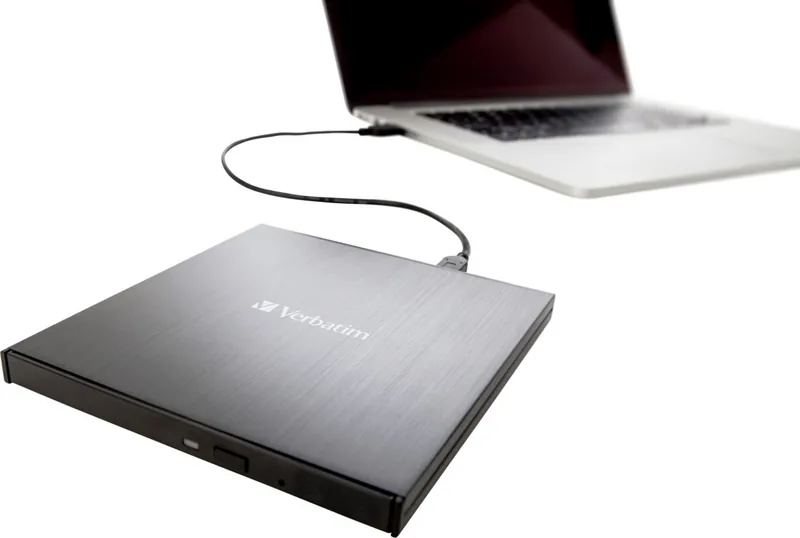
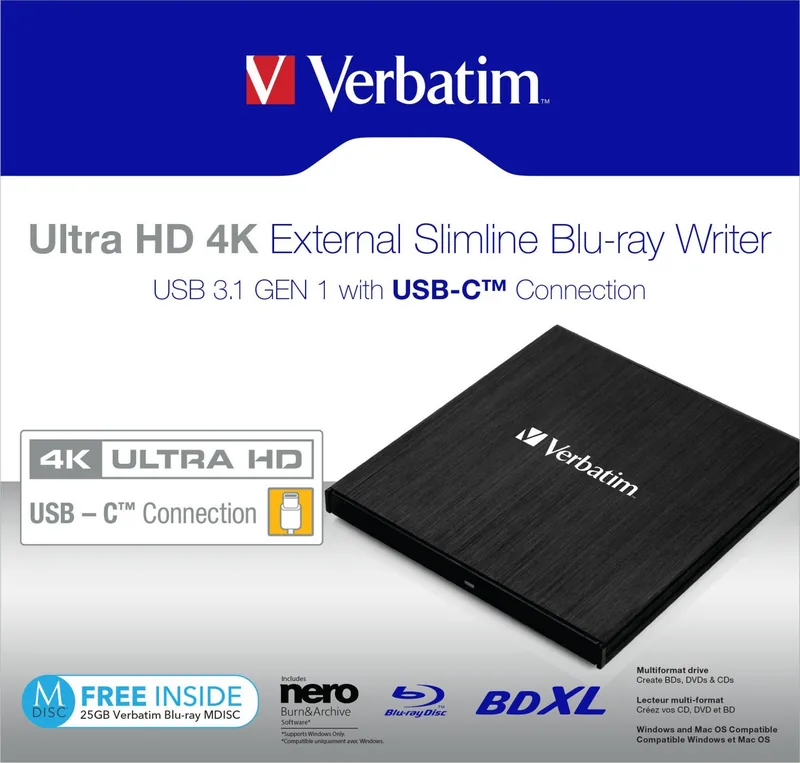
Verbatim Ultra HD 4K External Blu-ray Writer SlimLine, USB-C 3.0
If you are looking for the Verbatim Ultra HD 4K External Blu-ray Writer SlimLine, USB-C 3.0 Manual, the main takeaway is that this compact drive is built for people who still depend on discs but want a modern, portable solution. It brings together a slim profile, external convenience, and broad media support, making it a smart fit for backups, archiving, music libraries, and video projects.
The drive is designed to work smoothly with both Windows and Mac systems, with automatic driver installation on supported versions. Its USB-C and USB 3.0 connectivity helps keep setup simple while offering the speed needed for everyday disc writing and reading. For users who want a clean desktop setup or a device they can carry between workspaces, the slimline format is a major advantage.
Support for CDs, DVDs, and Blu-ray media gives it wide usefulness, and compatibility with M-DISC formats adds value for long-term storage needs. That makes it attractive for photographers, office users, students, and anyone building an archive of important data. The Ultra HD 4K Blu-ray model is especially appealing for users who want high-capacity optical storage and dependable performance in a compact body.
The drive also benefits from a practical, no-fuss approach to operation. The instructions stress safe ejection, horizontal use, and careful handling to protect the mechanism and avoid data loss. It is a reminder that optical media still rewards good habits: stable placement, short cables, clean discs, and proper software all help deliver the best results.
For entertainment use, Blu-ray playback on Windows may require separate playback software, while Mac systems do not support Blu-ray movie playback with this drive. Even so, the product remains a strong option for disc creation, duplication, and backup workflows. Verbatim also backs the product with technical support and a limited warranty, which adds confidence for users who want a dependable external writer that can serve both personal and professional needs.
Notes
- Best performance comes from USB 3.0 or USB-C Gen 1 connections.
- Keep the drive level and avoid shocks, dust, and liquids.
- Use trusted recording and playback software for the best experience.
- A short, stable cable helps maintain reliable data transfer.
Search for 67,706 Manuals online


Type-in Brand or Model
Katrin Vogel
9 months ago
The box mentions Nero software. Does it work with Windows 10/11 and Mac OS, or will I need to rely on VLC/other players?
Manual.ly
9 months ago
The drive itself is recognized by Windows and macOS as an optical drive, so playback does not depend on the bundled Nero disc. The included Nero version is optional and may be outdated (some bundles are not compatible with newer Windows/macOS versions). For reliable playback, use a current media player such as VLC for general reading or a Blu-ray player like PowerDVD (depending on your setup). If you want Blu-ray playback or 4K UHD support, software requirements (such as DRM and hardware/GPU support) may apply. For the latest compatibility information and any firmware/software updates, check the manufacturer support page for your exact model and OS.