
Venom Twin Docking Station VS5001 Manual
PDF manual · 12 Pages
English



Quick check
Incorrect answer, please try again.
Chat with your Venom Twin Docking Station VS5001 manual using AI
Get instant AI answers from your Venom Twin Docking Station VS5001 manual
Ask anything about the Venom Twin Docking Station VS5001. Answers come from this manual, with the pages they are based on.
Ask a Question
Do you recommend Twin Docking Station VS5001?
Yes NoFrequently Asked Questions
The dock is designed specifically for PlayStation 5 DUALSENSE wireless controllers using the included USB Type-C charging dongles; it is optimized for PS5 controller dimensions and charging behavior.
Is this answer helpful?
On the PS5 home screen go to Settings > Power Saving Settings > Set Functions Available for Standby Mode, then enable Supply Power from USB Ports. With that option checked, the dock can charge controllers while the console is in Standby Mode.
Is this answer helpful?
When charging the LED on the docking station glows red to indicate active charging. Once controllers are fully charged the LED changes to blue (or green depending on region) to signal the charge cycle is complete.
Is this answer helpful?
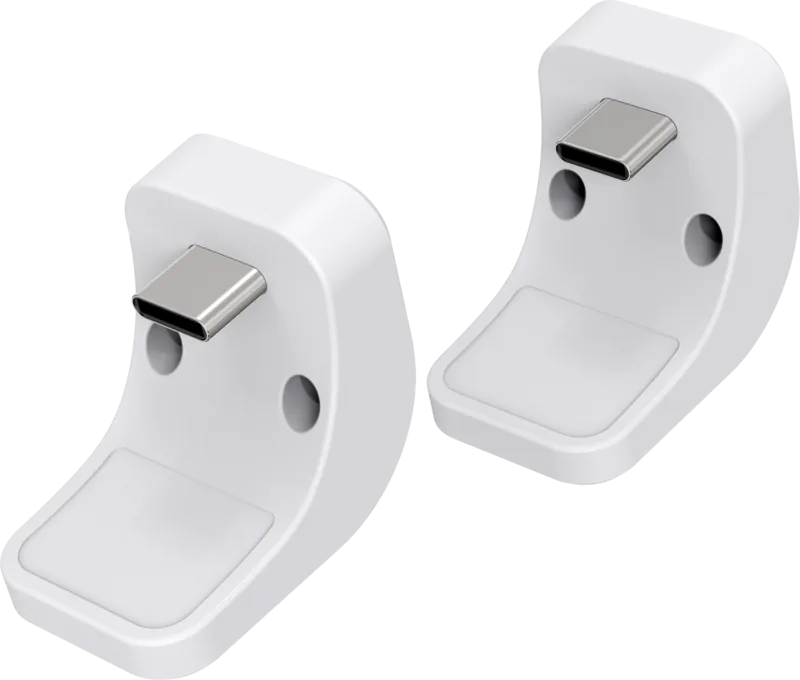
The package includes 1 x Twin Docking Station, 2 x USB Type-C charging dongles for the DualSense controllers, and 1 x USB to USB Type-C charging cable for connection to your PS5.
Is this answer helpful?
Venom Ltd provides a one-year warranty from the date of purchase covering manufacturing defects for the original purchaser. For helpline support contact Venom UK at +44 (0)1763 284181 or [email protected]; retain your proof of purchase for warranty service.
Is this answer helpful?
Keep the device dry, avoid dusty or extreme-temperature locations, do not use harsh chemicals for cleaning, avoid dropping or rough handling, and do not short-circuit batteries. Follow these practices to protect functionality and warranty coverage.
Is this answer helpful?
Advantages and Disadvantages
Advantages

- Charges two DualSense controllers simultaneously using one PS5 USB port.
- Simple plug-and-play setup with included USB Type-C dongles and cable.
- LED indicators provide clear charging status at a glance.
- Reduces cable clutter and wear on controller ports by using docking dongles.
- Supports charging while PS5 is in Standby Mode when enabled in settings.
Disadvantages

- Requires a free USB port on the PS5; may need an adapter if ports are occupied.
- Type-C dongles remain attached to controllers, which some users may find intrusive.
- Limited to DualSense controllers—no universal multi-platform support.
- Warranty excludes accidental damage and normal wear; only covers original purchaser.
- No built-in surge protection mentioned; rely on PS5 USB power stability.
Product Specification
Type
Charging station
Colors
white, black
Cable length
39.37 in
Package contents
Charging station, USB cable
Special features
LED lighting
Product Description
Venom Twin Docking Station (PS5) Manual
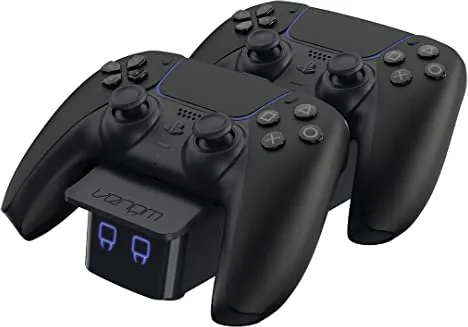
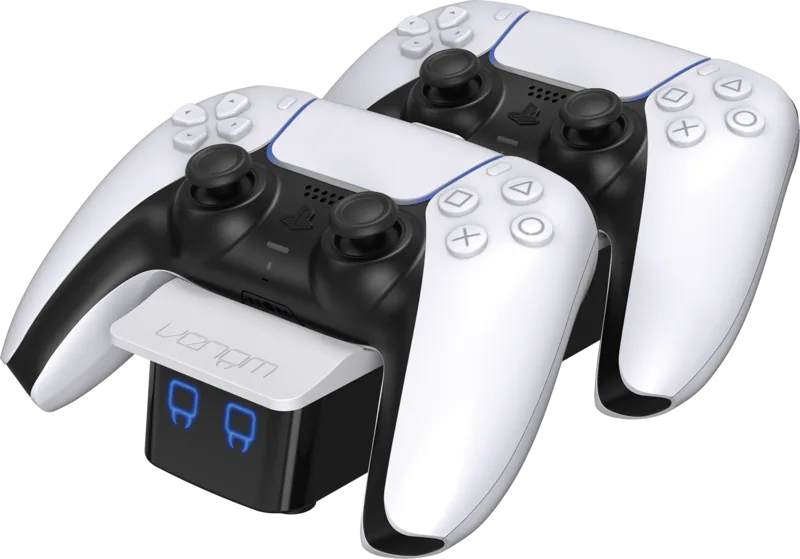
The Venom Twin Docking Station (PS5) is a practical accessory designed to keep DualSense controllers charged, organized and ready for play. Built for the PlayStation 5 and identified by model VS5001, this twin dock includes two USB Type-C charging dongles and a USB-to-USB Type-C cable, allowing simultaneous charging of two controllers via a single PS5 USB port. Installation is straightforward: plug the Type-C dongles into each controller, connect the dock to a spare PS5 USB port, dock the controllers until they click, and power on the console. LED indicators show charging status (red while charging, blue/green when fully charged), and the dock supports charging while the PS5 is in Standby Mode when “Supply Power from USB Ports” is enabled in power settings.
Compact and user-friendly, the Venom Twin Docking Station blends convenience with reliable function. Its plug-and-play setup eliminates cable clutter and reduces wear on controller ports by using slim Type-C dongles that remain in place during docking. The product ships with two dongles and a charging cable, making it easy to replace or swap between controllers. A simple LED system provides an at-a-glance view of charge progress so players know when controllers are ready.
Durability and care are emphasized: keep the dock dry, avoid dusty or extreme-temperature environments, and handle gently to prevent damage to internal electronics. The manual highlights standard maintenance practices—no harsh chemicals, no short-circuiting batteries, and safe disposal under WEEE regulations. Venom provides a one-year warranty from the date of purchase, covering manufacturing defects for the original purchaser, with exclusions for accidental damage, misuse, or normal wear.
Whether you’re a casual player or a regular gamer with multiple controllers, the Twin Docking Station streamlines management and ensures uninterrupted playtime. Its simple design and PS5 integration make it a handy addition to any gaming setup, helping you maintain charged controllers while keeping your play area tidy.
Notes
- Model: VS5001. Includes two USB Type-C dongles and a USB-to-USB Type-C cable.
- LED: red while charging; blue/green when fully charged.
- To charge in Standby Mode enable “Supply Power from USB Ports” in PS5 power settings.
- Follow care guidance to protect warranty; recyclable per WEEE rules.
Search for 67,706 Manuals online


Type-in Brand or Model