
VDO Cycle Parts M2.1 WL Manual
PDF manual · 29 Pages
English



Quick check
Incorrect answer, please try again.
Chat with your VDO Cycle Parts M2.1 WL manual using AI
Get instant AI answers from your VDO Cycle Parts M2.1 WL manual
Ask anything about the VDO Cycle Parts M2.1 WL. Answers come from this manual, with the pages they are based on.
M2.1 WL Maintenance Schedule
Replace the battery annually to ensure proper function. Wait 10 seconds before inserting the new one.
Replace the sensor battery annually to ensure proper wireless transmission. Wait 10 seconds before inserting the new one.
Free maintenance reminders
Timed to your purchase date. Always free, unsubscribe anytime.
Ask a Question
Do you recommend M2.1 WL?
Yes NoFrequently Asked Questions
Press and hold the BIKE button until the reset option appears. Select reset from the display to clear daily distance and time. Total history data remains saved after this operation completes successfully.
Is this answer helpful?
The device supports German, English, French, Italian, Spanish, Dutch, and Polish. Navigate the menu to select your native language for better interface understanding.
Is this answer helpful?
Expect approximately one year of power for the computer head and 1.5 years for the speed sensor under normal usage conditions throughout the year.
Is this answer helpful?
Yes, input your specific tire size in millimeters or inches for precise speed and distance measurement accuracy according to your bike specifications.
Is this answer helpful?
A two-year warranty covers material and workmanship defects. Contact your retailer or Cycle Parts GmbH directly for supported warranty claims and assistance.
Is this answer helpful?
The display operates effectively between minus 20 degrees and plus 70 degrees Celsius for most standard cycling needs and outdoor conditions.
Is this answer helpful?
The speed sensor uses a standard 3-volt Type 2032 battery which is easily accessible for replacement using a coin on the case.
Is this answer helpful?
Advantages and Disadvantages
Advantages

- Wireless transmission eliminates cable clutter on handlebars
- Large readable display supports quick glance data checks
- Memory retains history data during battery replacement
- Multiple language options support global users effectively
- Twist-click mounting system ensures secure handlebar fit
Disadvantages

- Wireless signal range is limited to approximately 75 cm
- Potential interference may occur near LED headlights
- Batteries require annual replacement for optimal function
- Sensor alignment requires precise one to five mm setup
- Annual maintenance needed to prevent data transmission errors
Product Specification
Display
Monochrome
Connectivity
Wireless
Navigation
No
Power Supply
Battery
Features
Calorie consumption, Battery replaceable by user
Product Description
Experience Advanced Cycling Metrics
Master your ride with the VDO Cycle Parts M2.1 WL Manual integration designed for serious cyclists seeking precision. This high-quality device offers a superior riding experience on any terrain. The large display is easy to read in all light conditions. Speedometer accuracy is paramount for athletes demanding detailed feedback. This tool transforms raw data into actionable insights for improvement. Every function is built for clarity and durability during long outings.
Display and Function Clarity
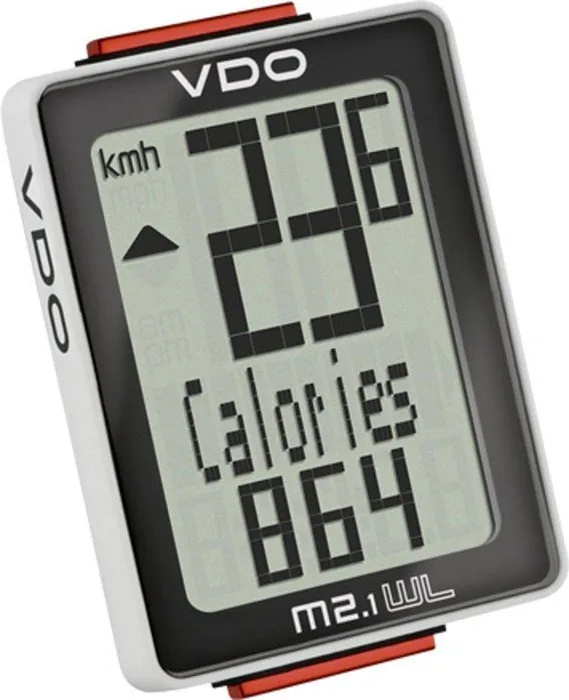
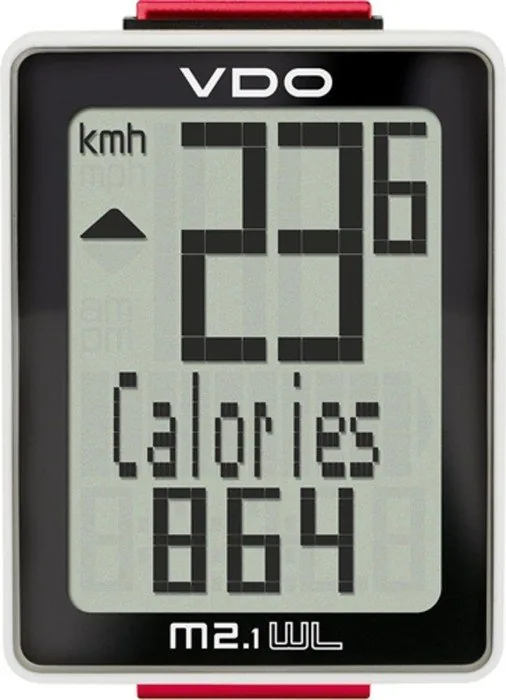
The interface is divided into three clear information areas for reading. The top section shows current speed with arrows for average comparison. The middle section names the active function clearly using text labels. The bottom section displays the numerical value instantly for tracking. Users can access multiple modes directly during the ongoing trip. Time, distance, and calories are always visible for monitoring. Total kilometers and hours are saved automatically in internal memory.
Installation and Mounting System
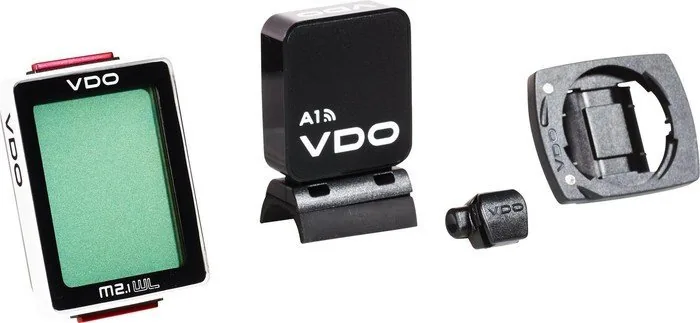
Setup is simple with the included universal bar clamp accessory. Mount the unit to the handlebar or the stem easily. The wireless sensor goes on the front fork for transmission. A range of 75 cm ensures transmission works without cable clutter. Align the magnet with the sensor unit for best signal strength. Twist-click technology makes insertion into the holder secure and stable.
Settings and Configuration Options
Language options include German and English as standard support. Switch between kilometers and miles effortlessly for region usage. Input wheel circumference for true measurement of distance traveled. Time format can be twelve or twenty-four hours for clarity. Tour data resets easily for starting fresh rides for users. Memory prevents data loss during standard maintenance procedures like changing. Battery longevity is optimized for long periods on the road daily. Change batteries once a year for optimum function and trust. Standby mode saves energy during rest stops to maintain life. Restart happens when movement resumes automatically for convenience.
Reliability and Support Coverage
Cycle Parts GmbH stands behind this durable product for years. Material defects are covered within twenty four months for buyers. Contact the hotline for specific technical help requests always. Online resources provide additional guidance for troubleshooting issues. The device complies with international electronic standards for safety. Dispose of batteries properly at end of life cycle responsibly. This ensures environmental safety during daily use on bikes. Upgrade your bike computer today for better performance results now.
Performance and Data Tracking
Monitor every kilometer with high precision for better stats. The system calculates calorie burn based on effort and speed. Distance counters go up to ninety nine point nine nine. Time logs extend to ninety nine hours total for logging. Maximizing your potential requires understanding accurate daily stats effectively. Average and peak speed help refine your training plans properly. Reset daily data without deleting history totals for analysis review. This separation keeps your overall progress intact and reliable for success.
Wireless Speed Sensor Setup
Installation involves placing the sensor on the fork carefully. Check the left or right side alignment with the computer head. The magnet must be close to the sensor unit face. A gap of one to five millimeters is ideal for signal. Wireless interference is rare but possible near LED light bulbs. Keep distance between six centimeters if signal issues occur often. The sensor transmits analog signals reliably over the path distance. Mounting the bar clamp is versatile for different handlebar shapes today.
Search for 67,706 Manuals online


Type-in Brand or Model