

VDO Cycle Parts M1.1 WL Manual
PDF manual · 25 Pages
English



Quick check
Incorrect answer, please try again.
Chat with your VDO Cycle Parts M1.1 WL manual using AI
Get instant AI answers from your VDO Cycle Parts M1.1 WL manual
Ask anything about the VDO Cycle Parts M1.1 WL. Answers come from this manual, with the pages they are based on.
M1.1 WL Maintenance Schedule
Change the battery annually to ensure proper function. Wait 10 seconds before inserting the new one.
Change the sender battery annually to guarantee wireless transmission. Wait 10 seconds before inserting the new one.
Free maintenance reminders
Timed to your purchase date. Always free, unsubscribe anytime.
Ask a Question
Do you recommend M1.1 WL?
Yes NoFrequently Asked Questions
It tracks current speed, trip distance, ride time, current time, and total distance. These core functions make it a practical choice for everyday riding and simple mileage tracking.
Is this answer helpful?
The computer mounts on the handlebar or stem, and the transmitter attaches to either fork leg. A spoke magnet is placed close to the transmitter so the system can read wheel movement accurately.
Is this answer helpful?
Set the correct wheel circumference, then align the magnet and transmitter carefully. The recommended gap is very small, so positioning matters a lot for reliable speed and distance data.
Is this answer helpful?
Yes. The device stores settings, total distance, and total ride time in memory, so those values remain available after replacing the battery.
Is this answer helpful?
Both the computer and the transmitter use a 3 V CR2032 battery. The manual recommends replacing them about once a year for stable performance.
Is this answer helpful?
Check that the computer is fully clicked into the bracket, confirm the magnet and transmitter are aligned closely, and make sure the wheel circumference is set correctly. Also test the transmitter battery.
Is this answer helpful?
Advantages and Disadvantages
Advantages

- Clear three-line display makes speed, function name, and values easy to read at a glance.
- Simple two-button control keeps daily use and setup straightforward.
- Stores settings and total ride data even after a battery replacement.
- Flexible mounting and wheel-circumference settings help improve accuracy across bikes.
Disadvantages

- Limited to core cycling metrics, so it lacks advanced training features.
- Analogue wireless signal can be affected by LED front lights or poor alignment.
- Setup requires careful positioning of the magnet, transmitter, and computer.
- Basic feature set may feel simple for riders who want GPS-style tracking.
Product Specification
Display
monochrome
Connectivity
wireless
Navigation
no
Power supply
Battery
Product Description
VDO Cycle Parts M1.1 WL
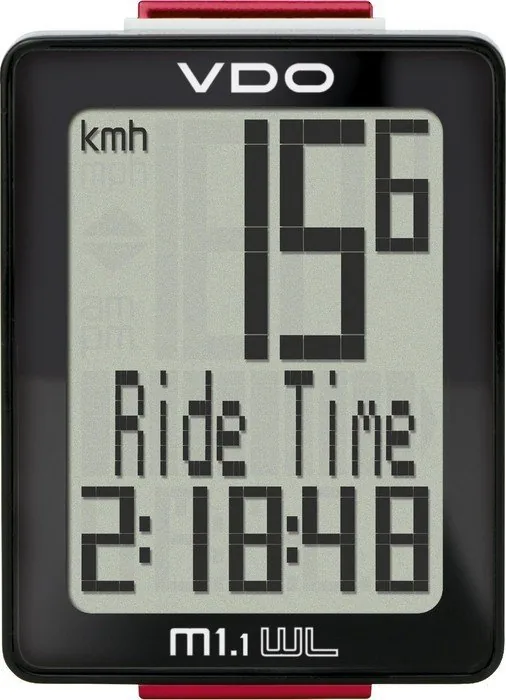
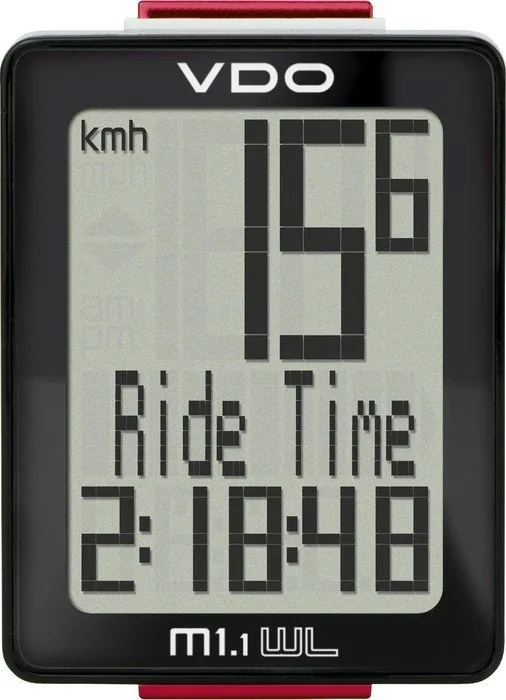
The VDO Cycle Parts M1.1 WL is a compact wireless cycle computer built for riders who want essential ride data in a clean, easy-to-read format. Its display is organized into three clear zones: current speed at the top, the active function name in the middle, and the measured value at the bottom. That simple layout makes it easy to glance down and stay focused on the ride.
What makes this model appealing is its balance of practicality and simplicity. With only two buttons, SET and BIKE, you can move through functions, adjust settings, and reset trip data without digging through complicated menus. It tracks the basics that matter most on daily rides and weekend training alike: current speed, trip distance, ride time, current time, and total distance. For many cyclists, that is exactly the right mix of information.
Installation is straightforward and flexible. The computer can be mounted on the handlebar or stem, while the speed transmitter can be placed on either fork leg, depending on your setup. The twist-click system helps lock the computer securely in place, and the adjustable wheel circumference setting lets you fine-tune accuracy for speed and distance. The VDO Cycle Parts M1.1 WL Manual also explains how to test the wireless signal and align the magnet correctly, which is especially helpful during first setup.
On the road, the M1.1 WL behaves like a useful companion rather than a distraction. It enters standby mode after a short break, then wakes automatically when you start riding again. A low-battery warning gives you time to replace the battery before performance drops. The device also stores settings and totals, so you do not lose your riding history when changing batteries. That makes it convenient for seasonal riders who want a dependable record of their mileage.
For riders who prefer straightforward equipment, the M1.1 WL offers a smart mix of clarity, reliability, and everyday usefulness. It is not overloaded with advanced training metrics, but it covers the essentials well and does so in a way that feels approachable. If you are looking for a no-nonsense bike computer that keeps ride data visible and easy to manage, this one earns its place on the bars.
Notes
- LED front lights may interfere with analogue wireless transmission.
- Correct magnet and transmitter alignment is key to accurate speed readings.
- Replace both batteries periodically to keep performance stable.
- Total distance and settings remain stored during battery replacement.
Search for 67,706 Manuals online


Type-in Brand or Model