
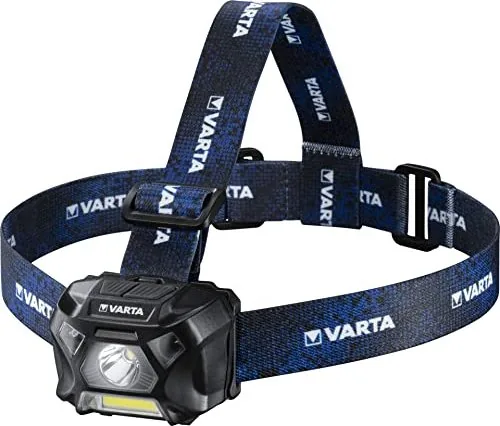
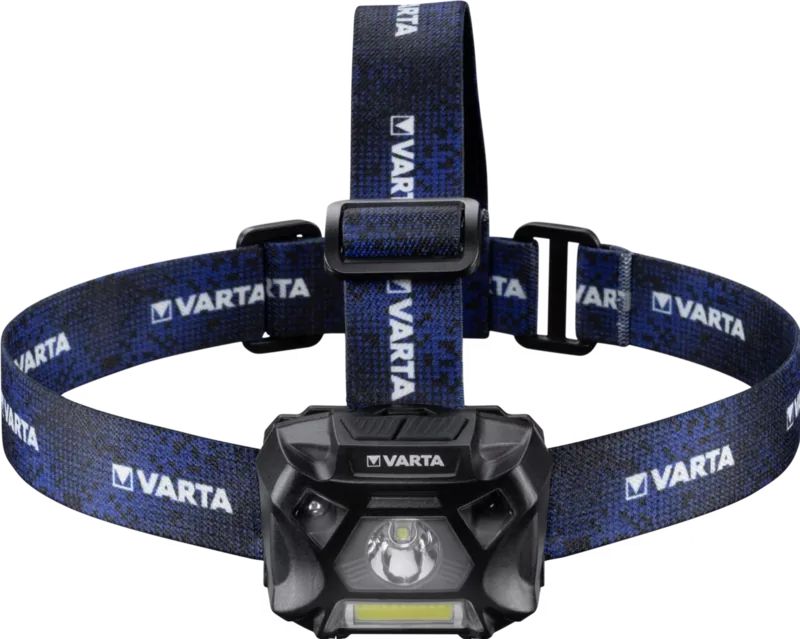
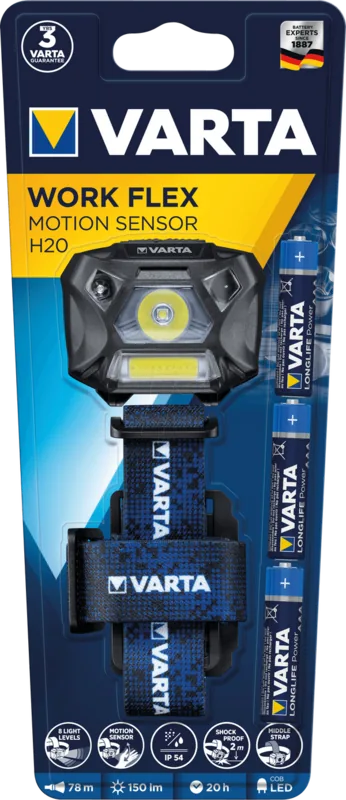
Varta Work Flex Motion Sensor H20 Manual
PDF manual · 2 Pages
English



Quick check
Incorrect answer, please try again.
Chat with your Varta Work Flex Motion Sensor H20 manual using AI
Get instant AI answers from your Varta Work Flex Motion Sensor H20 manual
Ask anything about the Varta Work Flex Motion Sensor H20. Answers come from this manual, with the pages they are based on.
Ask a Question
Do you recommend Work Flex Motion Sensor H20?
Yes NoFrequently Asked Questions
The headlamp includes spot, flood, and strobe lighting options. Spot mode concentrates light on a smaller area, flood mode provides broader illumination, and strobe produces a flashing light.
Is this answer helpful?
The motion sensor allows touch-free light control with a hand movement when the sensor feature is active. It can be especially convenient when your hands are busy, dirty, gloved, or holding tools.
Is this answer helpful?
Use spot mode when you need concentrated light for a particular target or detail. It can be helpful for inspections, close-up repairs, and viewing a defined area ahead.
Is this answer helpful?
Flood mode is suitable for illuminating a wider nearby area. It can be useful for general workspaces, moving around darker surroundings, or tasks that need broad rather than focused light.
Is this answer helpful?
Strobe mode creates a flashing light effect. It may be useful when a more noticeable signal or increased visual attention is needed.
Is this answer helpful?
Its hands-free format, multiple lighting modes, and motion-sensor feature make it suitable for practical uses such as DIY work, maintenance, camping, walking, and emergency preparation.
Is this answer helpful?
Advantages and Disadvantages
Advantages

- Hands-free headlamp design keeps both hands available for work or outdoor tasks.
- Spot and flood modes support both focused viewing and broader area lighting.
- Motion-sensor control can be useful when hands are dirty, gloved, or occupied.
- Strobe mode provides an additional flashing-light option for signaling or visibility.
Disadvantages

- The available product details do not specify brightness output or beam distance.
- Battery type, runtime, and charging information are not provided.
- No confirmed details are available about water resistance or impact protection.
- Motion-sensor operation may not suit every task or user preference.
Product Specification
Type
Headlamp
Colors
black, blue
Light source
1x LED
Max. light output
150 lm
Beam distance
255.91 ft
Max. runtime
20 hr
Power supply
3x AAA
Weight
3.77 oz
Features
waterproof (IPX5)
Product Description
Varta Work Flex Motion Sensor H20 Headlamp - Read, Download & Print Free
The Varta Work Flex Motion Sensor H20 Headlamp is designed for hands-free lighting when clear visibility matters most. Its practical head-mounted format helps keep both hands available for tasks such as repairs, inspections, outdoor activities, and work in darker spaces. With selectable lighting options and motion-sensor operation, this headlamp focuses on convenience as well as adaptable illumination.
Flexible light for focused and wide-area use
A key feature of the Varta Work Flex Motion Sensor H20 Headlamp is its choice of lighting modes. The spot setting is useful when a concentrated beam is needed to view a specific area, while the flood setting is better suited to lighting a broader workspace. This combination can make it easier to switch between close-up detail work and general movement around a dim environment.
The lamp also includes a strobe mode. This setting can be useful where an attention-grabbing flashing light is preferred, including situations where visibility or signaling is important. Straightforward on and off controls support simple operation, while the different modes give users more control over how the light is used.
Motion-sensor convenience
The integrated motion sensor adds a practical touch to the headlamp experience. Instead of needing to reach for a switch every time, users can activate or control lighting with a hand movement when the sensor function is in use. This is especially helpful when hands are occupied, dirty, gloved, or carrying equipment.
Motion-based operation can be valuable during maintenance work, DIY projects, camping, walking, or emergency preparation. It supports faster changes between darkness and illumination without interrupting the task at hand. The feature also gives the product a modern, work-oriented feel for users who want more than a basic head torch.
Built for everyday practical lighting
The Varta Work Flex Motion Sensor H20 Headlamp combines hands-free wearability with spot, flood, and strobe settings in one compact lighting solution. It is a sensible option for people who need adaptable light rather than relying on a single fixed beam. The headlamp format helps direct light where the wearer is looking, which can improve comfort and awareness during focused tasks.
Whether used at home, at work, or outdoors, this model emphasizes quick access to usable light. Its sensor function and multiple beam choices make it a versatile addition to a tool kit, vehicle kit, camping gear collection, or household emergency supplies.
Notes
- Select spot mode for concentrated viewing and flood mode for wider coverage.
- Use the motion sensor when touch-free control is more convenient.
- Strobe mode is intended for situations where a flashing signal may be useful.
- Check the selected mode before starting a task to match the available light to the activity.
Search for 67,706 Manuals online


Type-in Brand or Model
victoria20
6 months ago
Is the motion sensor useful, and can it be annoying while working?
Manual.ly
6 months ago
The motion sensor allows hands-free switching, which is convenient for many tasks. However, it may trigger unintentionally during active work or when your hands pass near the lamp. If this happens, use the regular switch instead or disable the sensor mode where available.