
V7 MW500 Manual
PDF manual · 1 Pages
English


Quick check
Incorrect answer, please try again.
Chat with your V7 MW500 manual using AI
Get instant AI answers from your V7 MW500 manual
Ask anything about the V7 MW500. Answers come from this manual, with the pages they are based on.
Ask a Question
Do you recommend MW500?
Yes NoFrequently Asked Questions
Simply plug the USB receiver into your computer. Turn on the switch located on the bottom of the mouse. Wait a few seconds for the system to recognize the device, then you can start using it immediately.
Is this answer helpful?
Yes, the V7 Vertical Ergonomic Wireless Mouse supports standard USB HID protocols, making it compatible with most Mac systems running macOS. You may need to adjust sensitivity settings in your system preferences.
Is this answer helpful?
Depending on usage intensity and lighting settings, the battery typically lasts between three to six months on a single charge. It uses standard AA batteries which are easily replaceable when power runs low.
Is this answer helpful?
While primarily designed for ergonomics, it works well for casual gaming. However, serious gamers might prefer a mouse with higher DPI settings and programmable buttons specifically tailored for competitive play.
Is this answer helpful?
Basic functionality works out of the box. For advanced customization like changing button assignments or adjusting sensitivity, check the official website for downloadable drivers compatible with your operating system.
Is this answer helpful?
Advantages and Disadvantages
Advantages

- Promotes natural hand positioning to reduce wrist strain
- Wireless design eliminates cable clutter and increases mobility
- Sleek black aesthetic complements any modern desk setup
Disadvantages

- May require an adjustment period for users accustomed to flat mice
- Battery replacement might be needed periodically depending on usage
- Not ideal for users with very small hands due to vertical size
Product Specification
Suitability
right hand (vertical)
Keys
6 (total), 2 (main), 1 (top), 2 (left), 1 (scroll wheel click)
Scroll Wheel
1x 2-way
Scanning
LED-red/IR
Resolution
1600 dpi, reducible to 1200/800 dpi
Lighting
N/A
Connection
wireless (2.40GHz), USB-A (USB-A receiver)
Power Supply
2x AAA
Dimensions (WxDxH)
3.03x2.83x4.57 in
Approximate Volume
10.25 cu in (approximate shape)
Weight
5.29 oz
Color
solid, black, logo
Features
thumb rest, stowable receiver
Product Description
Discover Comfort with the V7 Vertical Ergonomic Wireless Mouse
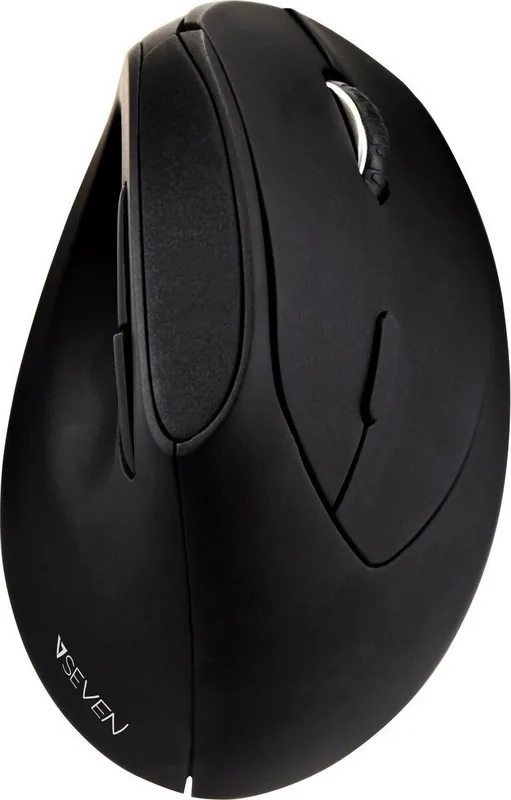
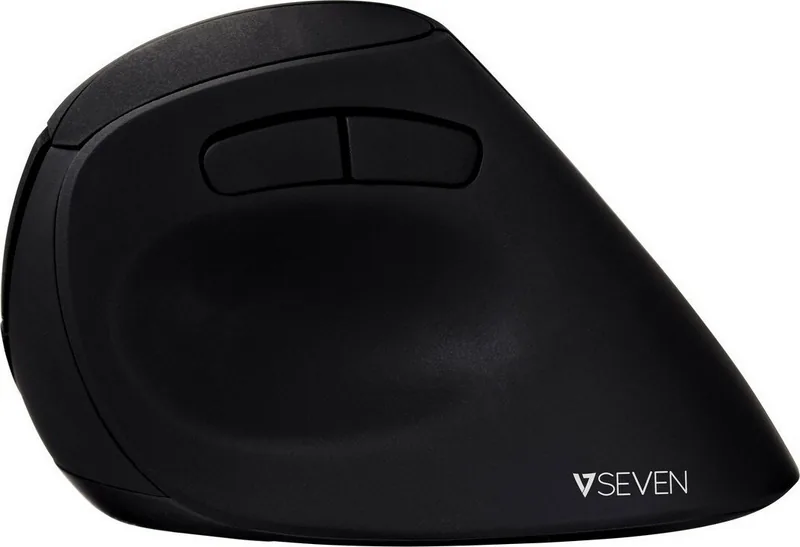
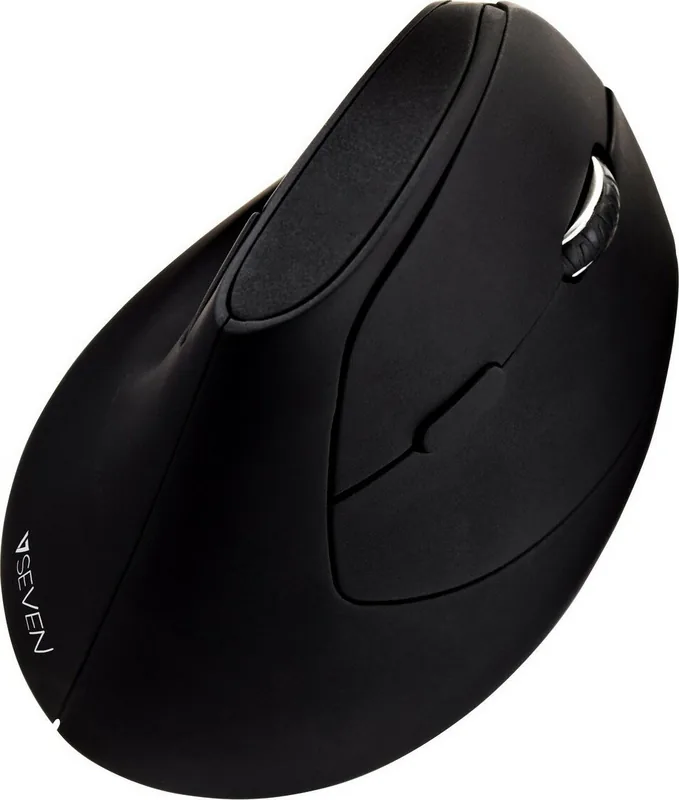
In today's digital landscape, prolonged computer usage often leads to discomfort and strain. The V7 Vertical Ergonomic Wireless Mouse Black USB offers a revolutionary solution designed to transform your daily workflow. This device is not just a peripheral; it is an investment in your long-term health and productivity. By adopting a natural handshake position, this mouse aligns your arm and wrist, significantly reducing the risk of repetitive strain injuries.
The sleek black design fits seamlessly into any modern workspace while providing robust functionality without the clutter of wires. Its wireless connectivity ensures freedom of movement, allowing you to work from anywhere within range without being tethered to your desk. The ergonomic vertical shape promotes a neutral wrist posture, which is crucial for maintaining comfort during extended gaming sessions or heavy office tasks.
Enhancing Your Daily Routine
Using the V7 Vertical Ergonomic Wireless Mouse Black USB Manual guides users through simple setup processes, ensuring that even those new to ergonomic peripherals can start benefiting immediately. The intuitive design minimizes the learning curve, letting you focus on your work rather than adjusting settings constantly. Whether you are a programmer, writer, or graphic designer, this mouse adapts to your specific needs.
Key Features and Benefits
The mouse features high-precision tracking that responds instantly to your movements. Its wireless technology delivers stable performance without lag, making it suitable for both professional and personal use. The battery life is optimized to last through long days, reducing the frequency of recharges. Additionally, the compact form factor makes it easy to transport for remote workers or travelers.
Notes: Always refer to the included manual for detailed troubleshooting steps. Ensure your receiver is plugged directly into a USB port for optimal signal strength.
Search for 67,706 Manuals online


Type-in Brand or Model