
V7 L238IPS-HAS-E Manual
PDF manual · 18 Pages
English



Quick check
Incorrect answer, please try again.
Chat with your V7 L238IPS-HAS-E manual using AI
Get instant AI answers from your V7 L238IPS-HAS-E manual
Ask anything about the V7 L238IPS-HAS-E. Answers come from this manual, with the pages they are based on.
Ask a Question
Do you recommend L238IPS-HAS-E?
Yes NoFrequently Asked Questions
Yes, the monitor includes a height adjustable stand that allows users to tilt and elevate the display for ergonomic comfort on their desk.
Is this answer helpful?
It supports up to 1920x1080 pixels Full HD resolution which is standard for 23.8 inch monitors of this generation.
Is this answer helpful?
No, this specific model does not include USB connectivity ports for keyboards or mice peripherals directly on the monitor.
Is this answer helpful?
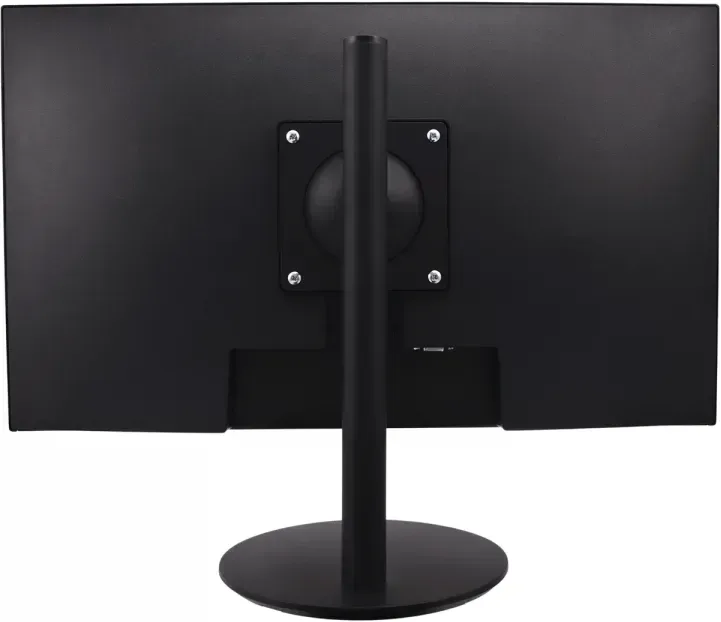
Yes, it has a 100x100 mm VESA mount pattern that allows for wall installation or use with monitor arms.
Is this answer helpful?
Unplug the power cord, wait a minute for the internal capacitors to drain, and then plug it back in to reboot.
Is this answer helpful?
The horizontal frequency operates at 60Hz for standard usage which is sufficient for office work and media consumption.
Is this answer helpful?
Yes, you can select the desired language in the System OSD settings menu to match your region preferences.
Is this answer helpful?
Advantages and Disadvantages
Advantages

- IPS panel with 178 degree viewing angles ensures consistent colors from wide perspectives
- Height adjustable stand and VESA mount compatibility provide ergonomic flexibility
- Multiple input options including HDMI, DisplayPort, and VGA enhance device compatibility
- Three year warranty demonstrates strong manufacturer confidence in long term reliability
- Blue Light Shift feature reduces eye strain during extended daily screen sessions
Disadvantages

- Built-in speakers are low power at two watts per channel limiting audio impact
- No USB hub included for additional peripheral connectivity expansion capabilities
- Response time of 14 ms is lower than optimal for fast paced competitive gaming
- Max brightness of 220 nits is lower than premium professional display panels
- OSD navigation menu structure might feel repetitive for users seeking advanced tweaks
Product Specification
Function
Monitor (stationary)
Diagonal
23.8 inch (23.82 inch)
Resolution
1920x1080 (FHD), 16:9, 93 ppi
Panel
IPS
Backlight
LED
Brightness
250 cd/m^2 (typical)
Contrast
1,200:1 (static)
Response Time
5 ms (GtG)
Refresh Rate
60 Hz (1920x1080)
Connectors
1x VGA, 1x HDMI, 1x DisplayPort, 1x 3.5 mm Jack (Line-Out), 1x 3.5 mm Jack (Line-In), 1x DC-In Barrel Jack (AC Power)
Shape
straight (flat)
Viewing Angle
178 deg/178 deg
Coating
non-glare (matte)
Color Depth
8 bit (16.7 million colors)
FRC
unknown
Speakers
Speakers (2x 2W)
Controls
physical buttons
Ergonomics
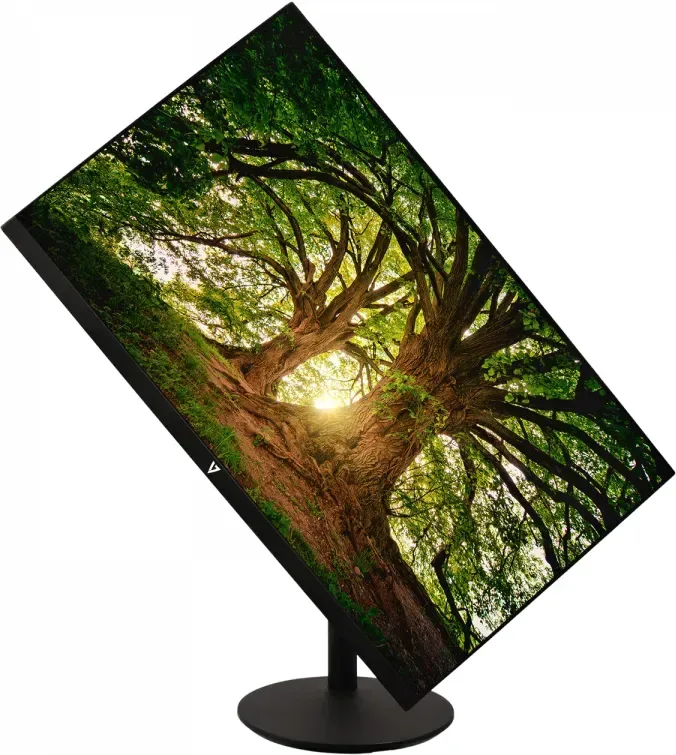
with stand, height adjustable N/A, Pivot (+90 deg), swivel N/A
VESA
100x100 (mounted)
Power Efficiency SDR (A to G)
21 kWh/1000h (F)
Special Features
Security Lock (Kensington Security Slot)
Screen-to-Body-Ratio
89.75% (calculated)
Dimensions
21.34x12.64x2.09 inch (WxHxD) without stand
Color
black (display bezel) / black (bottom trim) / black (stand) / black (back)
Weight
8.42 lbs (with stand), 5.23 lbs (without stand)
Power Supply
external
Warranty
three years
USB Notation
Link
Product Description
Discover the V7 L238IPS-HAS-E Experience
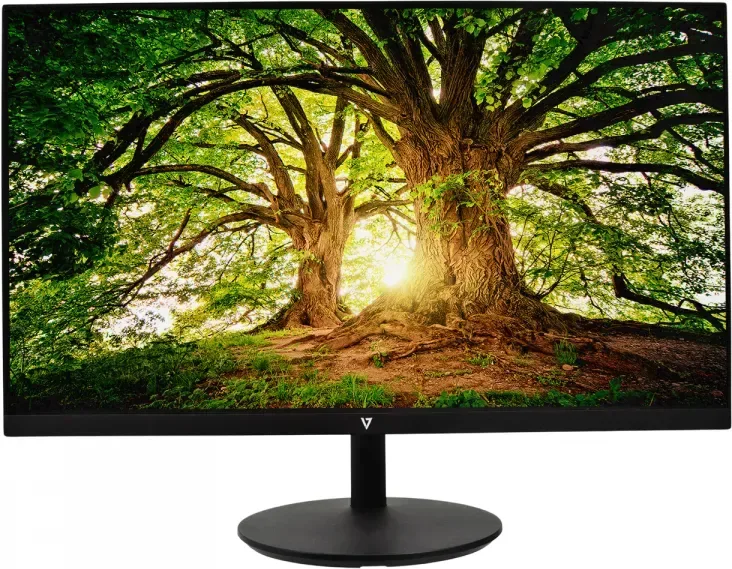
The V7 L238IPS-HAS-E, 23.8 Manual configuration offers a robust viewing solution for modern workplaces and home offices. This 23.8 inch display delivers sharp Full HD clarity with a resolution of 1920x1080 pixels. The IPS panel technology ensures wide viewing angles reaching up to 178 degrees horizontal and vertical. This means color consistency remains stable even when viewed from the side, making it ideal for collaborative environments and design work. The screen coating ensures a matte finish that resists fingerprints.
Connectivity and Setup
Versatile connectivity options allow seamless integration with various devices. The unit features HDMI ports, a DisplayPort, and a legacy VGA input for older computer systems. Users can switch between sources easily using the control panel located on the rear of the monitor. The OSD menu provides intuitive access to brightness, contrast, and color settings. You can adjust gamma levels and blue light reduction to protect your eyes during extended screen time. Dynamic Contrast Ratio features adapt the image based on content, enhancing the visual experience without manual intervention. Wide Mode allows for 16:9 full screen viewing when handling 4:3 signals effectively.
Audio and System Settings
Integrated audio provides convenience for media consumption. Two built-in speakers deliver two watts each for clear sound output. Users can access audio controls directly through the On Screen Display to adjust volume levels. System settings allow you to select the input source or enable Auto Source detection. DDC/CI commands help manage external tools. Quick Start Mode ensures the device boots up rapidly for immediate productivity. Language options support multiple regions for global usability.
Physical Design and Adjustability
Ergonomics play a major role in this series. The included stand allows for height adjustments to suit different desk setups. The monitor also supports VESA mounting options measuring 100x100 millimeters for wall installation or arm mounts. The matte screen coating helps reduce glare from overhead lighting or windows. We recommend avoiding direct sunlight exposure to maintain optimal performance and longevity of the panel. The product weighs approximately 3.82 kilograms with the stand, ensuring a stable presence on any flat surface. Dimensions vary slightly depending on the configuration with the stand attached.
Warranty and Reliability
Backed by a three-year warranty, this display demonstrates manufacturer confidence in build quality. The unit operates within standard voltage ranges from 100V to 240V globally. It includes a power adapter and necessary cables for quick deployment. Safety guidelines emphasize keeping the device in a well-ventilated area away from moisture. Regular maintenance involves cleaning with a dry cloth and non-ammonia based solutions to preserve the coating. Avoid placing heavy objects on the monitor to prevent damage to the panel structure.
Troubleshooting Support
Users may encounter common issues such as no power or blank screens. Ensure the AC power cord is securely inserted into the socket. Check video cables for tight connections to avoid signal loss. Wrong colors may indicate loose pins or connection issues. Resetting the monitor often clears temporary interference errors. If smoke or noise occurs, remove power immediately and contact support. Never open the rear cabinet as high voltage parts exist inside.
Conclusion
Whether you are coding, creating content, or managing data, the V7 L238IPS-HAS-E, 23.8 Manual provides a reliable foundation for productivity. Its responsive design and comprehensive feature set ensure it meets daily computing needs efficiently while remaining energy conscious. Users should refer to safety warnings to avoid hazards such as high voltages or exposure to magnets. Proper installation ensures the system runs smoothly for years without interruption. Recycling is encouraged at end of life to help conserve natural resources.
Search for 67,706 Manuals online


Type-in Brand or Model