
V7 L238IPS-E Manual
PDF manual · 16 Pages
English



Quick check
Incorrect answer, please try again.
Chat with your V7 L238IPS-E manual using AI
Get instant AI answers from your V7 L238IPS-E manual
Ask anything about the V7 L238IPS-E. Answers come from this manual, with the pages they are based on.
Ask a Question
Do you recommend L238IPS-E?
Yes NoFrequently Asked Questions
The monitor features a Full HD resolution of 1920x1080 pixels, providing clear visual quality for work and media.
Is this answer helpful?
Yes, the V7 L238IPS-E includes a standard three-year warranty to cover manufacturing defects.
Is this answer helpful?
Inputs include HDMI, DisplayPort, and VGA analog signal support along with audio output and input.
Is this answer helpful?
Yes, it features adjustable Blue Light levels ranging from 25% to 100% or full OFF to assist eye comfort.
Is this answer helpful?
No, the stand does not support height adjustment, only basic tilt for viewing angles.
Is this answer helpful?
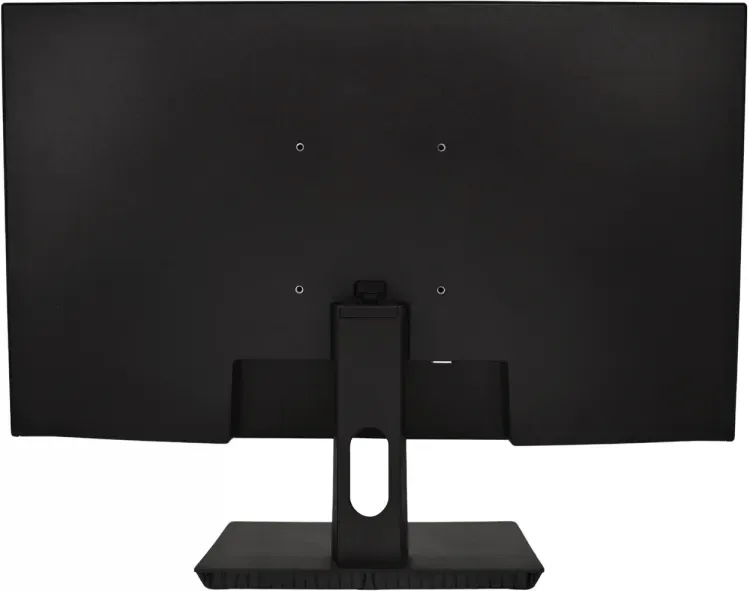
Yes, it supports VESA 100 x 100 mm mounting on a wall or stand, though the plate is sold separately.
Is this answer helpful?
It accepts AC voltage from 100V to 240V at 50-60Hz, making it suitable for global power outlets.
Is this answer helpful?
Advantages and Disadvantages
Advantages

- IPS Panel with wide 178-degree viewing angles
- Three-year warranty for hardware confidence
- Multiple input options including HDMI, DisplayPort, and VGA
- Blue Light filter helps reduce eye strain
- VESA mount compatible base for flexible setups
Disadvantages

- Brightness limited to 220 nits which is low
- Speaker power is weak at 2 x 2W
- Non-adjustable tilt-only stand design
- 14ms response time not ideal for competitive gaming
- No built-in USB hub for peripheral connectivity
Product Specification
Function
Monitor (fixed)
Diagonal
23.8 inches (23.82 inches)
Resolution
1920x1080 (FHD), 16:9, 93 ppi
Panel
IPS
Backlight
LED
Brightness
250 cd/m^2 (typical)
Contrast
1,200:1 (static)
Response Time
5ms (GtG)
Refresh Rate
60Hz (1920x1080)
Ports
1x VGA, 1x HDMI, 1x DisplayPort, 1x 3.5mm jack (Line-Out), 1x 3.5mm jack (Line-In), 1x DC-In (Power)
Shape
straight (flat)
Viewing Angles
178 deg / 178 deg
Coating
non-glare (matte)
Color Depth
8-bit (16.7 Million colors)
FRC
unknown
Speakers
Speakers (2x 2W)
Ergonomics
with stand, height-adjustable N/A, pivot N/A, swivel N/A
VESA
100x100 (free)
Energy Efficiency SDR (A to G)
21 kWh / 1000h (F)
Screen-to-Body Ratio
89.75% (computed)
Dimensions
21.34 x 12.64 x 2.09 inches (WxHxD) without stand
Color
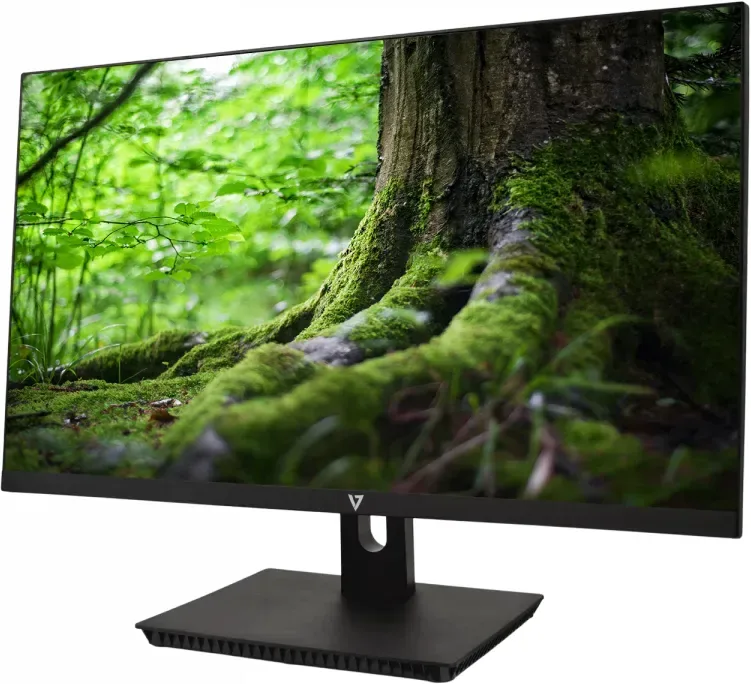
black (display bezel) / black (bottom bezel) / black (stand) / black (back)
Weight
6.08 lbs (with stand), 5.22 lbs (without stand)
Power Supply
external
Warranty
3 years
USB Labeling
Link
Product Description
V7 L238IPS-E 23.8 Monitor In Depth
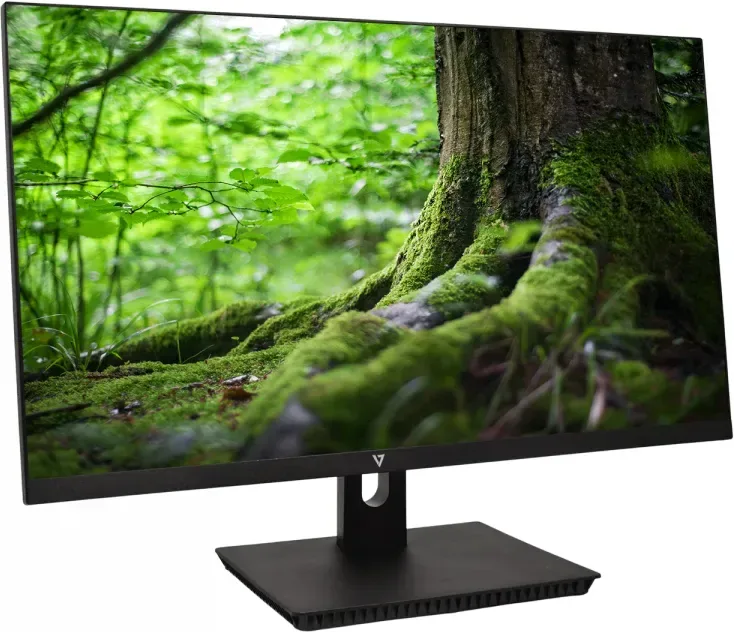
The V7 L238IPS-E 23.8 Monitor brings clarity to your desktop workspace with its impressive Full HD resolution. This 23.8-inch IPS LED panel delivers crisp visuals ideal for everyday computing tasks. With a native resolution of 1920x1080 pixels, text remains sharp and images stay vibrant. The screen covers 16.7 million colors ensuring accurate representation for photo editing and general media consumption. The wide viewing angles reach 178 degrees horizontally and vertically, meaning colors stay consistent even when viewed from the side.
Connectivity is robust with HDMI, DisplayPort, and VGA inputs included. This versatility ensures compatibility with older PCs and modern laptops alike. Audio outputs allow users to connect headphones or external speakers directly. The built-in dual 2W speakers provide basic sound for multimedia, though dedicated audio gear is recommended for immersive experiences. The monitor consumes power efficiently with support for global voltages ranging from 100V to 240V. Installation is straightforward with included M4 screws and a power adapter provided in the box. Note that power cords are included for EU and US plugs.
User control is handled through an on-screen display menu featuring Picture, Color, Audio, OSD, and System settings. Adjustments cover brightness, contrast, and color temperature which ranges from warm to cool. A distinct feature is the Blue Light filter with multiple levels like 25% or 50% to reduce eye strain during long sessions. Dynamic Contrast Ratio technology enhances depth in darker scenes automatically. Wide Mode allows 4:3 signals to fill the screen if needed. Quick Start Mode ensures the display loads faster upon boot.
The V7 Monitor includes essential cables in the box, including HDMI and power cords. A 3-year warranty backs the hardware, reflecting confidence in durability. Compliance standards like Energy Star and RoHS ensure environmental safety. Regulatory information indicates compliance with FCC and WEEE directives for proper disposal. Physical dimensions measure roughly 54.2 cm wide without the stand. The weight is light at 2.76 kg for the unit itself. Verify AC cord insertion if power issues occur.
Whether for office work or casual gaming, this display balances performance and price. The 14ms response time is average for office use but may lag in fast-paced games like shooters. It features an Anti-glare screen surface which reduces reflections in bright rooms. Overall, it serves as a reliable utility display for students and professionals alike. Proper ventilation is recommended to avoid overheating during extended use. Users should ensure the VESA mounting plate is UL-listed if wall mounting separately. Care tips suggest keeping the unit away from magnets and direct sunlight. Check signal cables if screen remains blank.
Search for 67,706 Manuals online


Type-in Brand or Model