
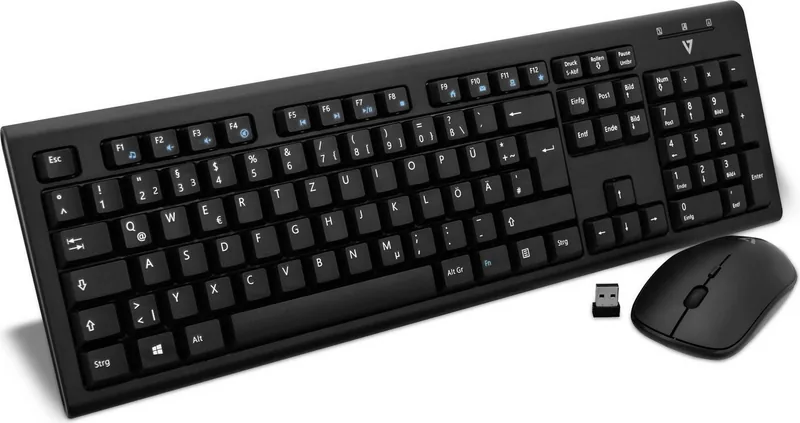
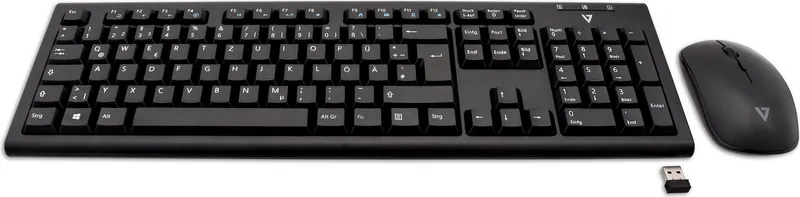
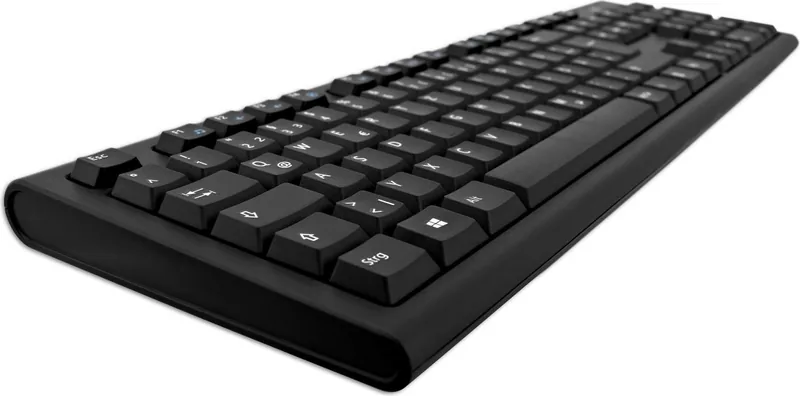
V7 CKW200 Manual
PDF manual · 1 Pages
English


Quick check
Incorrect answer, please try again.
Chat with your V7 CKW200 manual using AI
Get instant AI answers from your V7 CKW200 manual
Ask anything about the V7 CKW200. Answers come from this manual, with the pages they are based on.
Ask a Question
Do you recommend CKW200?
Yes NoFrequently Asked Questions
Press the reset button labeled on the unit to restore factory defaults and resolve connection issues. This clears any previous pairing data to establish a fresh link.
Is this answer helpful?
Both the keyboard and mouse utilize standard battery types commonly found in consumer electronics, ensuring long-term reliability and easy replacement.
Is this answer helpful?
Yes, the FN key works in conjunction with F1 through F12 to access multimedia controls and system shortcuts for enhanced functionality.
Is this answer helpful?
The setup works with various operating systems, including Windows, Mac, and Linux, making it versatile for different computer environments.
Is this answer helpful?
Refer to the manual for specific key combinations to control lighting indicators. You can adjust them to reduce power consumption or distractions.
Is this answer helpful?
You may need to purchase a replacement receiver. Ensure compatibility before searching for a new one to maintain connection stability.
Is this answer helpful?
The mouse complements the keyboard with smooth tracking. It typically includes standard scroll functionality for navigating documents and web pages.
Is this answer helpful?
Advantages and Disadvantages
Advantages

- Wireless connectivity reduces cable clutter effectively.
- Comprehensive F-key functionality enhances productivity.
- Quick reset function improves connectivity reliability.
- Ergonomic design supports long work sessions.
Disadvantages

- Battery replacement is not explicitly detailed.
- LED indicators may be visible to some users.
- Connection range is not specified clearly.
Product Specification
Package Contents
Mouse, Keyboard
Layout
German
Connection
Wireless (2.40GHz)
Optical Sensor (Mouse)
Red LED / IR 1600dpi, adjustable to 1000/800dpi
Features
Numpad
Product Description
Elevate Your Workspace with the V7 CKW200
A Seamless Wireless Experience
When organizing your digital workspace, efficiency matters most. The V7 CKW200 Wireless Keyboard and Mouse Combo USB DE represents the pinnacle of convenience for modern users. This combo allows for clutter-free operation, freeing up valuable desk space. The setup process is incredibly intuitive, as outlined in the V7 CKW200 Wireless Keyboard and Mouse Combo USB DE Manual, ensuring you are productive within minutes of unboxing. Wireless connectivity means no tangled cables restricting your movement, making it perfect for laptops and compact desks. It simplifies cable management significantly.
The keyboard features comprehensive F-key functionality. Users can access multimedia controls and system shortcuts by utilizing the FN key alongside F1 through F12. This layer of functionality expands productivity without taking up additional physical space on the device chassis. Lighting indicators provide status updates, letting you know instantly when the device is active or charging. For quick connectivity issues, a reset function is embedded directly into the unit. Simply press the designated button to restore factory defaults and regain a stable connection immediately.
Comfort is a priority in this design. The keys offer a responsive typing experience suitable for long work sessions without fatigue. The mouse complements the keyboard with smooth tracking and ergonomic handling for right or left hands. Both units run on standard batteries, ensuring long-term reliability for daily tasks. Compatibility with various operating systems makes this versatile for home and office environments alike. Transitioning from wired to wireless never felt this smooth for end users. Whether you are gaming, coding, or writing documents, this combo adapts to your specific needs easily.
The included documentation provides clear reset instructions and layout maps for users. This ensures that even first-time users can configure the devices without frustration or stress. The aesthetic design fits into any modern setup without drawing too much attention to the hardware itself. It prioritizes function over flashy lights, focusing on what actually matters for performance and usability daily. Reliable connections reduce downtime significantly compared to cheaper alternatives found in the market.
Why Choose This Combo
Selecting the right peripherals impacts your daily workflow and output. This combination offers stability and ease of use in one convenient package. The USB receiver plugs directly into your computer, eliminating the need for complex software drivers or installations. Speed matters, and this setup delivers immediate responsiveness upon pairing. You can focus on your tasks rather than troubleshooting hardware issues repeatedly throughout the day. It remains a top choice for professionals seeking simplicity and reliability.
In conclusion, integrating this wireless set into your routine saves time and reduces physical stress. It is a smart investment in your workspace productivity and organization. The V7 CKW200 Wireless Keyboard and Mouse Combo USB DE Manual guides you through every step to ensure success. Enjoy a tidy desk and enhanced functionality today without compromise.
Search for 67,706 Manuals online


Type-in Brand or Model
Issac Reinger
8 months ago
I see reviews mentioning the mouse only wakes when a button is pressed and the keyboard requires high key pressure. Is this normal for this model?
Manual.ly
8 months ago
Yes, this is normal. The mouse utilizes a low-power sleep mode that requires a button press to activate, ensuring battery longevity. The keyboard keys are designed for durability, which increases the physical force required. This is ideal for occasional use but might feel heavy for professional typists.