
V-Tac VT-5555 Manual
PDF manual · 64 Pages
English



Quick check
Incorrect answer, please try again.
Chat with your V-Tac VT-5555 manual using AI
Get instant AI answers from your V-Tac VT-5555 manual
Ask anything about the V-Tac VT-5555. Answers come from this manual, with the pages they are based on.
VT-5555 Maintenance Schedule
The maximum service life of the high-efficiency filter is 3 months. Tap gently to remove dust; do not wash with water.
If the robot is not used for a long time, turn off the host and charge the device every 3 months to prevent battery over-discharge.
Rinse the primary filter screen under running water. Ensure it is completely dry before reassembling to prevent damage.
Free maintenance reminders
Timed to your purchase date. Always free, unsubscribe anytime.
Ask a Question
Do you recommend VT-5555?
Yes NoFrequently Asked Questions
The V-Tac VT-5555 features a 2500 mAh battery that supports approximately 100 minutes of operation before needing a recharge.
Is this answer helpful?
No, you should not use the mopping function on carpets as it may damage the fabric and reduce cleaning efficiency.
Is this answer helpful?
Download the V-TAC Smart Light app, create an account, and follow the pairing steps by holding the power button until the light blinks rapidly.
Is this answer helpful?
No, the high-efficiency filter should not be washed with water. Tap it gently to remove dust instead.
Is this answer helpful?
The robot will automatically stop and return to its charging dock to recharge before resuming or completing the task.
Is this answer helpful?
It is recommended to rinse the primary strainer every 15 to 30 days and replace the high-efficiency screen every three months.
Is this answer helpful?
Advantages and Disadvantages
Advantages

- Long battery life provides up to 100 minutes of continuous cleaning.
- Dual functionality handles both vacuuming and mopping effectively.
- Smart app integration allows for remote control and scheduling.
- Large dust box capacity reduces the frequency of emptying.
- Automatic return to charging dock ensures convenience.
Disadvantages

- High-efficiency filters cannot be washed with water.
- Charging dock requires significant clearance from walls.
- Mopping function should not be used on carpeted surfaces.
- Sensors may struggle in environments with strong reflections.
- Battery must be charged every three months during storage.
Product Specification
Cleaning Robot
Battery
1x Battery (14.4V, 2.5Ah, Li-Ion)
Capacity
600ml Dust, 350ml Fresh Water
Recommended Room Size
up to 1292 sq ft
Cleaning Modes
Vacuum, Mop
Navigation
Obstacle Sensor, Drop Sensor, Gyro Sensor, Obstacle Crossing (up to 0.59 in), Virtual Wall
Filtration
HEPA Filter
Display
No
Features
1x Floor Brush, 2x Side Brushes, 1x Mop Attachment, Programmable Cleaning Times
Smart Home
App Control, Voice Assistant (Amazon Alexa, Google Assistant)
Operating Time
100 min
Charging Time
5 h
Charging System
Automatic
Noise Level
65 dB(A)
Dimensions
12.9 x 2.9 in (DxH)
Weight
10.52 lbs
Package Contents
Station, Remote Control, Mop Attachment, HEPA Filter
Station
Station Color
Black
Station Display
No
Station Features
Automatic Charging Function
Product Description
V-Tac VT-5555 Vacuum and Mop Robot Review
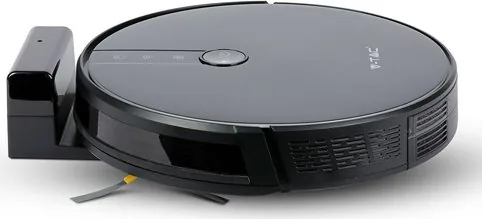
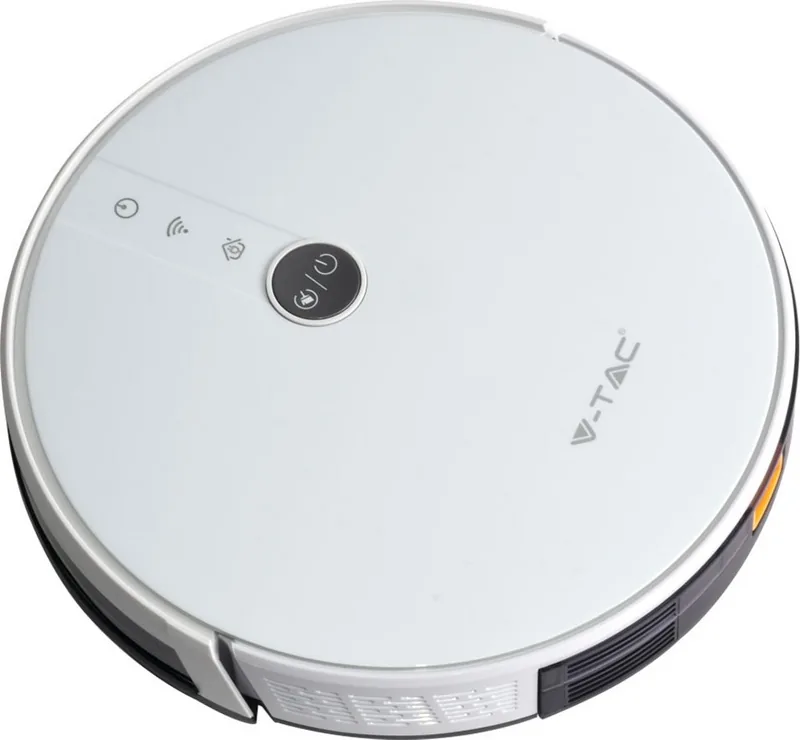
The V-Tac VT-5555 is a versatile cleaning companion designed to simplify household chores. This robot vacuum combines powerful suction with mopping capabilities, making it an ideal solution for maintaining clean floors throughout your home. With its sleek design and smart features, the VT-5555 adapts to various floor types and room layouts effortlessly.
Equipped with a 2500 mAh rechargeable lithium battery, this robot offers approximately 100 minutes of continuous cleaning time on a single charge. It automatically returns to its charging dock when power is low or when the cleaning cycle is complete. The device features multiple cleaning modes including automatic whole-house cleaning, single-room focus, edge cleaning for corners, and manual control for targeted tasks. Users can manage these functions via the remote control or the V-TAC Smart Light mobile app.
One of the standout features is the dual-function water tank system. The 350 ml capacity allows for effective mopping without excessive water usage, while the 600 ml dust box ensures large debris collection. The unit includes a HEPA filter and a primary strainer that are easy to remove and clean. Regular maintenance involves emptying the dust box, rinsing the filters, and cleaning the main brush and side brushes to prevent hair tangles.
Safety is a priority with built-in sensors that detect stairs and obstacles. The down-view sensor helps the robot navigate accurately, while the universal wheels provide smooth movement across different surfaces. The charging dock requires a clear space around it for optimal performance, avoiding direct sunlight or reflective surfaces that might confuse the sensors.
Setting up the V-Tac VT-5555 is straightforward. After removing the protective strips, users simply charge the device, install the side brushes, and connect it to their Wi-Fi network using the smartphone app. The app interface allows for scheduling cleanings, adjusting suction strength, and sharing device access with family members. Whether you need a quick tidy-up or a deep clean, the V-Tac VT-5555 delivers reliable performance.
Maintenance Tips
Keep the filters dry before reinstallation. Clean the charging pins regularly with a dry cloth. Avoid using the mop function on carpets. Store the robot in a cool, dry place if not used for extended periods.
Search for 67,706 Manuals online


Type-in Brand or Model