
USRobotics 56K Serial Controller Faxmodem Manual
PDF manual · 142 Pages
English



Quick check
Incorrect answer, please try again.
Chat with your USRobotics 56K Serial Controller Faxmodem manual using AI
Get instant AI answers from your USRobotics 56K Serial Controller Faxmodem manual
Ask anything about the USRobotics 56K Serial Controller Faxmodem. Answers come from this manual, with the pages they are based on.
Ask a Question
Do you recommend 56K Serial Controller Faxmodem?
Yes NoFrequently Asked Questions
It requires an analog telephone line. The modem should not be connected to a digital office line, because that can damage the device and prevent proper operation.
Is this answer helpful?
Yes. The modem is designed for a broad range of Windows versions, including Vista, XP, 2000, Me, 98, 95 OSR2, and NT 4.0, with version-specific setup steps.
Is this answer helpful?
You need an available serial port, usually labeled COM, MODEM, RS-232, or SERIAL. If your computer only has a 25-pin serial port, you may need a different cable.
Is this answer helpful?
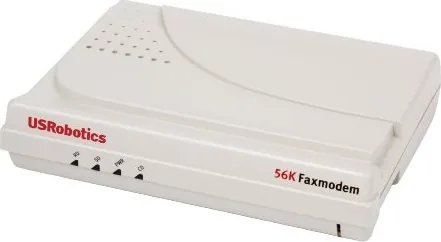
The LEDs show power and communication status. PWR means the modem is receiving power, RD shows incoming data, SD shows outgoing data, and CD indicates a valid carrier signal.
Is this answer helpful?
56K performance depends on the ISP, the telephone line, interference, and whether the remote server supports V.90 or V.92. A poor line can reduce speeds significantly.
Is this answer helpful?
Yes. The modem supports fax use, and optional software on the installation disc can help with sending and receiving faxes and managing related communication features.
Is this answer helpful?
Advantages and Disadvantages
Advantages

- External serial design is easy to install, observe, and troubleshoot on older desktop systems.
- Clear LED indicators help users confirm power, data activity, and carrier status quickly.
- Supports faxing and optional modem-on-hold features through bundled software.
- Works with many legacy Windows versions, making it useful for older hardware setups.
Disadvantages

- Requires an analog phone line, so it is not suitable for digital office phone systems.
- Serial-port dependency can be awkward on newer computers without native COM ports.
- 56K dial-up speeds are limited and depend heavily on line quality and ISP support.
- Installation can be lengthy because drivers and settings vary by Windows version.
Product Specification
Modem
analog
Product Description
USRobotics 56K Serial Controller Faxmodem: Classic Dial-Up Made Practical
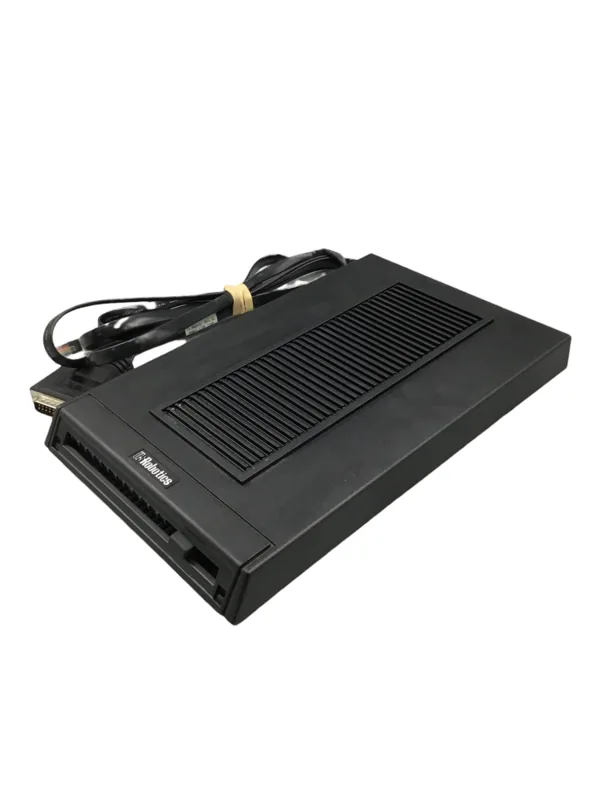
The USRobotics 56k Modem, external, serial Manual reflects a product built for dependable connections, straightforward setup, and hands-on control. This external 56K serial faxmodem is aimed at users who still need a stable dial-up link, fax capability, or a compatible solution for older systems that rely on a traditional serial port. Its external design keeps installation visible and easy to manage, while the status LEDs give quick feedback for power, send, receive, and carrier-detect activity.
What stands out most is the modem’s focus on compatibility. It supports a wide range of Windows versions, including legacy platforms, and its setup instructions walk users through both the hardware and software steps in a structured way. The modem connects to an available serial port, an analog telephone line, and a power source, which makes it a practical choice for environments where network hardware is limited or where dial-up remains part of the workflow.
The included installation tools add extra value. Along with the modem itself, users can access optional software for modem-on-hold and fax sending or receiving. That makes the device more than a simple connection tool; it becomes a compact communications accessory for browsing, faxing, and managing inbound calls. The troubleshooting guidance is also detailed, covering common issues like port selection, line quality, driver recognition, and modem diagnostics.
For readers interested in retro computing, small-office backup connectivity, or legacy telecom equipment, this modem offers a clear example of dependable serial-era hardware. It may not be fast by modern broadband standards, but it delivers the kind of consistent, no-frills performance that made 56K devices so popular. In a world of wireless and fiber, the USRobotics external serial modem still has a place where simplicity and compatibility matter most.
Notes
- Use only an analog phone line.
- A 9-pin serial port is expected; a 25-pin setup may need a different cable.
- The LED indicators help confirm power and connection status at a glance.
- Optional software can expand the modem’s fax and call-handling features.
Search for 67,706 Manuals online


Type-in Brand or Model