

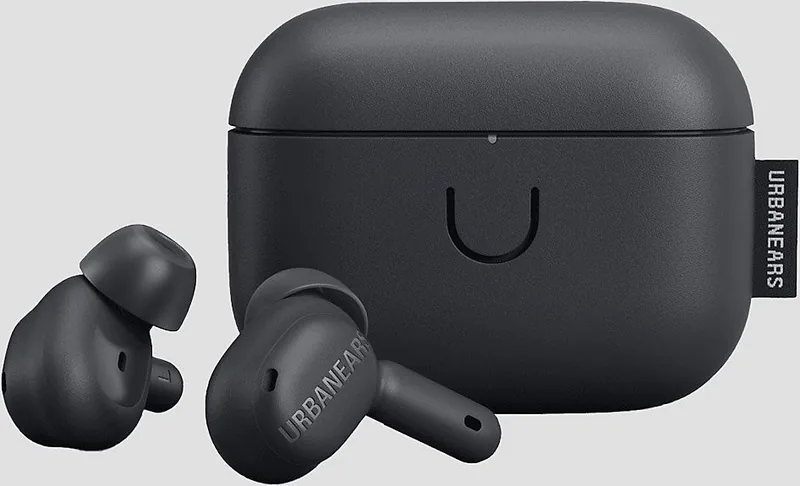
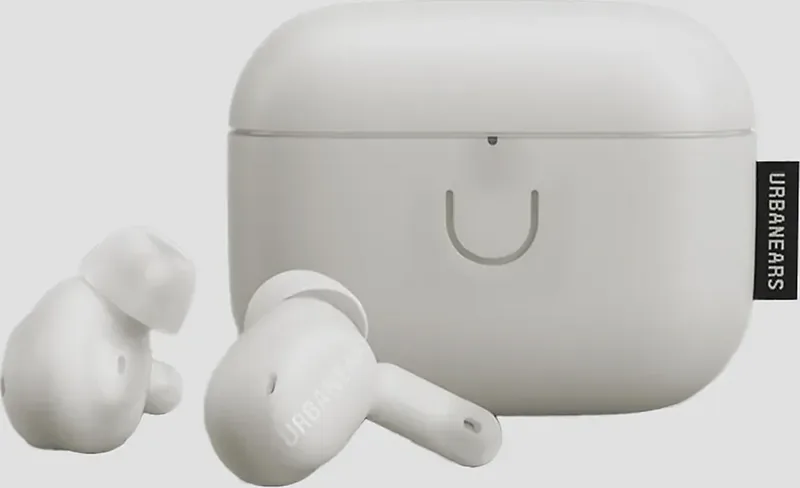
Urbanears Juno Manual
PDF manual · 1 Pages
English


Quick check
Incorrect answer, please try again.
Chat with your Urbanears Juno manual using AI
Get instant AI answers from your Urbanears Juno manual
Ask anything about the Urbanears Juno. Answers come from this manual, with the pages they are based on.
Ask a Question
Do you recommend Juno?
Yes NoFrequently Asked Questions
Put both earbuds in the case with the lid open. Hold the case button for three seconds until the LED flashes blue. Then select "Urbanears Juno" from the Bluetooth menu on your phone, tablet, or computer.
Is this answer helpful?
Yes. Urbanears Juno can be connected to two devices at the same time, making it more convenient to switch between devices such as a phone and laptop.
Is this answer helpful?
Juno provides ANC for reducing ambient noise, Transparency for letting some surrounding sound through, and Off for disabling both sound-control functions.
Is this answer helpful?
Place the earbuds in the case and close its lid to charge them. Charge the case with a USB-C power source or place it back-side down on the center of a compatible wireless charging pad.
Is this answer helpful?
Blue indicates Bluetooth pairing readiness. The case battery indicator ranges from red when low to green when full. A solid violet LED indicates the factory-reset state.
Is this answer helpful?
Remove "Urbanears Juno" from your device's Bluetooth list. Put both earbuds in the case with the lid open, then press the case button until the LED is solid violet. Select the earbuds in Bluetooth settings to pair again.
Is this answer helpful?
Advantages and Disadvantages
Advantages

- Supports connection to two devices simultaneously for easier switching between phone and computer.
- Offers ANC, Transparency, and Off modes to suit focused listening or environmental awareness.
- Touch controls handle music, calls, track navigation, and noise-control changes.
- Charging case supports both USB-C power and wireless charging.
- Includes S, M, and L ear tips to help achieve a stable, comfortable seal.
Disadvantages

- A factory reset deletes customized settings and requires the earbuds to be paired again.
- Touch controls may require app customization to match individual preferences.
- Battery care guidance discourages fast charging and exposure to temperature extremes.
- Standby activation requires tapping both earbuds after they have powered down.
- Cleaning requires care to prevent moisture from entering openings or speaker grilles.
Product Specification
Type
Earbuds (In-Ear)
Design
True Wireless, no ear hooks
Acoustic Design
Closed
Microphone
Integrated
Wireless
Bluetooth 5.2, AAC, Multipoint
Controls
Touch control
Battery Life
6 hr (with ANC), 26 hr (with charging case)
Battery
USB-C charging port, charging case, wireless charging (Qi), 2 hr charging time
Frequency Range
20 Hz-20 kHz
Impedance
14 ohms
Sensitivity
98 dB
Driver
0.24 in
Device Features
Active noise cancellation (ANC), ambient mode, water resistant (IPX4)
Software Features
App control
Weight
0.15 oz (per earbud), 1.34 oz (charging case)
Product Description
Urbanears Juno Manual: Everyday Wireless Listening Made Simple
Urbanears Juno true wireless earbuds are designed for listeners who want straightforward Bluetooth audio, customizable controls, and flexible noise management in a compact daily setup. This Urbanears Juno Manual overview highlights the features that make the earbuds practical for commuting, calls, focused listening, and everyday music playback. With both earbuds stored in a charging case, Juno is easy to carry, recharge, and prepare for the next listening session.
Fast pairing and dual-device convenience
Pairing begins with both earbuds in the case and the lid open. Hold the case button for three seconds until the LED flashes blue, then select "Urbanears Juno" in your device's Bluetooth settings. Juno can remain connected to two devices at the same time, which is useful for moving between a computer and phone without constantly repeating the pairing process.
The earbuds also conserve power when left unused. They enter standby after 60 minutes while connected or after 10 minutes without a Bluetooth connection. A tap on both earbuds wakes them again, helping keep the experience simple when you return to your music.
Touch controls and adjustable sound awareness
Touch surfaces on the left and right earbuds provide playback and call controls. A single tap plays or pauses audio and answers or ends calls. Double taps skip forward or reject calls, while triple taps return to the previous track. Pressing and holding changes the sound-control mode. These controls can be adjusted in the Urbanears app for a setup that better matches personal habits.
Juno includes three sound-control options. Active Noise Cancelling, or ANC, reduces surrounding distractions for more focused listening. Off disables both ANC and transparency processing. Transparency mode lets in selected environmental sounds, which can be helpful when awareness of nearby activity matters.
Charging, fit, and long-term care
Place the earbuds in the case and close the lid to charge and power them off. The case supports USB-C charging as well as wireless charging. Its front LED shows charging status, ranging from red for low battery to green for full charge. A blue light indicates Bluetooth pairing readiness, while a solid violet light is used during a factory reset.
Three silicone ear-tip sizes, S, M, and L, are included. Choosing a secure but comfortable fit can improve audio performance, ANC effectiveness, and stability. Regular cleaning is also important: remove the tips and wipe them separately, keeping liquid away from openings and speaker grilles.
Notes
For healthier battery aging, avoid frequent fast charging, try to keep charge above 30%, and avoid extreme temperatures. If Juno behaves unexpectedly, restart it by closing both earbuds in the case. If needed, a factory reset removes saved settings and requires pairing again.
Search for 67,706 Manuals online


Type-in Brand or Model