

Ubiquiti UniFi Switch 8 US-8-150W Manual
PDF manual · 28 Pages
English



Quick check
Incorrect answer, please try again.
Chat with your Ubiquiti UniFi Switch 8 US-8-150W manual using AI
Get instant AI answers from your Ubiquiti UniFi Switch 8 US-8-150W manual
Ask anything about the Ubiquiti UniFi Switch 8 US-8-150W. Answers come from this manual, with the pages they are based on.
Ask a Question
Do you recommend UniFi Switch 8 US-8-150W?
Yes NoFrequently Asked Questions
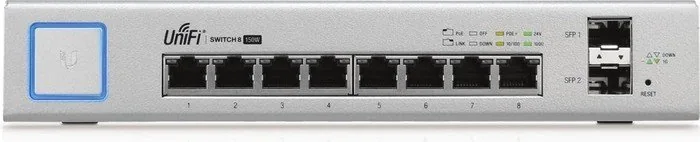
It is a managed PoE+ Gigabit switch for small to medium network setups. It can power compatible devices, extend wired connectivity, and be centrally controlled through the UniFi ecosystem.
Is this answer helpful?
It includes eight 10/100/1000 Mbps RJ-45 ports and two 1Gbps SFP ports, giving you both standard Ethernet connections and flexible uplink or fiber options.
Is this answer helpful?
Yes. The RJ-45 ports default to auto-sensing PoE+, so compatible 802.3af/at devices receive power automatically when connected. Manual configuration is available in UniFi Controller.
Is this answer helpful?
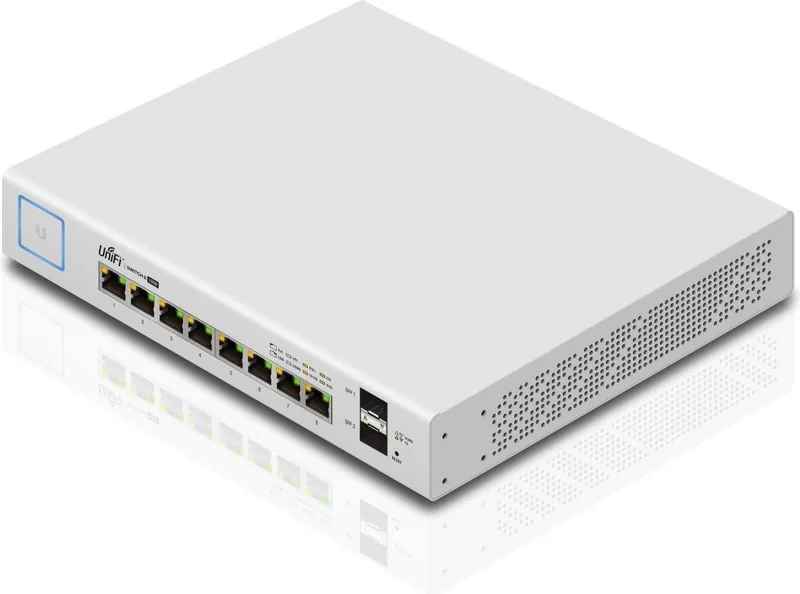
Yes. The switch supports both shelf and wall mounting using the included brackets and hardware, which makes placement easier in compact network environments.
Is this answer helpful?
For full management and adoption, yes. The switch is designed to work with UniFi Controller software, where you can configure ports, monitor status, and manage PoE settings.
Is this answer helpful?
Only enable 24V passive PoE if the connected device explicitly supports it. Using the wrong PoE mode can damage equipment or cause it to malfunction.
Is this answer helpful?
Advantages and Disadvantages
Advantages

- 8 Gigabit RJ-45 ports with PoE+ make it suitable for access points, phones, and cameras.
- Two 1Gbps SFP ports add flexible uplink or fiber expansion options.
- Works with UniFi Controller for centralized monitoring and port management.
- 150W internal power supply provides strong PoE capacity for small deployments.
- Compact shelf or wall mounting helps it fit neatly into tight spaces.
Disadvantages

- Requires UniFi Controller and a DHCP-enabled network for full setup and adoption.
- Not designed to be stacked; ventilation and clearance are important.
- Only 8 Ethernet ports, so larger networks may outgrow it quickly.
- SFP uplinks are limited to 1Gbps, which may restrict higher-speed backbone needs.
- 24V passive PoE must be enabled carefully to avoid device incompatibility.
Product Specification
Function
Switch
Type
Standalone, Wall mount (via mounting bracket)
Network ports
8x RJ-45, 2x SFP
Speeds
8x RJ-45 (10/100/1000Base-T), 2x SFP (1Gb/s)
PoE
8x RJ-45 PoE+ or 8x RJ-45 passive PoE (8x 34.2W or 8x 17W/24V), total: 150W
Backplane
20Gb/s, 14.88Mp/s, 16k Mac addresses
Officially supported standards
802.1X, 802.3af, 802.3at
Configuration
Web interface, Configuration software (Windows, Linux, MacOS), Console (via configuration software), via control unit, via Cloud
Cooling
passive
Dimensions (WxHxD)
8.03x1.69x9.25in, 1U
Weight
1.65kg
Color
silver
Special features
Metal housing, removable mounting brackets
Manufacturer's warranty
one year
Product Description
Ubiquiti UniFi Switch 8 Desktop Gigabit Managed Switch, 8x RJ-45, 150W PoE+ Manual
The Ubiquiti UniFi Switch 8 is a compact managed switch built for small offices, home labs, and growing networks that need reliable PoE delivery without sacrificing simplicity. With eight Gigabit RJ-45 ports and two 1Gbps SFP uplinks, it offers a flexible foundation for wired devices, access points, cameras, and downstream switches.
What makes this model especially appealing is its balance of power and control. The 150W internal power supply supports PoE+ on the RJ-45 ports, and the switch can automatically detect compatible 802.3af/at devices. That means less manual setup for everyday deployments, while still giving administrators the option to fine-tune PoE behavior in the UniFi Controller.
As part of the UniFi ecosystem, the switch is designed for centralized network management. Once adopted into the controller, it becomes easy to monitor status, adjust port settings, locate the device, and review network activity. This makes it a practical choice for users who want enterprise-style control in a compact form factor.
The hardware itself is built for versatile installation. It can be shelf-mounted or wall-mounted with the included brackets, making it easy to place where cabling is convenient. The front-panel LEDs provide clear visibility for system status, link activity, and PoE state, while the SFP ports add an extra path for fiber connectivity or uplink expansion.
For networks that need a dependable PoE switch with room to scale, this model stands out as a strong everyday solution. It is well suited to powering UniFi access points, IP phones, and compatible devices while keeping the setup tidy and manageable. The 8-port layout is modest, but the combination of PoE+, SFP support, and UniFi integration makes it more capable than a basic desktop switch.
Notes
- Use proper ventilation and keep clearance around the unit.
- The switch should not be stacked on top of another device.
- Confirm PoE mode before connecting 24V passive devices.
- Best results come from use with the UniFi Controller software.
Search for 67,706 Manuals online


Type-in Brand or Model
Carissa Gleason
8 months ago
Will this Ubiquiti switch get too hot or work in a 19-inch rack? I plan to mount it in my rack and need reliable power and data.
Manual.ly
8 months ago
It has no active cooling, so it can run relatively warm (reported around 60 C under typical use). If your 19-inch rack is actively cooled and there is enough free space around the unit, this is usually not a problem. The included mounting equipment is mainly intended for wall mounting or placing it on a rack shelf; mounting in a 19 rack can work if the rack is not tightly packed and airflow is maintained. Based on user experience, setup with a UniFi controller and a direct SFP uplink also tends to work immediately, and the switch reliably powers multiple UniFi APs over moderate distances.