

Ubiquiti UniFi Security Gateway Pro USG-PRO-4 Manual
PDF manual · 24 Pages
English



Quick check
Incorrect answer, please try again.
Chat with your Ubiquiti UniFi Security Gateway Pro USG-PRO-4 manual using AI
Get instant AI answers from your Ubiquiti UniFi Security Gateway Pro USG-PRO-4 manual
Ask anything about the Ubiquiti UniFi Security Gateway Pro USG-PRO-4. Answers come from this manual, with the pages they are based on.
Ask a Question
Do you recommend UniFi Security Gateway Pro USG-PRO-4?
Yes NoVideo Manual
Unifi Security Gateway - First Time Setup
Frequently Asked Questions
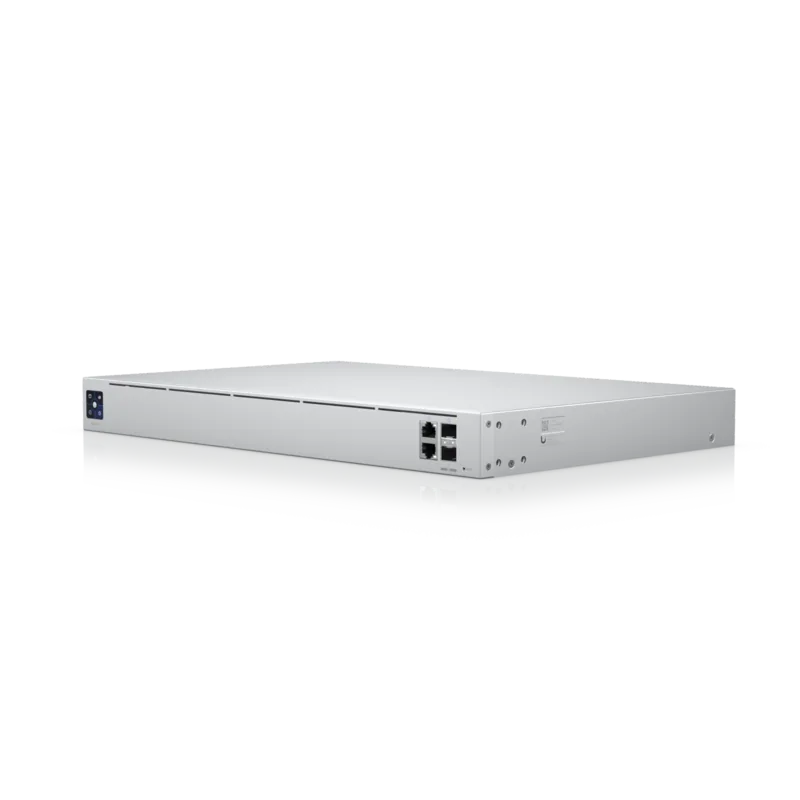
The gateway includes two 10/100/1000 RJ45 data ports and two combination 10/100/1000 RJ45/SFP ports, plus an RJ45 console port. SFP modules are hot-swappable; installing an SFP module deactivates the corresponding RJ45 WAN port.
Is this answer helpful?
Run UniFi Controller v4.8 or later on a Cloud Key or management station on the same Layer-2 network. In the Controller dashboard, go to Devices, locate the gateway under Model, and click Adopt. The System LED will turn blue when adoption succeeds.
Is this answer helpful?
Requires a standard 19" rack (1U), Phillips screwdriver, CAT5 or better cabling for indoor use (shielded cable for outdoor runs), and at least 20 mm clearance for ventilation. Use the provided grounded power cord and follow electrical safety guidelines.
Is this answer helpful?
WAN1 defaults to DHCP but can be configured as DHCP, Static IP, or PPPoE. Configure via https://setup.ubnt.com when directly connected to LAN1 or manage WAN settings centrally through the UniFi Controller after adoption.
Is this answer helpful?
Performance varies by packet size, but the device supports line-rate forwarding up to several Gbps and millions of packets per second (e.g., 2,400,000 pps at 64-byte packets, up to 4 Gbps for larger packets) using hardware acceleration.
Is this answer helpful?
Keep the unit dry, ventilated (20 mm clearance), and grounded with the supplied power cord. Warranty is one year from shipment and may be voided by modifications, third-party firmware, physical damage, or improper cabling; RMA is required for repairs or replacements.
Is this answer helpful?
The device is CE, FCC and IC certified and complies with regional directives. It is Class A equipment, so operation in residential environments may cause interference and could require corrective measures at the user's expense.
Is this answer helpful?
Advantages and Disadvantages
Advantages

- High-performance dual-core 1 GHz MIPS64 CPU with hardware packet acceleration for multi-gigabit forwarding.
- Flexible connectivity with two combination SFP/RJ45 ports plus dedicated Gigabit RJ45 LAN ports.
- Seamless UniFi Controller integration for centralized management, adoption, and real-time network monitoring.
- Rackmount 1U design with internal power supply and clear LED indicators for easy deployment and status checks.
- Hot-swappable SFP support for fiber links and automatic WAN port failover between SFP and RJ45.
Disadvantages

- Class A device may cause radio interference in residential environments and may require mitigation.
- Warranty void risk if device is modified, repainted, or used with unsupported third-party firmware.
- No user-serviceable internal parts; repairs require authorized service and RMA procedures.
- Requires UniFi Controller (on-site or cloud) for full feature exposure and simplified management.
- Physical ventilation and grounding requirements demand careful rack and cabling planning.
Product Specification
Modem
N/A
WAN
2x 1000Base-T/SFP
LAN
2x 1000Base-T
Power Consumption
40W (consumption, operation), not specified (max. power supply power)
Dimensions
19.06x6.46x1.73in
Special Features
IPv6, VPN
Note
Configuration only via configuration software or via control unit.
Product Description
Ubiquiti UniFi Security Gateway Pro — Powerful Edge Routing for SMB and Enterprise
The Ubiquiti UniFi Security Gateway Pro blends high-performance routing, robust hardware, and UniFi management integration to deliver reliable edge security for small-to-medium businesses and campus networks. Built with a dual-core 1 GHz MIPS64 processor, 2 GB DDR3 RAM and hardware acceleration for packet processing, the USG-PRO-4 supports line-rate forwarding and carrier-class throughput for demanding network environments. With two combination SFP/RJ45 ports plus dedicated Gigabit RJ45 data ports, it provides flexible WAN and fiber connectivity options to meet varied deployment requirements.
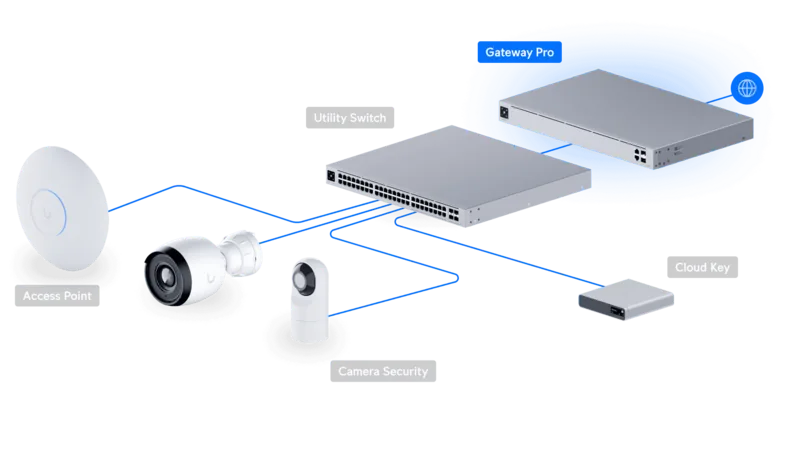
Designed for rackmount installations, the gateway offers a compact 1U form factor, internal power supply, and comprehensive LED/status indicators for easy monitoring. SFP ports are hot-swappable and automatically disable corresponding RJ45 WAN ports when populated, enabling seamless transitions between copper and fiber links. A front-panel console port provides CLI access for advanced configuration and troubleshooting, while the UniFi Controller integration streamlines adoption, centralized management, and real-time network insights.
The device ships with the capacity to handle millions of packets per second and multi-gigabit forwarding depending on packet size, making it suitable for internet edge, branch offices, and distributed deployments managed from an on-site UniFi Controller or cloud-hosted controller. Safety features, clear installation and ventilation guidelines, and compliance with major regional certifications (CE, FCC, IC) make it suitable for professional installations.
Installation is straightforward: rackmount the unit, connect power, plug in WAN and LAN links, and adopt the gateway via the UniFi Controller to begin centralized configuration. The gateway supports DHCP, static IP and PPPoE WAN configurations and includes a simple reset procedure to restore factory defaults. Detailed hardware and network requirements (CAT5+ cabling, controller software v4.8+) ensure predictable setup.
Ideal for IT teams looking for an affordable yet capable edge device, the UniFi Security Gateway Pro balances performance, manageability, and flexible connectivity. Its robust warranty, regulatory compliance statements, and clear safety guidance support enterprise deployments while its integration into the UniFi ecosystem simplifies network visibility and policy enforcement.
Notes
- SFP modules deactivate corresponding RJ45 WAN ports when installed; choose cabling based on environment (indoor CAT5+, shielded outdoor cable recommended).
- Maintain at least 20 mm clearance around ventilation holes to avoid overheating and potential hazards.
- Use UniFi Controller v4.8 or later (or a Cloud Key) for adoption and centralized management.
- Follow grounding and electrical safety guidance; use the provided grounded power cord.
- Check warranty conditions; modifications, third-party firmware, or improper cabling may void coverage.
Search for 67,706 Manuals online


Type-in Brand or Model
Lena Schuster
10 months ago
Is the USG-PRO-4 actually slow and limited, or can it reach my internet speed easily through the web interface?
Manual.ly
10 months ago
Performance depends heavily on your connection type, enabled features, and configuration. The USG line can deliver lower throughput than some high-end alternatives when you use advanced traffic rules, DPI-related functions, VPN, or multi-WAN setups that need additional processing. Also, while the web interface covers common settings well, some more advanced scenarios (for example, specific multi-WAN routing/service behaviors) may require command line configuration. If you describe your exact internet plan (speed, provider), and which features you need (VPN, VLANs, firewall rules, load balancing), support can help you verify expected throughput and point you to the correct setup steps to maximize performance.