
Ubiquiti UniFi AP AC SHD UAP-AC-SHD Manual
PDF manual · 32 Pages
English



Quick check
Incorrect answer, please try again.
Chat with your Ubiquiti UniFi AP AC SHD UAP-AC-SHD manual using AI
Get instant AI answers from your Ubiquiti UniFi AP AC SHD UAP-AC-SHD manual
Ask anything about the Ubiquiti UniFi AP AC SHD UAP-AC-SHD. Answers come from this manual, with the pages they are based on.
Ask a Question
Do you recommend UniFi AP AC SHD UAP-AC-SHD?
Yes NoFrequently Asked Questions
You can manage the AP with UniFi Controller v5.4 or newer (on‑site or cloud) for full provisioning, monitoring, maps, and firmware updates. Basic provisioning is also possible via the UniFi mobile app for iOS and Android.
Is this answer helpful?
No. The AP requires 802.3at PoE+ power. It cannot be powered by lower‑power UniFi switches such as the US‑8 or US‑8‑60W. Use a PoE+ capable UniFi switch or an 802.3at injector for reliable operation.
Is this answer helpful?
The AP may be installed outdoors only in a protected location (e.g., under an eave). Shielded Cat5/6 cabling and proper grounding are mandatory for outdoor wired Ethernet connections to meet warranty and safety requirements.
Is this answer helpful?
It supports 802.11 a/b/g/n/ac (Wave 2) with dual‑polarity antennas on 2.4 GHz and 5 GHz. Security options include WEP, WPA‑PSK, and WPA‑Enterprise (WPA/WPA2, TKIP/AES).
Is this answer helpful?
The dedicated security radio continuously scans the RF environment for threats and rogue devices, enabling intrusion detection and airspace monitoring without affecting client traffic on the primary radios.
Is this answer helpful?
Dimensions are roughly 220 x 220 x 48 mm; weight with mounting kit ~700–830 g. It has two Gigabit Ethernet ports, consumes up to ~20W, and requires 802.3at PoE+ power for full functionality.
Is this answer helpful?
Yes. Ubiquiti requires professional installation practices, use of shielded Ethernet for outdoor runs, proper grounding, and adherence to local RF regulations. Warranty exclusions apply for improper installation, third‑party firmware, or physical modifications.
Is this answer helpful?
Advantages and Disadvantages
Advantages

- Dedicated security radio provides continuous RF scanning and intrusion detection without impacting client traffic.
- Wave 2 MU‑MIMO improves multi‑client throughput and overall network efficiency.
- Flexible mounting options and included hardware support wall, ceiling tile, T‑bar, and junction box installations.
- Robust centralized management via UniFi Controller or mobile app for provisioning, monitoring, and firmware updates.
- Enterprise regulatory compliance (FCC, CE, ISED) and clear RF exposure guidance for professional deployments.
Disadvantages

- Requires 802.3at PoE+; incompatible with some lower‑power UniFi switches like US‑8 and US‑8‑60W.
- Outdoor use limited to protected locations (under eaves); not for open‑air installations.
- Professional installation, shielded cabling, and grounding are warranty conditions, raising deployment complexity.
- Higher power draw (up to ~20W) than simpler APs, may need appropriate PoE infrastructure.
- Some advanced controller features require UniFi Controller v5.4+ and Java/Chrome for full functionality.
Product Specification
LAN
2x 1000Base-T (PoE+ PD)
Wireless
WLAN 802.11a/b/g/n/ac/h (Wi-Fi 5), simultaneous
Transfer rate
800Mbps (2.4GHz), 1733Mbps (5GHz)
Security
WEP, WPA, WPA2, WPA3
Antennas
internal
Ports
1x USB-C 3.0
Power consumption
17W (consumption, operation), no information (max. power supply capacity)
Dimensions
8.66x8.66x1.89in
Features
MU-MIMO, TPC/DFS, VLAN
Band capability
Dual Band (simultaneous)
Manufacturer's warranty
one year
Note
Configuration only via configuration software or via control unit. WPA3 after firmware update (5.43+ FW).
Product Description
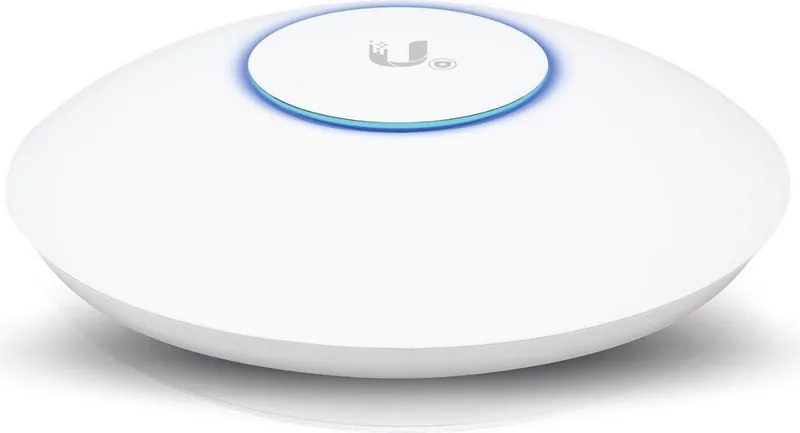
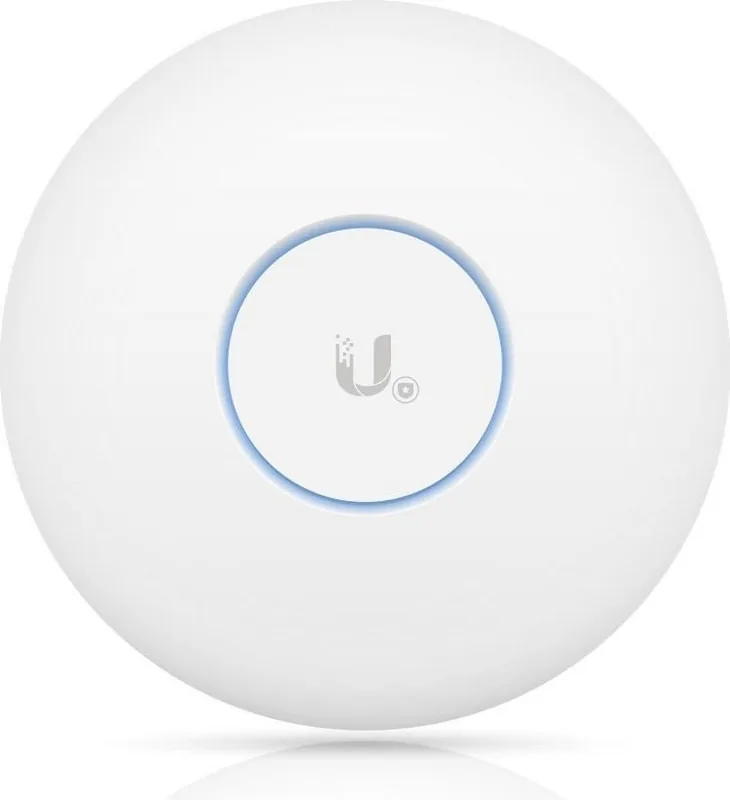
Ubiquiti UniFi AP AC SHD — High‑Performance Wave 2 Access Point
The Ubiquiti UniFi AP AC SHD is a premium 802.11ac Wave 2 wireless access point engineered for demanding enterprise and prosumer environments. It combines Wave 2 performance with a dedicated security radio, robust PoE+ power support, and flexible mounting options for wall, ceiling tile, T‑bar, or junction box installations. With dual Gigabit Ethernet ports, dual‑polarity antennas for both 2.4 GHz and 5 GHz bands, and support for advanced UniFi Controller features, the AP balances strong throughput, comprehensive management, and hardened build quality.
Key features and usage
The AP delivers Wave 2 MU‑MIMO performance to serve multiple clients simultaneously while maintaining consistent speeds. An independent security radio enables enhanced RF monitoring and intrusion detection without impacting client traffic. Installation is straightforward with a universal mounting plate and included kits for ceiling and wall mounts; the device accepts 802.3at PoE+ and includes auto‑sensing power for straightforward deployment with compatible UniFi switches.
System integration relies on the UniFi Controller (v5.4 or newer) or the UniFi mobile app for on‑site or cloud management. The Controller provides provisioning, monitoring, firmware upgrades, and location mapping. The AP also supports industry security standards (WEP, WPA‑PSK, WPA‑Enterprise, TKIP/AES) and regulatory compliances (FCC, CE, ISED), making it suitable for commercial installations that require documented conformity and RF exposure guidance.
Practical considerations
Outdoor use is permitted only in protected locations (under eaves); shielded Cat5/6 cabling and proper grounding are required for warranty and safe operation. The unit cannot be powered by certain low‑wattage PoE switches (e.g., US‑8, US‑8‑60W) and requires 802.3at PoE+ for full functionality. The LED behavior and reset functions are documented for troubleshooting and locating devices during large deployments.
Final impression
The Ubiquiti UniFi AP AC SHD is aimed at organizations that need high throughput, multiuser performance, and enhanced security monitoring in a professional installation. It pairs enterprise‑grade hardware with UniFi’s centralized management, making it a strong choice for venues, offices, and institutions that demand reliable Wi‑Fi and robust RF security features.
Notes
- Requires UniFi Controller v5.4+ or UniFi mobile app for provisioning and management.
- Use shielded Ethernet and proper grounding for outdoor or warranty‑sensitive installations.
- Must be powered by 802.3at PoE+; incompatible with some low‑power UniFi switches.
- Follow local regulations for RF operation and installation clearances.
Search for 67,706 Manuals online


Type-in Brand or Model