
Ubiquiti UniFi AP AC Pro UAP-AC-PRO Manual
PDF manual · 28 Pages
English



Quick check
Incorrect answer, please try again.
Chat with your Ubiquiti UniFi AP AC Pro UAP-AC-PRO manual using AI
Get instant AI answers from your Ubiquiti UniFi AP AC Pro UAP-AC-PRO manual
Ask anything about the Ubiquiti UniFi AP AC Pro UAP-AC-PRO. Answers come from this manual, with the pages they are based on.
Ask a Question
Do you recommend UniFi AP AC Pro UAP-AC-PRO?
Yes NoFrequently Asked Questions
It is a dual-band wireless access point designed to deliver reliable Wi-Fi in homes, offices, and managed business networks. It works especially well in setups that need centralized control, PoE power, and consistent coverage across multiple users.
Is this answer helpful?
Yes. It supports 802.3af and 802.3at PoE, so it can be powered through a compatible PoE switch. This reduces the need for separate power adapters and makes installation cleaner and more flexible.
Is this answer helpful?
It can be installed outdoors only in a protected location, such as under an eave or similar shelter. It should not be placed in an open environment. Outdoor cabling should be shielded and properly grounded.
Is this answer helpful?
The AP requires UniFi Controller software version 5.4 or newer. This controller is used for adoption, configuration, monitoring, and locating the device within the network. A mobile app can also help with provisioning and remote access.
Is this answer helpful?
It supports both wall and ceiling mounting. The included kit helps with installation, and the bracket design also supports upgrades from older UAP-PRO hardware with less drilling or rework.
Is this answer helpful?
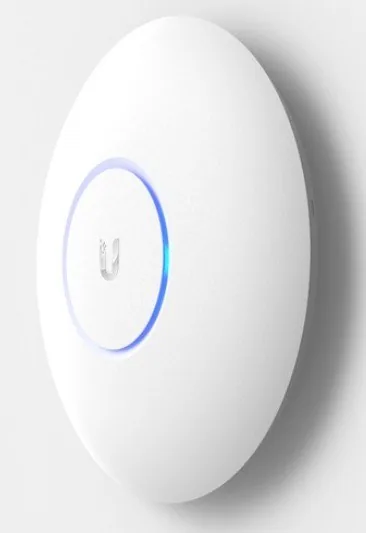
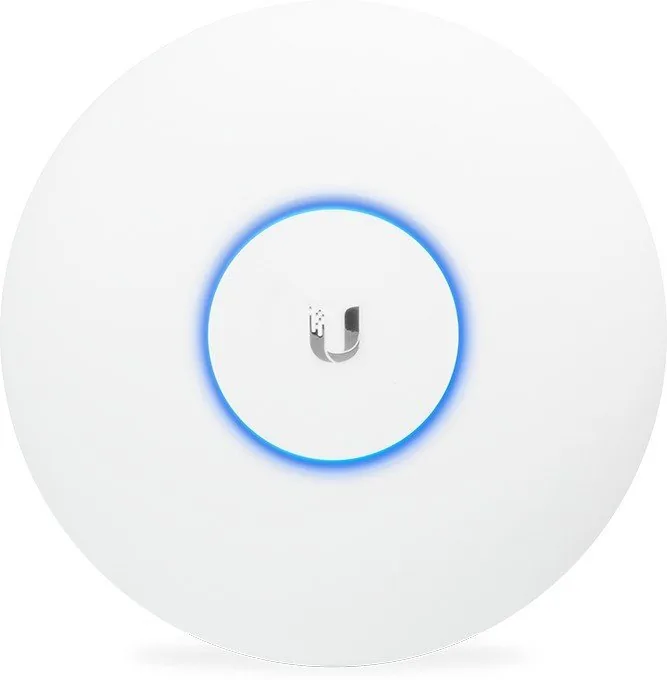
The LED shows the device status. White indicates factory default or initialization, blue means it is adopted and working, flashing blue is used for locating the AP, and alternating white/blue usually means it is busy, such as during a firmware update.
Is this answer helpful?
Advantages and Disadvantages
Advantages

- Dual-band 802.11ac performance supports fast, stable connectivity for multiple users.
- PoE power and gigabit ports simplify installation and reduce cable clutter.
- UniFi Controller and mobile app make centralized management and remote provisioning easy.
- Wall and ceiling mounting options offer flexible placement for better coverage.
- Upgrade-friendly bracket design helps replace older UniFi AP hardware with less effort.
Disadvantages

- Requires UniFi Controller v5.4 or newer, so it is less simple than a consumer access point.
- Outdoor installation is limited to protected areas; it is not meant for open exposure.
- Professional installation and shielded cabling are recommended for warranty compliance.
- The USB port is reserved for future use, so it adds no current expansion value.
Product Specification
Wireless
WLAN 802.11a/b/g/n/ac/h (Wi-Fi 5), simultaneous
Data Rate
450Mbps (2.4GHz), 1300Mbps (5GHz)
Antennas
internal
Ports
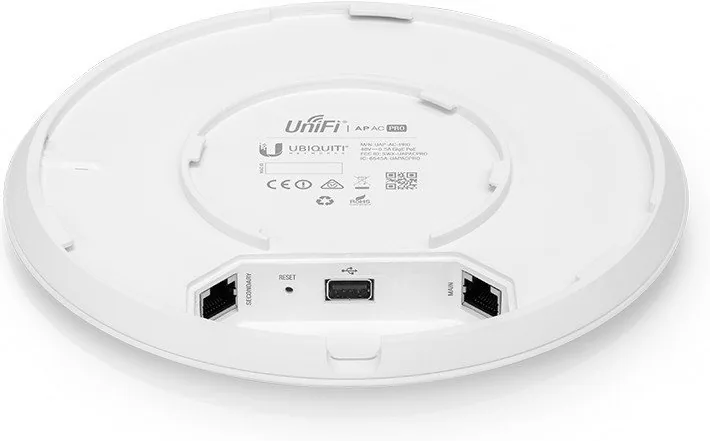
1x USB 2.0
Power Consumption
9W (consumption, operation), not specified (max. power supply output)
Dimensions
7.76x7.76x1.38in
Band Capability
Dual Band (simultaneous), Mesh (shared band)
Product Description
Ubiquiti UniFi AP AC Pro: A Practical Choice for Modern Wi‑Fi
The Ubiquiti UniFi AP AC Pro is a dual-radio 802.11ac access point built for users who want dependable wireless performance without losing the flexibility of a managed network. It suits small businesses, busy offices, hospitality spaces, and advanced home setups that need stable coverage, clean design, and centralized control. With support for PoE and the UniFi ecosystem, it is made to fit neatly into scalable networks that may grow over time.
What makes this model stand out is its balanced approach to performance and deployment. The access point includes dual-band antennas, gigabit Ethernet ports, and a mounting system for both wall and ceiling installation. That means it can be placed where signal coverage matters most, while keeping the hardware discreet. If you are searching for the Ubiquiti UniFi AP AC Pro Manual, you will quickly notice that the setup process is focused on structured installation, proper cabling, and controller-based management rather than quick consumer-style configuration.
The UniFi Controller plays a central role in the experience. Once adopted, the AP can be monitored, configured, and located from a single management interface, while the mobile app adds convenience for provisioning and remote access. This makes the AP appealing for teams that value visibility, consistent settings, and easier troubleshooting across multiple devices. Status LEDs also provide helpful feedback during startup, adoption, and normal operation.
Installation flexibility is another strength. The included bracket system supports new deployments and even upgrades from earlier UAP-PRO hardware without unnecessary rework. Outdoor use is possible in protected locations such as under an eave, but the device is not intended for open exposure. Ubiquiti also emphasizes shielded cabling and proper grounding for outdoor or professional installations, which reflects the product’s enterprise-minded design.
Notes
- Best suited for managed networks that already use, or plan to use, UniFi Controller software.
- PoE support simplifies cabling and helps keep installations clean.
- Shielded Ethernet cable and careful placement improve reliability, especially outdoors.
- Ideal when you want business-grade features in a compact, ceiling- or wall-mounted form factor.
Search for 67,706 Manuals online


Type-in Brand or Model