
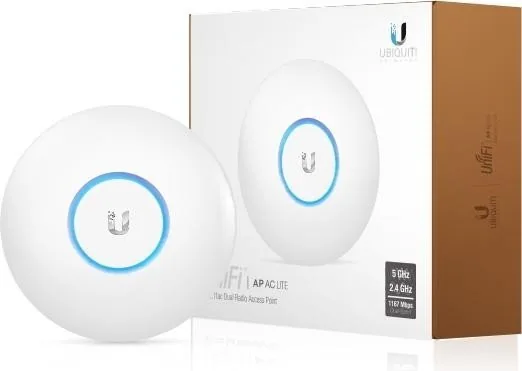
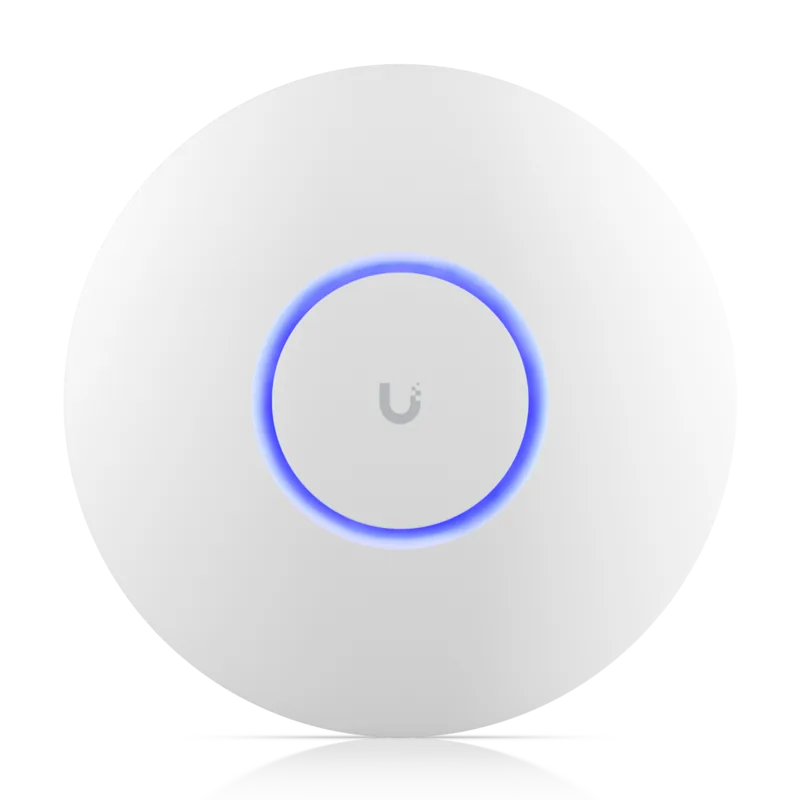
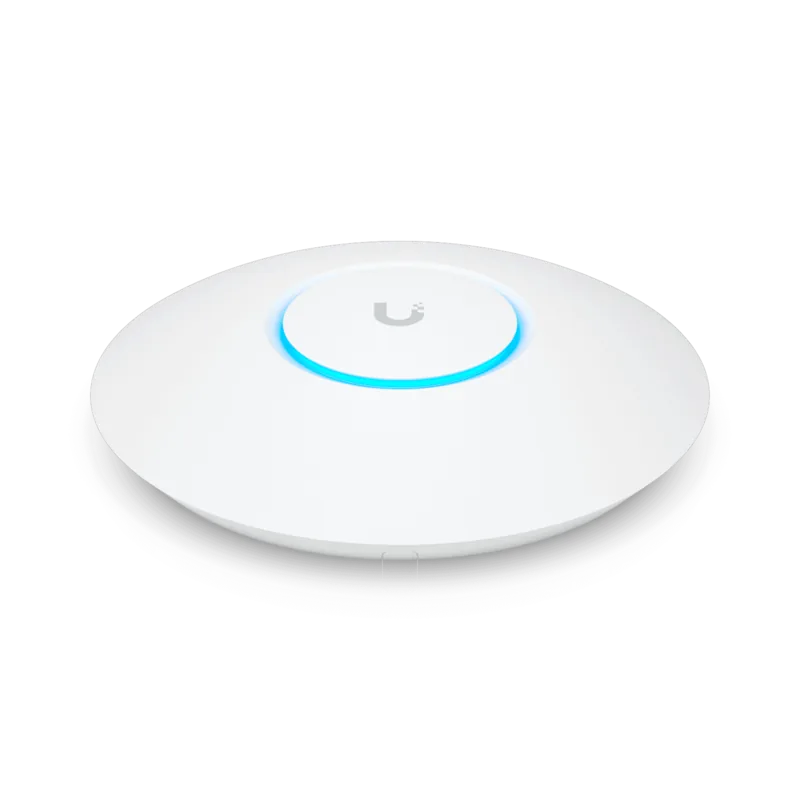
Ubiquiti UniFi AP AC Lite UAP-AC-LITE Manual
PDF manual · 28 Pages
English



Quick check
Incorrect answer, please try again.
Chat with your Ubiquiti UniFi AP AC Lite UAP-AC-LITE manual using AI
Get instant AI answers from your Ubiquiti UniFi AP AC Lite UAP-AC-LITE manual
Ask anything about the Ubiquiti UniFi AP AC Lite UAP-AC-LITE. Answers come from this manual, with the pages they are based on.
Ask a Question
Do you recommend UniFi AP AC Lite UAP-AC-LITE?
Yes NoVideo Manual
Ubiquiti UAP AC Lite review - installation, setup, roaming, performance tests
Frequently Asked Questions
You need UniFi Controller v4.7 or higher. Download and install the controller on a Windows, macOS, or Linux machine, then adopt and provision the APs through the controller interface for centralized management.
Is this answer helpful?
Only the single-pack retail unit includes a Gigabit PoE adapter. For a 5er-Pack deployment you should power the APs using a UniFi Switch with PoE or provide compatible 24V passive PoE adapters for each AP.
Is this answer helpful?
Use CAT5 or CAT6 Ethernet cable for network and PoE. CAT5 is the minimum required; shielded cable is recommended for outdoor runs or environments with electrical interference to ensure reliable performance and compliance.
Is this answer helpful?
Yes. Each AP includes a mounting bracket and ceiling backing plate. Follow the mounting steps: mark holes, drill recommended bit sizes (6 mm for walls, 3 mm for ceiling screws), feed the Ethernet cable, and twist-lock the AP into the bracket.
Is this answer helpful?
The AP supports WEP, WPA-PSK, and WPA-Enterprise (WPA/WPA2, TKIP/AES), up to four BSSIDs per radio, VLANs, guest networks, and centralized authentication and configuration via the UniFi Controller for flexible network segmentation.
Is this answer helpful?
Ubiquiti provides a one-year limited warranty covering defects in materials and workmanship. Exclusions include unauthorized modifications, physical damage, use of third-party firmware, cabling errors, and missing original labels; RMA procedures apply for returns.
Is this answer helpful?
Yes. The AP complies with FCC, CE, and Industry Canada rules. Maintain at least 20 cm separation from people for RF exposure, follow local frequency/channel regulations, avoid use during electrical storms, and dispose of equipment per RoHS/WEEE guidelines.
Is this answer helpful?
Advantages and Disadvantages
Advantages

- Affordable five-unit pack suitable for multi-room or small business deployments.
- Centralized management via UniFi Controller for easy provisioning and monitoring.
- Dual-band 802.11ac radios with gigabit Ethernet and passive PoE support.
- Compact, low-profile design with included wall and ceiling mounting hardware.
- Low power consumption (~6.5W) and industry-standard security support (WPA/WPA2).
Disadvantages

- Single-pack includes PoE adapter; multi-pack requires separate UniFi Switch or adapters.
- Passive PoE (24V) may not be compatible with all PoE infrastructures.
- Limited warranty (1 year) with exclusions for modification or misuse.
- 3 dBi antennas and 20 dBm TX power limit range compared to higher-end models.
- No built-in surge or lightning protection; outdoor use requires additional precautions.
Product Specification
LAN
1x 1000Base-T (PoE PD, 802.3af or 24V passive, Access Point, 5 devices)
Wireless
WLAN 802.11a/b/g/n/ac/h (Wi-Fi 5), simultaneous
Transmission rate
300Mbps (2.4GHz), 867Mbps (5GHz)
Security
WEP, WPA, WPA2, WPA3
Antennas
internal
Ports
1x USB 2.0
Power consumption
6.5W (consumption, operation), not specified (max. power supply output)
Dimensions
6.30x6.30x1.26in
Special features
VLAN, TPC/DFS, Mesh (shared band)
Band capability
Dual Band (simultaneous), Mesh (shared band)
Note
Products from production date September 2016 (product code 1638 and higher) support 802.3af and 24V passive PoE. Configuration only via configuration software or via control unit. WPA3 after firmware update (5.43+ FW).
Product Description
Ubiquiti UniFi AP AC Lite, 5er-Pack Manual
The Ubiquiti UniFi AP AC Lite, 5er-Pack delivers compact, cost-effective dual-band wireless coverage for small to medium deployments. Designed for ease of deployment and managed centrally with the UniFi Controller, this bundle simplifies expanding Wi‑Fi capacity across offices, classrooms, retail spaces, or multiroom homes. Each AP supports 802.11ac, offers gigabit Ethernet with passive PoE, and includes a mounting kit for wall or ceiling installation.
What’s notable about the AP AC Lite
The AP AC Lite combines a low-profile design with dual-band radios and integrated antennas, offering stable 2.4 GHz and 5 GHz radio coverage. With up to four BSSIDs per radio and standard wireless security (WEP, WPA-PSK, WPA-Enterprise), it handles guest and private networks concurrently. Its 3 dBi dual-band antennas and 20 dBm max transmit power strike a balance between range and interference control. For power, single-pack units include a 24V, 0.5A Gigabit PoE adapter; multi-pack deployments are best powered via a UniFi Switch.
Installation and management
Installation is straightforward: use the included mounting bracket or ceiling backing plate, feed CAT5/6 cables, secure the AP then lock it in place. The reset button supports quick restart or factory restore. The UniFi Controller (v4.7+) manages integration, provisioning, and monitoring—either on-site or from a cloud controller—providing network maps, device status, and firmware management.
Practical performance and safety
The AP AC Lite consumes minimal power (~6.5W) and operates across typical temperature and humidity ranges, making it suitable for indoor environments. It complies with FCC, CE, and Industry Canada standards and includes guidance on antenna separation and disposal (RoHS/WEEE). Warranty and limitations are standard: one-year coverage with specified exclusions for misuse, third-party firmware, or physical modifications.
Ideal use cases
This 5-pack is ideal for deploying multiple access points to provide seamless Wi‑Fi across contiguous spaces, segmented guest networks, or a managed small-business network where centralized control and modest hardware cost are priorities.
Notes
- Requires UniFi Controller v4.7 or higher for setup and management.
- Use CAT5/6 cabling; shielded cabling recommended for outdoor or high-interference runs.
- Maintain at least 20 cm separation from people for antenna RF exposure compliance.
Search for 67,706 Manuals online


Type-in Brand or Model