
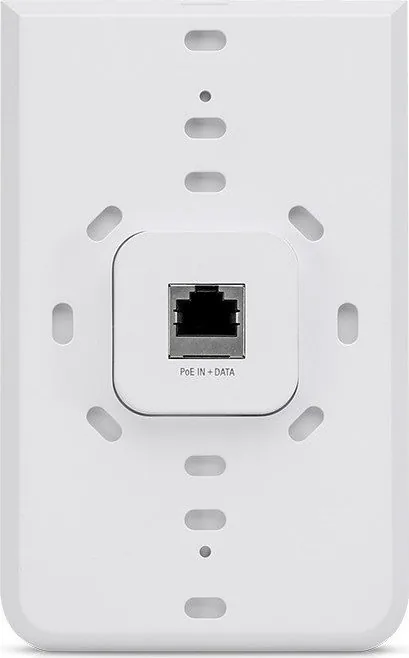
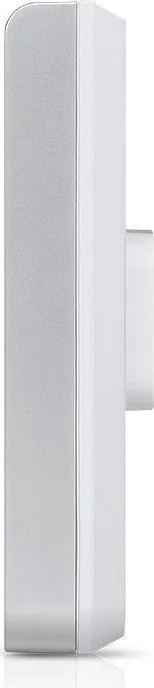
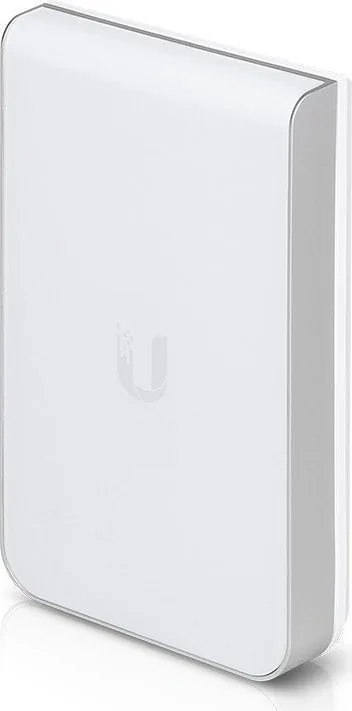
Ubiquiti UniFi AP AC In-Wall UAP-AC-IW Manual
PDF manual · 24 Pages
English



Quick check
Incorrect answer, please try again.
Chat with your Ubiquiti UniFi AP AC In-Wall UAP-AC-IW manual using AI
Get instant AI answers from your Ubiquiti UniFi AP AC In-Wall UAP-AC-IW manual
Ask anything about the Ubiquiti UniFi AP AC In-Wall UAP-AC-IW. Answers come from this manual, with the pages they are based on.
Ask a Question
Do you recommend UniFi AP AC In-Wall UAP-AC-IW?
Yes NoFrequently Asked Questions
It is an in-wall wireless access point designed to provide Wi-Fi coverage while blending into the room. It is ideal for homes, offices, and hospitality spaces that need both wireless access and nearby wired ports.
Is this answer helpful?
Yes. It supports both 2.4 GHz and 5 GHz wireless bands with 802.11a/b/g/n/ac compatibility. This helps balance range, speed, and device compatibility across different network needs.
Is this answer helpful?
It requires 802.3at PoE+ from a UniFi Switch with PoE. Passive PoE adapters are not recommended, and PoE passthrough depends on proper PoE+ input.
Is this answer helpful?
Yes, it offers PoE passthrough on one Ethernet port, but that function requires 802.3at PoE+ input. The passthrough output is limited, so it is best for low-power devices.
Is this answer helpful?
It can be managed through UniFi Controller software and also provisioned with the UniFi mobile app. This makes setup, monitoring, and remote access easier for administrators.
Is this answer helpful?
It is designed for a pre-installed electrical wall box with Cat5 or better Ethernet cabling. The unit is mounted to the wall box, connected to PoE, and then covered with the included faceplate.
Is this answer helpful?
Advantages and Disadvantages
Advantages

- Compact in-wall design keeps the room tidy and professional.
- Dual-band 802.11ac support offers solid wireless performance.
- Three Gigabit ports add useful wired connectivity near the AP.
- UniFi Controller and mobile app support simplify management.
Disadvantages

- Requires a UniFi Switch with PoE, so it is not plug-and-play.
- PoE passthrough needs 802.3at input, which may limit compatibility.
- Installation depends on a pre-installed wall box and cabling.
- Some setup features work best with UniFi software and Chrome.
Product Specification
LAN
3x 1000Base-TX (1x PoE+ PD)
Wireless
WLAN 802.11a/b/g/n/ac (Wi-Fi 5), simultaneous
Transfer rate
300Mbps (2.4GHz), 867Mbps (5GHz)
Security
WEP, WPA, WPA2, WPA3
Antennas
internal
Ports
N/A
Power consumption
7W (consumption, operation), not specified (max. power supply output)
Dimensions
5.51x3.43x1.02in
Special features
VLAN, Mesh (shared band)
Band capability
Dual Band (simultaneous), Mesh (shared band)
Note
Configuration only via configuration software or via control unit. WPA3 after firmware update (5.43+ FW).
Product Description
Ubiquiti UniFi AP AC In-Wall: Clean Wi-Fi, Smart Networking
The Ubiquiti UniFi AP AC In Wall Manual highlights a compact access point designed for spaces where performance matters just as much as appearance. Built to fit neatly into a standard wall box, this in-wall Wi-Fi solution brings enterprise-style connectivity into offices, hotels, apartments, and modern homes without creating visual clutter.
What makes it stand out is its balance of convenience and capability. It supports dual-band 802.11ac wireless, offering reliable coverage for everyday browsing, streaming, and business use. With multiple Gigabit Ethernet ports, it can do more than extend wireless access—it can also provide wired connectivity for nearby devices like desktop computers, printers, or smart equipment. That makes it especially practical in rooms where a single network drop must serve several needs.
Installation is straightforward for structured cabling environments, but it does expect the right setup. A pre-installed wall box, indoor-rated Cat5 or better cabling, and a UniFi Switch with PoE are key parts of the plan. The unit is powered through 802.3at PoE+, and that requirement also unlocks PoE passthrough for connected devices. In other words, it is built for networks that want both neat installation and efficient power delivery.
Management is another strength. The device works with UniFi Controller software and can also be provisioned through the UniFi mobile app. This gives network administrators the flexibility to configure, monitor, and locate access points from a central interface. For larger deployments, that consistency is a major advantage, especially when managing multiple devices across different rooms or floors.
From a product perspective, this access point is ideal for users who want seamless wireless coverage without sacrificing interior design. It fits naturally into professional environments where a clean wall-mounted finish is preferred, while still delivering strong connectivity and modern network controls. The result is a practical blend of form and function that feels purpose-built for today’s connected spaces.
Notes
- Best suited for installations with existing in-wall cabling.
- Requires UniFi PoE infrastructure for proper operation.
- PoE passthrough is available only with 802.3at input.
- A simple choice when you need Wi-Fi plus a wired LAN breakout in one unit.
Search for 67,706 Manuals online


Type-in Brand or Model